“Best Photo Editing Apps for Beginners”: Top Easy-to-Use Picks

Looking to make your photos look amazing but don’t know where to start? Finding the right photo editing app can feel overwhelming when you’re just beginning.
You want something easy to use, yet powerful enough to bring out the best in your pictures. Luckily, there are plenty of apps designed just for beginners like you. Whether you want quick fixes, stylish filters, or smart tools that do the hard work, the right app will help you create beautiful images without frustration.
Keep reading to discover the best photo editing apps that will boost your skills and make your photos stand out—no experience needed!
Top Beginner Photo Apps
Top beginner photo editing apps combine ease of use with powerful features. These apps help new users enhance photos without confusion. They offer simple tools and smart AI options.
Each app has unique strengths. Some focus on quick fixes, while others provide detailed controls. These choices suit different learning styles and editing goals.
Adobe Lightroom Mobile
Adobe Lightroom Mobile offers precise color correction and exposure tools. Its user-friendly sliders and presets simplify complex edits. It is perfect for beginners who want professional results.
Snapseed
Snapseed is a free app by Google with a clean, easy interface. It lets users try basic edits, healing, and local adjustments. Snapseed helps beginners gain confidence quickly.
Luminar Neo
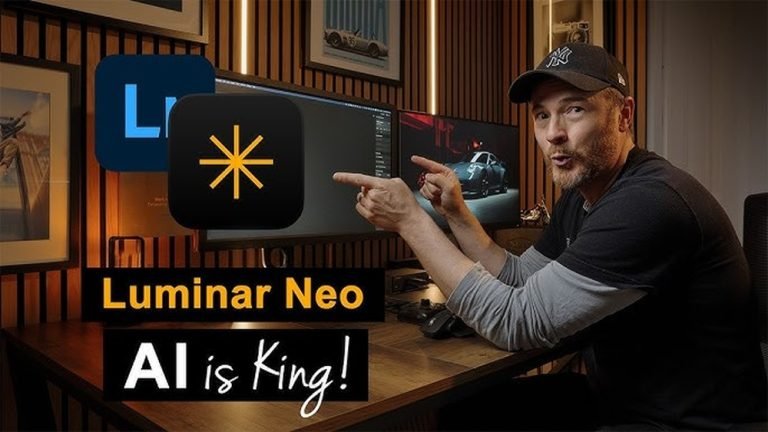
Luminar Neo uses AI to assist with sky replacement and object removal. It speeds up editing and creates striking images. Beginners enjoy its smart tools and clear layout.
Photomator
Photomator is designed for Apple users, blending simplicity with advanced AI features. It offers a smooth experience for those new to photo editing. The app’s interface is clean and modern.
Photoshop Express
Photoshop Express simplifies classic Photoshop tools for mobile use. It focuses on fast edits and creative filters. This app suits beginners who want easy and fun photo enhancements.
Vsco
VSCO combines editing tools with a social platform for sharing photos. It offers stylish filters and basic adjustments. Beginners appreciate its straightforward design and creative community.
Free Vs. Paid Apps
Choosing between free and paid photo editing apps can shape your learning and editing experience. Free apps often provide essential tools and a simple interface. They are perfect for beginners who want to explore editing without spending money. Paid apps usually offer more advanced features and better support. They help users create professional-quality photos with ease.
Understanding the differences helps you pick the right app for your needs and budget. Consider your goals, how often you will edit, and what features matter most.
Free Apps: Easy Start And Basic Features
Free apps allow beginners to try photo editing without risks. These apps include basic tools like cropping, brightness, and filters. Some even offer healing brushes and local adjustments. They are simple and user-friendly, perfect for learning editing steps.
Many free apps come with ads or limited features. They may not support high-resolution exports or advanced effects. Still, they provide enough for casual users and beginners to practice and improve.
Paid Apps: More Tools And Better Quality
Paid apps provide more powerful editing options and professional tools. Users get access to advanced color correction, layers, and AI enhancements. These apps often include presets and batch editing to save time.
Subscriptions or one-time purchases usually remove ads and unlock full features. Paid apps also offer better customer support and regular updates. They suit users ready to invest in their photo editing skills and want higher quality results.
Which Option Fits Your Needs?
Free apps suit those exploring photo editing or editing occasionally. They offer enough tools to learn and create simple edits. Paid apps fit users who want more control, features, and polish.
Try free versions first to understand the basic tools. Upgrade to paid apps if you need advanced features or use editing often. Choose based on your learning pace, budget, and project goals.
Essential Editing Tools
Essential editing tools form the backbone of any good photo editing app for beginners. These tools help improve image quality by adjusting key elements like light, color, and composition. Learning to use these basics allows you to enhance photos without feeling overwhelmed.
Each tool serves a unique purpose and is simple to apply. Mastering them will give your photos a polished, professional look. The following sections explain three vital editing tools found in most beginner-friendly apps.
Brightness And Contrast
Brightness controls the overall light in your photo. Increasing brightness makes the image lighter, while decreasing it darkens the photo. Contrast adjusts the difference between the darkest and lightest parts. High contrast creates sharp edges and vivid colors. Low contrast gives a softer, muted look. Adjusting brightness and contrast helps fix dull or overexposed photos quickly.
White Balance
White balance changes the color temperature of your photo. It removes unwanted color casts caused by different light sources. For example, photos taken indoors may look too yellow or blue. Correcting white balance makes colors appear natural and true to life. This tool is essential for producing realistic and appealing images.
Cropping And Straightening
Cropping cuts out unwanted parts of your photo. It helps focus attention on the main subject. Straightening fixes tilted horizons or objects, making the photo look balanced and clean. Both tools improve composition and can change the photo’s shape or size. They help create a stronger visual impact with simple adjustments.

Credit: www.youtube.com
Ai Features For Easy Edits
AI features in photo editing apps make editing simple for beginners. These tools automate complex tasks and save time. You can create stunning images without deep knowledge of editing software.
Many apps now include AI-powered options. They help you improve photos with just a few taps. These features let you focus on creativity instead of technical details.
Sky Replacement
Sky replacement lets you change a dull or overexposed sky quickly. AI detects the sky area and swaps it with a new one. You can choose different skies, like sunsets or clear blue skies.
This feature adjusts colors and lighting to match the new sky naturally. It creates dramatic effects without needing manual selections or masks. Beginners get professional-looking results fast.
Object Removal
Object removal removes unwanted elements from photos effortlessly. AI analyzes the image and fills the space with matching background details. You can erase distractions like trash, wires, or strangers.
This tool works with a simple brush or lasso tool. It blends the edited area smoothly with the rest of the photo. No advanced skills required to clean up your pictures.
One-tap Enhancements
One-tap enhancements improve photos instantly with AI adjustments. The app optimizes brightness, contrast, sharpness, and colors automatically. This feature suits beginners who want quick fixes.
You get a balanced and polished image without adjusting each setting manually. It saves time and helps you learn how good editing looks. A perfect start for those new to photo editing.
Choosing Based On Skill Level
Choosing between mobile and desktop photo editing can shape your learning and experience. Both platforms offer unique benefits for beginners. Mobile apps provide convenience and quick edits on the go. Desktop software usually delivers more powerful tools and precision. Understanding their differences helps pick the best option to start your photo editing journey.
Mobile Editing: Easy And Accessible
Mobile photo editing apps are user-friendly and perfect for beginners. They work on smartphones and tablets, so you can edit anywhere. Many apps feature one-tap filters and simple controls. This makes editing fast and fun without needing technical skills. Mobile editing suits casual users who want quick improvements.
Desktop Editing: More Power And Control
Desktop photo editors offer advanced tools and settings. These programs run on computers and provide detailed adjustments. Beginners can explore layers, masks, and precise color corrections. Desktop editing supports high-resolution files and complex projects. It fits users who want to learn professional techniques over time.
Choosing Based On Your Needs
Pick mobile editing if you want speed and ease. Use desktop editing if you seek detailed control and quality. Many beginners start with mobile apps and switch to desktops later. Both options help improve skills and creativity. Think about your goals, devices, and time before deciding.
Credit: iamprasadtech.com
Mobile Vs Desktop Editing
Learning photo editing can feel overwhelming at first. Starting with the right approach makes a big difference. Simple steps help beginners build confidence and skills. This section shares easy tips to begin your photo editing journey. Follow these tips to improve quickly and enjoy the process.
Start Simple
Choose an app with a clean, easy interface. Focus on basic tools like crop, brightness, and contrast. Avoid complex features at the start. Work with one or two adjustments per photo. This helps you understand how each tool changes your image. Simple edits lay the foundation for more advanced skills.
Use Tutorials And Guides
Tutorials explain tools and techniques step-by-step. Many apps offer built-in guides or online videos. Follow along with short lessons to practice. Reading articles or watching videos helps you see real examples. Use these resources regularly to learn new tricks. Learning from others speeds up your progress.
Practice Regularly
Editing photos often helps you improve faster. Try editing different types of images each day. Experiment with settings and tools without fear of mistakes. The more you practice, the better you understand each feature. Set small goals like editing one photo daily. Regular practice builds skills and creativity.
Credit: themframes.com
Conclusion
Choosing the right photo editing app makes a big difference for beginners. Simple tools help you learn and improve quickly. Apps like Lightroom Mobile, Snapseed, and Luminar Neo offer easy options to start. Practice with these apps to build your skills step by step.
Enjoy editing your photos and watch your creativity grow. Keep exploring and have fun creating beautiful images every day.