“Best Ai Tools for Removing Backgrounds from Images”: Top Picks 2026

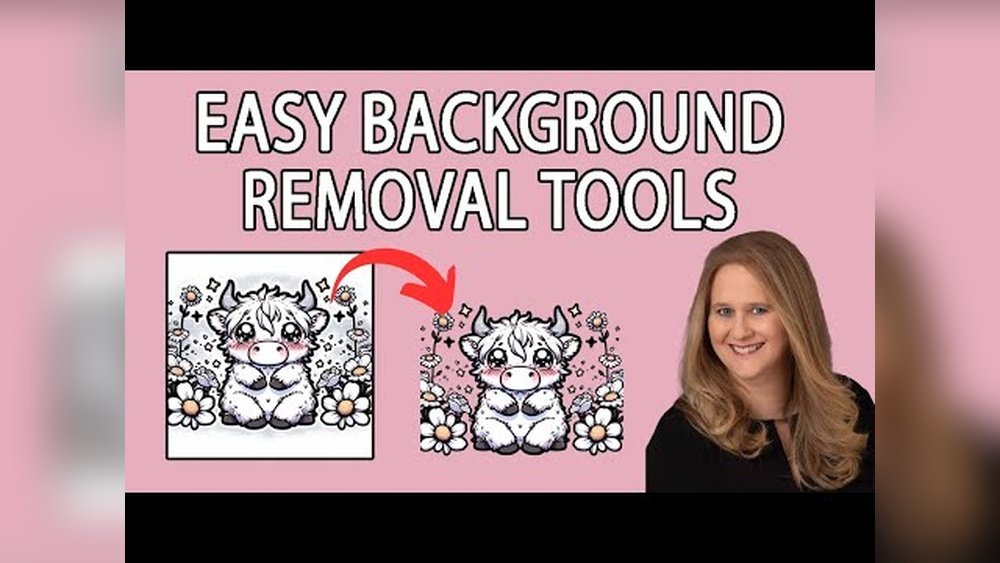
Struggling to get a clean, professional look for your images? Removing backgrounds used to be a tedious, time-consuming task, but now you have powerful AI tools that do the hard work for you—fast and effortlessly.
Whether you’re creating marketing materials, enhancing product photos, or just want your pictures to pop, the right background remover can make all the difference. You’ll discover the best AI tools designed to remove backgrounds with precision and ease, saving you time and frustration.
Ready to transform your images and boost your creativity? Let’s dive in and find the perfect tool for your needs.
Top Ai Background Removal Tools
Removing backgrounds from images has become easier with AI-powered tools. These tools save time and effort, giving clean results quickly. Many options exist, each with unique features. Here are some of the best AI background removal tools available today.
Remove.bg Features And Benefits
Remove.bg is a popular AI tool for background removal. It works fast and automatically detects the subject. The tool supports bulk uploads, saving time for many images. It offers high-quality results with precise edges. Users can download images in PNG format with transparent backgrounds. Remove.bg also integrates with design software for easy workflow.
Adobe Express Background Remover
Adobe Express provides a simple background removal tool. Upload your image, and the AI removes the background instantly. It works well for photos with clear subjects. The tool is free and easy to use. You can save images with transparent, white, or colored backgrounds. Adobe Express also offers editing features to enhance photos further.
Pixlr’s Ai-powered Tool
Pixlr’s AI background remover is free and user-friendly. It detects and removes backgrounds with a single click. The tool allows saving images with transparent, black, or white backgrounds. Pixlr works well for various image types and sizes. It also offers additional editing tools for perfecting your pictures.
Wondershare Pixcut Overview
Wondershare PixCut uses AI to remove backgrounds quickly. It provides a full preview of the image before saving. PixCut supports high-resolution images for professional use. The tool handles complex backgrounds and fine details well. It offers both free and paid plans, making it flexible for different users.
Photocat Ai People Remover
PhotoCat AI People Remover targets people in images specifically. The AI detects all people and marks them for removal. You select who to remove, and the tool erases them instantly. This saves time on manual editing and retouching. PhotoCat is easy to use and works well for group photos.

Credit: blog.agmsolutions.com
How Ai Background Removal Works
AI background removal tools use smart technology to separate the subject from the background. They analyze images pixel by pixel to identify areas to keep or remove. This process helps create clean, transparent backgrounds without manual work. The technology adapts to different images and complexities, making it fast and accurate.
Automatic Background Detection
AI scans the entire image to find the background automatically. It looks for patterns, colors, and edges that differ from the subject. This step allows the tool to isolate the subject without user input. The tool works well on simple backgrounds like solid colors or blurred scenes. It saves time by removing the need for manual selection.
Handling Complex Image Elements
AI uses advanced algorithms to manage tricky parts of images. It can detect hair strands, transparent objects, and shadows. This helps keep fine details while removing the background. Some tools improve accuracy by learning from many sample images. The result is a natural look without jagged edges or missing details.
Editing And Customizing Backgrounds
After removing the background, users can add new backgrounds or leave them transparent. AI tools often include options to replace backgrounds with colors, gradients, or other images. Users can also fine-tune edges and smooth transitions. These features allow more creative control and polished final images.
Comparing Free And Paid Options
Choosing the right AI tool for removing backgrounds depends on your needs and budget. Free tools offer basic features but may have limits on usage or quality. Paid options provide advanced features, higher accuracy, and better support. Understanding the differences helps you select the best tool for your projects.
Limitations Of Free Tools
Free AI background removers often restrict the number of images you can process. Many offer lower resolution outputs that reduce image quality. Some tools add watermarks that can affect the final look. Advanced editing options usually remain locked behind paywalls. These tools suit casual users or small tasks but may frustrate professionals.
Advantages Of Premium Features
Paid tools deliver higher accuracy and cleaner edges on backgrounds. Users get access to batch processing, saving time on multiple images. Many premium tools support high-resolution exports without watermarks. Extra features include manual touch-ups and custom background options. Customer support and frequent updates improve user experience.
Best Value Tools For Professionals
Tools like Remove.bg and Adobe Express balance cost and performance well. They offer reliable background removal with easy-to-use interfaces. Subscription plans provide enough credits for regular use without overspending. These tools integrate with popular design software, enhancing workflow. Professionals gain efficiency and quality with these choices.

Credit: www.freepixel.com
Ai Tools For Specific Use Cases
AI tools for background removal serve many specific needs. Different tasks need tailored solutions. Some tools excel at removing people from photos. Others enhance product images for online stores. Many focus on creating sharp content for social media and marketing. Choosing the right tool saves time and improves results. Below are AI tools designed for these specific uses.
Removing People From Images
Some AI tools specialize in removing people quickly. They detect human shapes precisely and erase backgrounds. These tools work well for event photos or group shots. Users can select which people to remove or keep. This feature is handy for editing crowds or fixing photos. PhotoCat and Remove.bg are popular for this task. They offer easy steps and fast results.
Product Photography Enhancement
Product photos need clean, clear backgrounds. AI tools remove distractions and create a white or transparent background. This makes products stand out and look professional. Many online shops use these tools to improve listings. Pixlr and Wondershare PixCut help streamline product image editing. They keep edges sharp and colors accurate for better sales appeal.
Social Media And Marketing Content
Marketing content demands eye-catching visuals. AI background removers help create creative and consistent images. Users can place subjects on new backgrounds or add effects. Adobe Express and FreePixel offer easy tools for social media posts. They speed up content creation and keep branding uniform. These tools support various formats for different platforms.
Tips For Getting Better Results
Removing backgrounds from images using AI tools can save time and effort. Yet, results depend on how you prepare and adjust your images. Small steps before and after using the tool improve the final look. Follow these tips to get cleaner and sharper images.
Choosing The Right Image
Select images with clear subjects and simple backgrounds. Photos with distinct edges help AI separate the subject easily. Avoid images with busy or cluttered backgrounds. High-resolution pictures provide more detail for better cutting. Good lighting on the subject reduces shadows and blurriness. These factors help the AI tool identify the correct areas to remove.
Fine-tuning Edges And Details
After the AI removes the background, check the edges closely. Use the tool’s brush or eraser options to clean leftover bits. Zoom in to fix small hair strands or fuzzy edges. Soft edges may need smoothing for a natural look. Pay attention to transparent or semi-transparent areas like glass or hair. Careful editing here makes the subject stand out well on new backgrounds.
Optimizing Output Formats
Save your edited image in the right format for your needs. PNG files keep transparency and work well for web use. JPEG files compress the image but do not support transparent backgrounds. Choose file size and quality settings carefully to balance clarity and loading speed. Proper format selection ensures your image looks great on all platforms.
Future Trends In Ai Background Removal
AI background removal tools continue to evolve rapidly. The future holds exciting improvements that will make these tools more precise, faster, and easier to use. These advancements will help users from beginners to professionals create clean images effortlessly.
Advancements In Ai Accuracy
AI models will improve their ability to detect complex edges and fine details. They will better handle hair, fur, and transparent objects. This accuracy will reduce the need for manual touch-ups. The AI will learn from diverse image types, making it reliable for all backgrounds.
Integration With Design Software
Background removal tools will be built directly into popular design programs. Users will remove backgrounds without leaving their workspace. This integration saves time and streamlines workflow. Designers can edit images and backgrounds in one place easily.
Increased Automation And Speed
AI will remove backgrounds almost instantly, even from large batches. Automation will allow users to process multiple images with a single command. Speed improvements will benefit e-commerce, marketing, and content creation. Faster tools mean quicker project completion and higher productivity.

Credit: www.tutkit.com
Conclusion
Choosing the right AI tool makes background removal easy and fast. Many options offer clear previews and simple steps. Some tools work best for people, others for objects or products. Most tools require just an upload and a click. Free and paid versions fit different needs and budgets.
Try a few to find what suits your projects. These AI tools save time and improve image quality. Removing backgrounds has never been this simple or accessible. Start creating clean, professional images today.