Wix Review: Ultimate Guide to Build Stunning Websites Fast

Looking to build a website that stands out without the headache of coding? You’ve probably heard about Wix – one of the most popular website builders out there.
But is it really the right choice for you? In this Wix review, you’ll get a clear, honest look at what makes Wix shine and where it might fall short. Whether you’re creating a portfolio, launching an online store, or starting a blog, understanding Wix’s features, ease of use, pricing, and limitations will help you make the best decision for your needs.
Stick with me, and by the end, you’ll know exactly if Wix is the website builder that fits your goals and budget.

Credit: support.wix.com
Wix Website Builder
The Wix Website Builder is a popular tool for creating websites easily. It offers a simple way to design and launch your site without coding. Many users appreciate its drag-and-drop interface and customizable templates. Wix suits a wide range of projects, from personal blogs to small business websites.
This builder combines flexibility and ease of use. It helps beginners build professional-looking sites quickly. The platform also includes useful features that support growth and online presence.
Who Should Use Wix
Wix is ideal for beginners with little or no coding experience. Small businesses benefit from its easy setup and built-in tools. Creatives like photographers and artists can showcase portfolios beautifully. Bloggers find it simple to start and manage their content. Online stores with moderate product lists also work well on Wix. Users needing fast site launch and design freedom will find Wix useful.
Key Features
Wix offers a drag-and-drop editor that requires no technical skills. It provides hundreds of templates for various industries and styles. The App Market allows adding extra functions like live chat and booking systems. Built-in SEO tools help improve search engine rankings. Mobile optimization ensures sites look good on phones and tablets. Wix also supports e-commerce with payment gateways and inventory management. The platform includes hosting, so users do not need a separate service.
Templates And Design
Wix offers a strong focus on templates and design to help users create attractive websites. It provides many options to suit different needs and styles. The platform’s design tools are user-friendly, making it easy for beginners to build custom sites. Still, some challenges appear, especially with mobile layouts.
Template Variety
Wix has hundreds of templates across many categories. You can find options for business, photography, blogs, and online stores. Each template features modern designs and clean layouts. This variety helps users start their site quickly. Templates include pre-built pages, so you do not need to design from scratch. However, once you pick a template, switching to another later is difficult.
Design Freedom With Drag-and-drop
The drag-and-drop editor is Wix’s key design feature. You can move text, images, buttons, and other elements anywhere on the page. This flexibility lets users create unique layouts without code. It suits beginners and those wanting full control. You can also add animations and adjust colors easily. The editor feels intuitive and smooth on desktop.
Mobile Responsiveness Challenges
Wix templates are mobile-friendly but not perfect. The freedom in design sometimes causes layout issues on phones and tablets. Users may need to adjust elements manually for mobile views. This extra step requires time and patience. Wix provides a separate mobile editor to fix problems. Still, some designs may not look consistent across devices without effort.
Wix Ai Tools
Wix AI tools bring smart technology to website creation. They help users build sites faster and easier. These tools adjust designs based on your answers. They suggest layouts, colors, and content to match your needs.
Using Wix AI tools means less time on design details. The system handles many tasks automatically. This lets you focus on content and business growth.
Ai Website Builder
The AI Website Builder asks simple questions about your site. It uses your answers to create a personalized website. The builder selects the best design and features for your project. This process removes guesswork and speeds up site setup.
Time-saving Benefits
Wix AI tools reduce hours of manual work. They automatically create pages and add content blocks. Editing suggestions help improve text and images quickly. These tools save time, especially for beginners or busy business owners.
Ai Integration Impact
AI integration improves user experience with smart automation. It lowers barriers for those without coding skills. The tools keep your site modern and relevant with updates and recommendations. Wix AI enhances both design and functionality, making site building less stressful.

Credit: support.wix.com
Wix Editor Flexibility
The Wix editor offers notable flexibility for building websites. It suits beginners and users with some design experience. The editor’s drag-and-drop interface allows arranging elements freely on pages. This freedom helps create unique site designs without coding.
Users can modify almost every visual aspect. Fonts, colors, images, and layouts adjust easily to fit a brand’s style. The editor supports both simple and complex designs, making it a versatile tool.
Customization Options
Wix provides many ways to customize your website. You can change text styles, backgrounds, and page structures. Widgets and media elements add interactive features. Custom animations and hover effects enhance user experience.
The editor also allows fine control over spacing and alignment. This precision helps maintain a clean, professional look. Users can create custom menus and buttons to guide visitors effectively.
App Market Integration
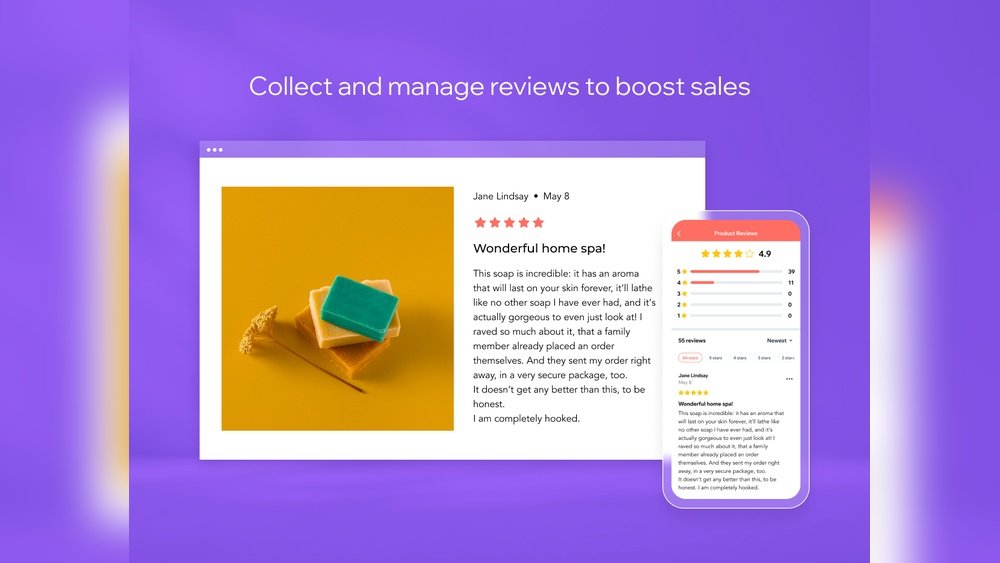
The Wix App Market expands site functions with many third-party apps. You can add booking systems, live chat, and e-commerce tools. Product reviews and social media feeds integrate easily too. These apps install with a few clicks and configure inside the editor.
This integration lets users build feature-rich websites without technical skills. The app market keeps growing, offering fresh tools to meet different needs.
Template Lock-in Issue
Wix templates look great but have a downside. Once you choose a template and build your site, you cannot switch templates without starting over. This lock-in means major redesigns require rebuilding content and layouts.
Users must pick templates carefully to avoid future headaches. The editor allows deep customization, so most users stay with one template. Still, this limitation can frustrate those wanting to refresh their site’s look later.
Seo And Marketing
SEO and marketing are key to growing your website’s reach. Wix offers tools that help beginners and small businesses improve their online presence. These features simplify SEO tasks and support marketing efforts.
With Wix, users can manage SEO settings without technical knowledge. Marketing options help promote products and engage visitors easily.
Beginner-friendly Seo Tools
Wix includes easy SEO tools for users new to website building. It guides you step-by-step to optimize your site for search engines. You can edit meta titles, descriptions, and URLs with simple controls.
Wix automatically creates a sitemap and submits it to Google. This helps your pages get indexed faster. The platform also offers SEO analytics to track your site’s performance.
Marketing Features
Wix provides built-in marketing tools to grow your audience. Email marketing lets you design and send campaigns directly from the dashboard. You can target customers with personalized offers and updates.
The platform supports social media integration for sharing content easily. Wix also has tools for managing ads and tracking their success. These features help bring more visitors to your site.
Pricing Plans
The pricing plans of Wix offer options for various users. From free to premium, each plan fits different needs and budgets. Understanding these plans helps you pick the right one for your website goals.
Wix plans vary by features, storage, and support. You can start small and upgrade as your site grows. Let’s break down the details of free and paid plans, cost factors, and overall value.
Free Vs Premium Plans
The free plan lets you build a website without paying. It includes Wix branding and limited storage space. You get access to templates and basic tools.
Premium plans remove ads and add more features. These include custom domain names, extra storage, and priority support. Some plans focus on business and e-commerce needs.
Cost Considerations
Premium plans cost between $14 and $49 per month. The price depends on the level of features and usage limits. Annual billing often saves money compared to monthly payments.
Costs can increase if you add extra apps or services. Consider your website’s size and goals before choosing a plan. Look at storage, bandwidth, and e-commerce options carefully.
Value For Money
Wix offers good value with easy-to-use tools and designs. The free plan suits simple or personal sites. Premium plans provide more control and professionalism.
Business users may find premium plans worth the price for sales tools and no ads. The range of features supports growth without complex setup. Wix balances cost and capabilities well.
User Experience
User experience plays a vital role in choosing the right website builder. Wix offers a platform designed for users with various skill levels. It combines simple tools with flexible features. This section explores how users interact with Wix in real life. We will review ease of use, customer support, and common complaints.
Ease Of Use
Wix provides a drag-and-drop editor that anyone can learn fast. The interface is clear and uncluttered, which helps beginners avoid confusion. Templates are modern and customizable without needing coding skills. Users can add apps and features quickly from the Wix App Market. Editing text, images, and layouts feels natural. The mobile editor lets users adjust their sites for phones and tablets. Overall, Wix makes website building accessible and straightforward.
Customer Support
Wix offers several support options to help users. There is a detailed help center with articles and tutorials. Users can reach customer support via phone or email. The live chat feature connects users with representatives during business hours. Some users find the automated bot answers helpful for quick questions. However, reaching a human agent may take time. Wix also has an active community forum where users share tips and advice.
Common Complaints
Some users mention a few drawbacks in their experience with Wix. Once a website is live, switching templates is difficult and may require rebuilding. Mobile site layouts sometimes need extra adjustments to look right. Costs can add up, especially with premium plans and paid add-ons. Support wait times frustrate some users, especially when the bot fails to solve problems. Despite these issues, many find Wix reliable for small businesses and personal sites.

Credit: www.stylefactoryproductions.com
Wix Compared To Alternatives
Wix stands out as a popular website builder, but it faces strong competition. Comparing Wix to other platforms helps you find the right fit. Each alternative offers unique features and caters to different needs.
This section compares Wix with Squarespace and Shopify. It also explains the best choice by website type. This helps you decide which platform suits your project.
Wix Vs Squarespace
Squarespace offers sleek, professional templates ideal for creatives. Wix provides more design freedom with drag-and-drop tools. Squarespace has built-in blogging and strong image management. Wix supports a wider range of apps and more flexible layouts. Squarespace’s editor is less flexible but easier to use for beginners. Wix allows more customization but may require extra tweaks for mobile views.
Wix Vs Shopify
Shopify focuses on e-commerce and online stores. Wix supports e-commerce but is not as specialized. Shopify offers advanced sales tools and payment options. Wix suits small stores and users wanting simple setups. Shopify handles large inventories and complex shipping better. Wix’s pricing may be lower for basic stores but grows with add-ons. Shopify provides a more robust platform for serious online sellers.
Best Choice By Website Type
For portfolios and creative sites, Squarespace is often the best. Its elegant templates highlight visual content well. For small businesses and beginners, Wix offers great flexibility and ease. Wix is perfect for blogs, small shops, and service websites. For large e-commerce sites, Shopify is the top choice. It scales well and offers powerful business tools. Knowing your website type helps pick the right platform fast.
Pros And Cons
Choosing the right website builder requires knowing its strengths and weaknesses. Wix offers many benefits but also comes with some drawbacks. Understanding these pros and cons helps decide if Wix fits your needs.
Major Advantages
- Design Freedom: The drag-and-drop editor lets you place items anywhere on the page.
- Template Variety: Hundreds of modern templates suit different business types and styles.
- App Market: Add extra features easily, like booking systems and live chat.
- Built-in SEO Tools: Simple tools help beginners improve search engine rankings.
- User-Friendly Interface: No coding skills needed to create a professional site.
- Flexible Pricing: Plans fit small businesses and growing companies alike.
Common Drawbacks
- Template Lock-in: Changing templates means rebuilding your site from scratch.
- Cost: Premium plans and add-ons can get expensive over time.
- Mobile Responsiveness: Custom designs may need manual fixes for phones and tablets.
- Customer Support: Some users face long wait times and automated responses.
- Loading Speed: Sites with many apps or heavy content can load slowly.
Conclusion
Wix offers a simple way to build websites with many design choices. Beginners enjoy its drag-and-drop editor and useful tools. Some find mobile editing tricky and costs can add up. Support may sometimes take longer than expected. Overall, Wix suits small businesses and personal sites well.
Consider your needs and budget before deciding. It stands as a solid option for easy website creation.