Gitmind Review: Ultimate Guide to Boost Your Mind Mapping Skills

Looking for a mind mapping tool that can boost your productivity and make complex ideas easier to understand? If you want a simple, yet powerful app to organize your thoughts, plan projects, or collaborate with your team, GitMind might be exactly what you need.
In this review, you’ll discover how GitMind’s AI-powered features can save you time and effort while helping you visualize your ideas clearly. Keep reading to find out if GitMind is the right fit for your work or study needs—and how it stands out from other tools on the market.

Credit: thedigitalprojectmanager.com
What Is Gitmind
GitMind is an online tool for creating mind maps and flowcharts easily. It helps organize ideas visually and supports teamwork. Users can quickly build diagrams for study or work projects.
What Is Gitmind?
GitMind is an online tool designed for creating mind maps and flowcharts. It helps users organize ideas visually. The platform suits students, professionals, and teams.
With GitMind, users can brainstorm, plan projects, and solve problems clearly. It offers a clean workspace for drawing diagrams quickly. The tool works directly in web browsers without downloads.
Core Functions Of Gitmind
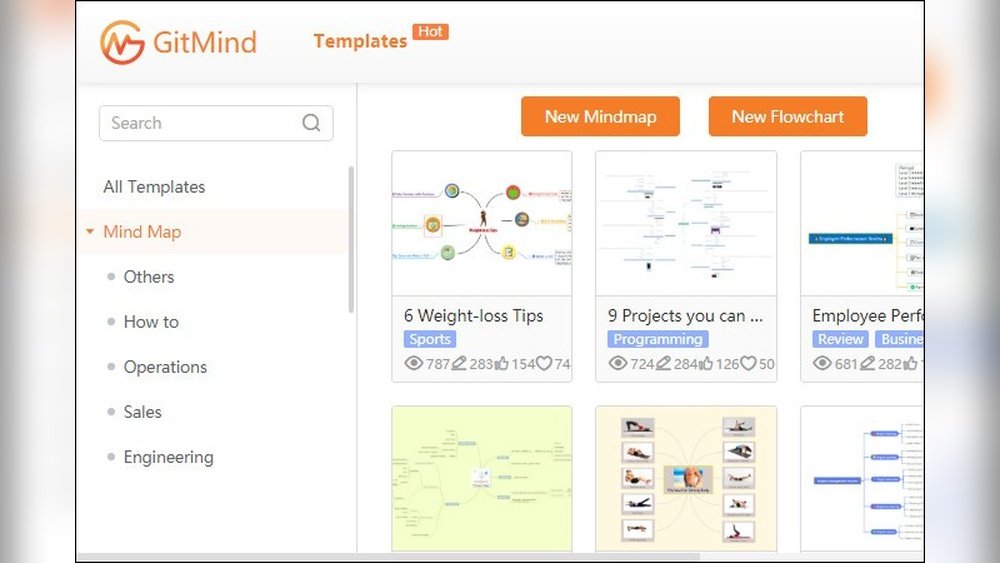
GitMind lets you build diagrams using simple drag-and-drop actions. It supports various formats like mind maps, flowcharts, and organizational charts. You can customize shapes, colors, and layouts easily.
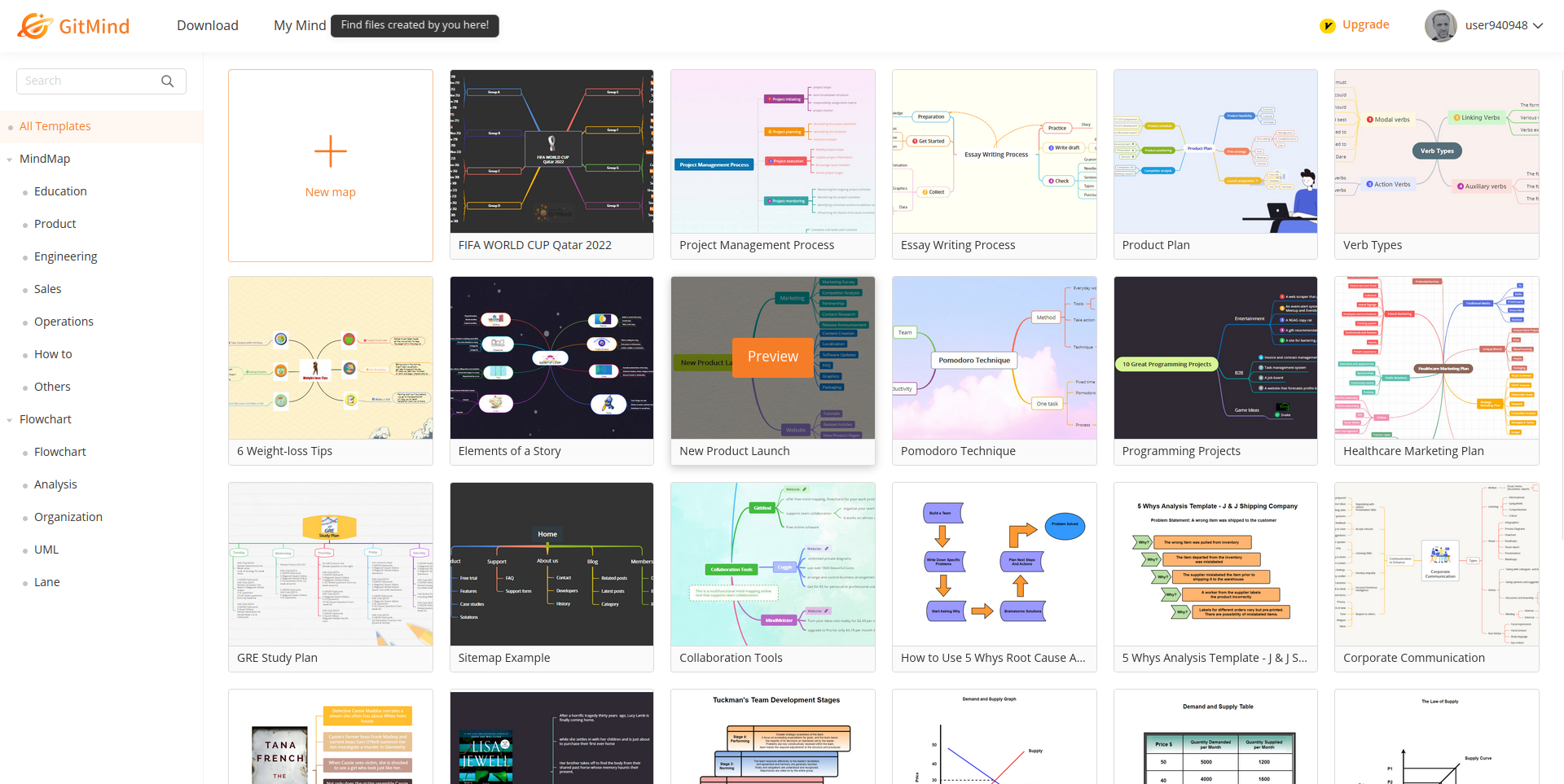
The platform includes templates to start projects faster. It also allows real-time collaboration, so teams can work together from different locations. Changes sync instantly for smooth teamwork.
Who Can Use Gitmind?
Students use GitMind to take notes and study smarter. Teachers find it helpful for explaining complex topics. Business teams plan strategies, track tasks, and share ideas clearly.
Freelancers and writers organize thoughts and manage projects. Anyone needing a visual way to think and communicate benefits from GitMind’s tools.
Accessibility And Platform Support
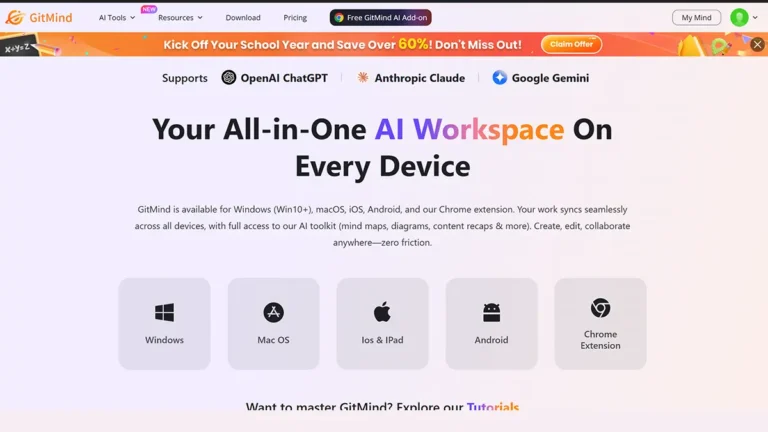
GitMind runs in most web browsers, making it easy to access anywhere. It works on Windows, Mac, Linux, and even mobile devices. No special hardware or software is required.
Your work saves automatically in the cloud. You can open projects anytime, anywhere, and continue from where you left off.
Key Features
GitMind offers several key features that make it a versatile tool for organizing ideas and managing projects. Each feature is designed to enhance productivity and creativity. The interface is user-friendly, suitable for beginners and experienced users alike.
These features cover a wide range of needs, from visual thinking to team collaboration. Understanding these core functions helps users decide how GitMind can fit their workflow.
Ai Mind Mapping
GitMind uses artificial intelligence to help create mind maps quickly. The AI suggests ideas and organizes them logically. Users save time by letting the AI handle complex structures. This feature is useful for brainstorming sessions and study notes.
Flowcharts And Diagrams
The platform supports various flowcharts and diagrams for clear visual communication. Users can design process maps, organizational charts, and more. Drag-and-drop tools make creating diagrams simple. This helps in explaining workflows and processes clearly.
Project Planning Tools
GitMind includes tools for planning and tracking projects. Users can outline tasks and set deadlines visually. It helps keep projects organized and on schedule. These tools are great for team leaders and individual planners.
Note Organization
Users can add notes to mind maps and diagrams for better context. Notes help keep all relevant information in one place. This feature supports detailed planning and study sessions. It makes revisiting ideas easier and more efficient.
Collaboration Features
GitMind allows multiple users to work on the same map at once. Real-time collaboration improves teamwork and communication. Users can share maps with others via links. This feature supports remote teams and group projects effectively.
User Interface
GitMind’s AI capabilities add smart features to improve your workflow. The platform uses artificial intelligence to simplify complex tasks. It helps users create, organize, and understand information faster.
These AI tools support creativity and productivity. They reduce manual work and make mind mapping more intuitive. Let’s explore the key AI functions that GitMind offers.
Generative Ai Functions
GitMind uses generative AI to help create mind maps automatically. Just enter a topic, and the AI suggests ideas and branches. It saves time by providing a ready structure to build on.
The AI can generate content for notes and summaries. It assists users in brainstorming and organizing thoughts. This feature works well for students and professionals alike.
Video And Pdf Summaries
GitMind’s AI can produce summaries from videos and PDFs. Upload a file or link, and the AI extracts key points. It creates concise summaries that are easy to review.
This tool helps users grasp important information quickly. It reduces the need to watch or read entire content. It also supports better study and research habits.
Efficiency Boosts
The AI features in GitMind increase overall efficiency. Tasks like organizing data and creating outlines become faster. The platform automates repetitive steps to save time.
Users can focus more on ideas and less on formatting. AI-powered suggestions guide users without interrupting their flow. These boosts make GitMind a practical tool for daily use.
Credit: graphics-illustrations.com
Ai Capabilities
GitMind offers several pricing options suited for different needs. The plans include a free version with basic tools. Paid subscriptions provide more features and benefits. There are also lifetime deals for long-term users. These options make GitMind accessible and flexible for everyone.
Free Version Features
The free version lets users create unlimited mind maps. It supports basic editing and collaboration. You can access cloud storage for your projects. Templates and simple export options are included. This version is good for casual users and beginners.
Paid Plans And Benefits
Paid plans add advanced features like AI-powered suggestions. They offer higher limits on maps and collaborators. Users get priority support and more export formats. These plans improve productivity for professionals and teams. Monthly and yearly payment options are available.
Lifetime Deal Options
Lifetime deals provide permanent access to premium features. This option is cost-effective for frequent users. It includes all paid plan benefits without recurring fees. Lifetime access can save money over time. Availability of these deals may vary.
Pricing Plans
Comparing GitMind with other mind mapping tools helps to understand its place in the market. It offers unique features and some limitations. This section explores how GitMind stacks up against similar software. It also highlights who benefits the most from using it.
Best Ai Mind Mapping Tools
GitMind competes with several AI-powered mind mapping tools. Storyflow stands out for its visual workspace and AI capabilities. Miro focuses on team collaboration and whiteboarding features. MindMeister is popular among beginners for its simple interface. Coggle offers free unlimited public diagrams, appealing to budget-conscious users. GitMind blends AI generation with easy-to-use mind mapping options, making it a solid choice.
Strengths Vs Competitors
GitMind’s AI generates maps quickly and suggests ideas effectively. It supports flowcharts and whiteboards, increasing flexibility. Its interface is clean and easy to navigate. Some tools, like Miro, provide more advanced collaboration options. Others, such as MindMeister, have stronger integrations with other apps. GitMind’s free version is generous compared to many competitors. It lacks some advanced export options found in premium tools.
Ideal User Scenarios
GitMind suits students and teachers who want to visualize ideas. It helps teams brainstorm with AI-assisted suggestions. Beginners find it easy to create clear mind maps fast. Freelancers and small businesses can plan projects without steep learning curves. Users who need simple flowcharts and diagrams benefit from its features. Those requiring deep collaboration or complex integrations might prefer other tools.
Credit: www.techradar.com
Conclusion
GitMind offers a simple way to create clear mind maps. It helps users organize ideas and improve study habits. The AI features save time and make work easier. Some small issues exist but do not affect overall use. Beginners and students find it helpful for learning and planning.
GitMind stands as a useful tool for visual thinking and teamwork. Give it a try to see if it fits your needs.