Dochub Review: Ultimate Guide to Boost Your Document Workflow

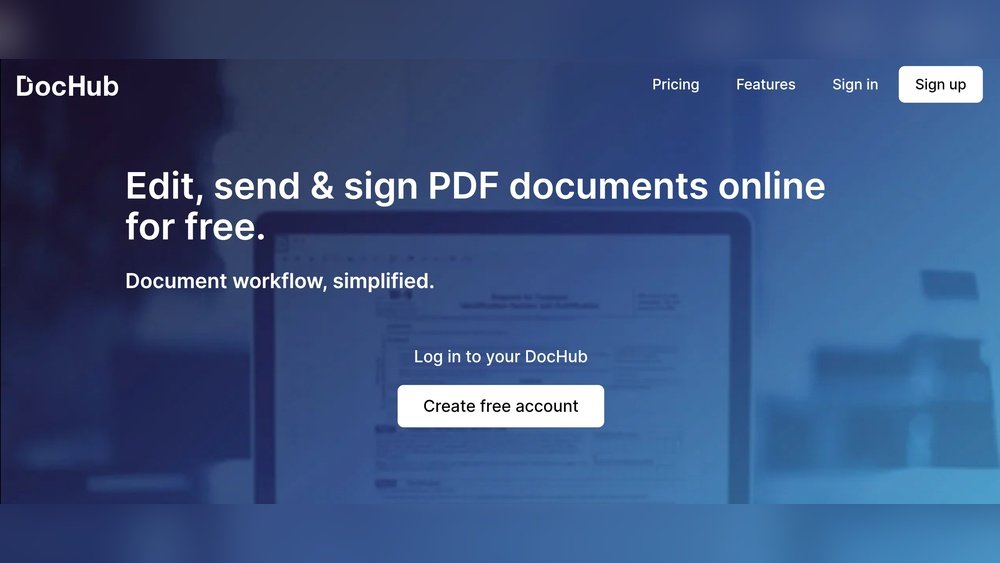
If you often deal with PDFs, you know how frustrating it can be to find the right tool to edit, sign, or share documents quickly and smoothly. That’s where DocHub steps in—a platform promising to make your PDF tasks easier right from your browser.
But does it really deliver on that promise? In this DocHub review, you’ll get a clear picture of its features, pricing, and how it stacks up against other popular tools. Whether you want to edit text inside PDFs, add e-signatures, or collaborate with your team seamlessly, this review will help you decide if DocHub is the right fit for your needs.
Keep reading to discover what works, what doesn’t, and how it can save you time on your next document project.

Credit: www.feisworld.com
Dochub Features
DocHub offers a smooth user experience designed for easy document handling. The platform balances simplicity with useful features. Users can edit, sign, and share PDFs without stress. The interface supports quick learning and daily use.
Each function is placed logically. This clarity helps reduce mistakes and saves time. Whether working solo or in teams, users find DocHub reliable and accessible.
Interface And Usability
The interface is clean and uncluttered. Buttons and tools are easy to find. Menus use simple labels that match common tasks. This design helps users quickly understand how to work with their documents.
DocHub works well on browsers. No need to install extra software. It loads fast and responds quickly to clicks. The editing tools feel natural to use, even for beginners.
Dashboard Overview
The dashboard provides a clear view of all documents. Users see recent files and activity at a glance. Important actions like uploading, signing, or sharing are just one click away.
Documents can be sorted by status or date. This organization keeps workflows smooth and focused. The dashboard also shows notifications and reminders, helping users stay on top of tasks.
Creating And Managing Signatures
Adding a signature is simple and flexible. Users can draw, type, or upload their signatures. Once saved, signatures are easy to reuse in future documents.
The signature tool supports multiple formats and sizes. This feature makes signing fast and consistent. Managing signatures is straightforward, with options to edit or delete as needed.
Team Collaboration Features
DocHub supports teamwork with shared documents and comments. Users can invite others to view or edit files. Permissions control who can make changes or only see the content.
Real-time collaboration helps teams work together smoothly. Comments and highlights guide discussions directly on the document. This setup reduces confusion and speeds up approvals.
User Experience
Dochub offers a range of pricing options designed to fit different user needs. Whether you want to try basic features or require advanced tools, Dochub has plans to suit you. Understanding these plans helps you choose what matches your workflow and budget best.
Free Plan Details
The free plan lets users edit and sign a few documents each month. It includes basic PDF editing tools and allows simple annotations. Users can upload files, add text, and create signatures without cost. This plan suits casual users who do not need heavy use.
Pro And Business Plans
The Pro plan unlocks more features like unlimited document signing and editing. It supports templates, advanced annotation, and priority support. Business plans add team management, collaboration tools, and integration options. These plans work well for professionals and small teams.
Site License Options
Dochub offers site licenses for larger organizations. These licenses provide bulk access for many users under one account. They include centralized billing and compliance features. Site licenses reduce costs for companies needing many user seats.
Value For Money
Dochub’s pricing balances features and affordability. The free plan covers basic needs without charge. Paid plans add useful tools at a reasonable monthly cost. Site licenses offer savings for large groups. Overall, Dochub delivers solid value for individual and business users.
Pricing And Plans
Evaluating the pros and cons of DocHub helps you decide if it fits your needs. This section breaks down its strengths and weaknesses based on real user feedback. Understanding both sides gives a clear picture of what to expect from this PDF editing tool.
Strengths
- Simple interface that is easy to navigate and use.
- Strong integration with Google Workspace and Drive.
- Allows text editing, signing, and merging PDFs quickly.
- Works directly in the browser with no software download.
- Free plan available for light users with basic features.
Weaknesses
- Some features like multi-party signing are limited and rigid.
- Occasional bugs and errors disrupt smooth workflow.
- Notification emails can seem excessive or spam-like.
- Lacks advanced security certifications for strict compliance needs.
- Template building tools may feel confusing for beginners.
Common User Feedback
Many users praise DocHub’s ease of use and Google integration. They find it helpful for quick PDF edits and signing without software hassles.
Others mention glitches that slow down work or cause frustration. Some users want stronger security for sensitive documents.
Overall, users recommend DocHub for casual or moderate use, especially if you rely on Google services.
Credit: www.pandadoc.com
Security And Compliance
Dochub offers versatile solutions that fit various needs. It supports different users and industries. Understanding its use cases helps to see where it performs best. Below are key groups that benefit from Dochub’s features.
Individual Professionals
Freelancers and consultants use Dochub to manage contracts and invoices. It lets them sign documents quickly and securely. Editing PDFs on the go saves time and effort. Individuals appreciate its easy interface and Google Drive integration.
Small And Medium Businesses
SMBs rely on Dochub to streamline document workflows. Teams can collaborate on contracts and proposals in real time. Automated e-signatures reduce paper handling and speed up approvals. It helps keep files organized and accessible from anywhere.
Enterprise Applications
Large companies use Dochub to handle complex document processes. It supports multi-user collaboration and advanced permission controls. Integration with Google Workspace fits well into existing systems. Enterprises benefit from audit trails and compliance features.
Credit: www.youtube.com
Conclusion
DocHub offers a simple way to edit and sign PDFs online. Its clean design makes tasks easy, even for beginners. Integration with Google Drive and Gmail helps save time. Some features may feel limited or buggy for complex needs. It suits users who want quick edits without heavy compliance demands.
Consider your specific tasks before choosing DocHub. It can fit well for light to moderate document work. Overall, DocHub provides a solid option for basic PDF editing and signing.