Miro Review: Ultimate Collaboration Tool for Teams in 2026

If you’re looking for a tool that can boost your team’s creativity and make remote collaboration easier, you’ve probably heard about Miro. But is it really worth your time and money?
This Miro review will give you a clear picture of what this online whiteboard platform offers—and where it might fall short. You’ll learn about its standout features, potential drawbacks, and how it stacks up for different types of projects. Whether you’re managing a team, planning a workshop, or just exploring new ways to organize your ideas, this honest review will help you decide if Miro is the right fit for your needs.
Ready to find out if Miro can transform your workflow? Let’s dive in.

Credit: www.michelletomczak.com
Miro’s Core Features
User experience and performance are crucial factors when choosing a digital whiteboard tool like Miro. This platform aims to offer smooth collaboration and easy navigation. Users expect quick responses and a clear layout. Performance issues can disrupt the creative flow and teamwork.
Miro handles complex projects that need large boards. Its interface should be intuitive for all users. Mobile and offline features add flexibility for work on the go. Let’s explore these aspects in detail.
Handling Large Boards
Miro supports very large boards with many elements. Still, performance may slow down as boards grow. Users might notice lag when adding or moving objects. This can affect teams working on detailed projects. The platform tries to optimize loading times, but complex boards need patience. Splitting work into smaller boards can help maintain speed.
Interface And Usability
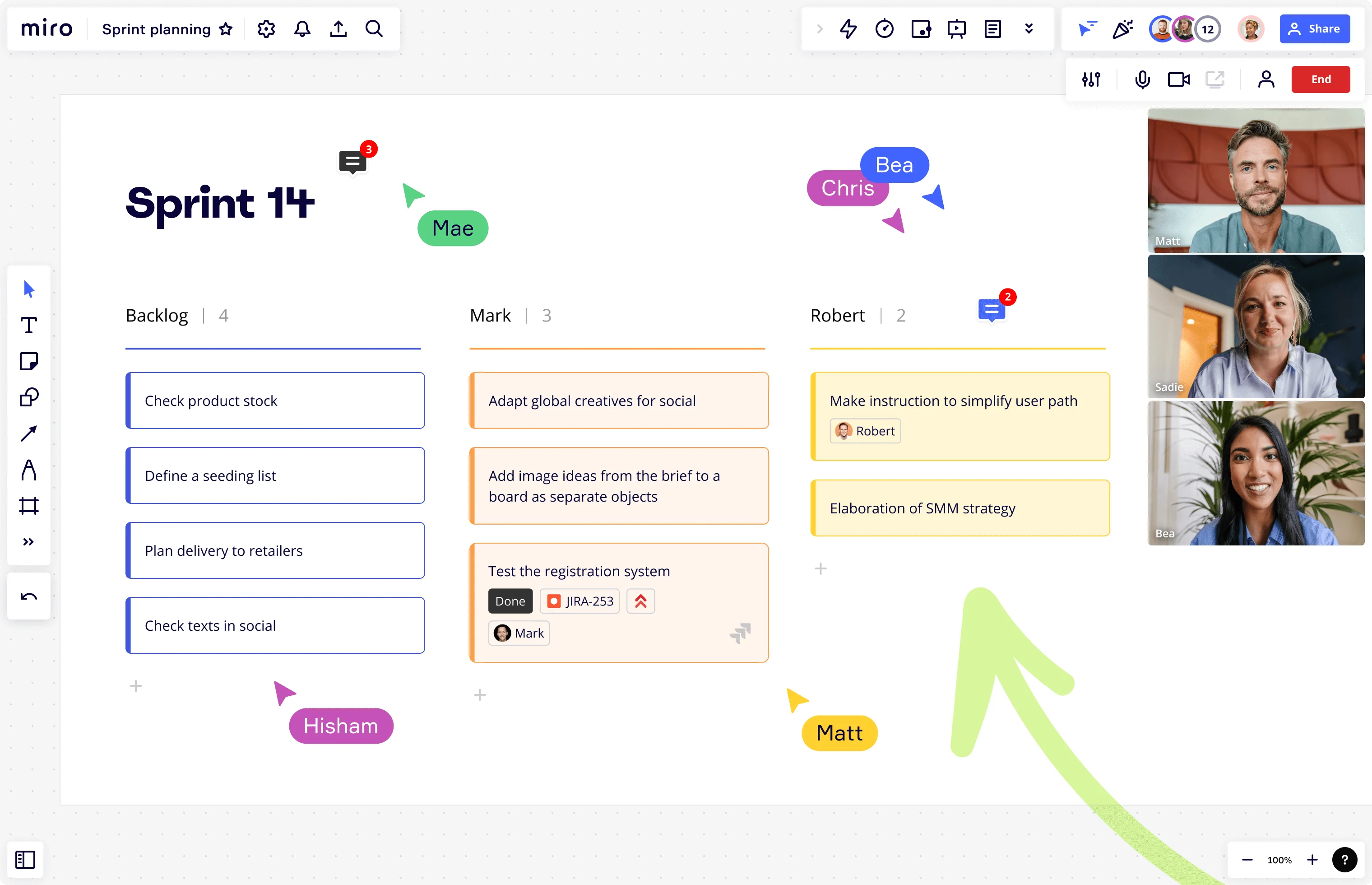
Miro’s interface is clean and simple. Tools are easy to find and use. Icons and menus are well organized for quick access. New users can start without much training. Drag-and-drop features make adding content fast. The infinite canvas lets users place ideas freely. Visual clarity helps teams focus on work, not navigation. Overall, Miro balances power and simplicity well.
Mobile And Offline Access
Miro offers mobile apps for iOS and Android. These apps allow users to view and edit boards on phones or tablets. The mobile interface keeps essential functions but is less detailed than desktop. Offline access is limited; users need internet to save changes. This can be a challenge if connection is weak. Still, mobile access supports flexible work styles and quick updates.
Credit: miro.com
User Experience And Performance
Maximizing Miro’s potential enhances your teamwork and project flow. Using it smartly saves time and keeps boards clear. Here are practical tips to help you get the most out of Miro.
Organizing Large Boards
Break big boards into smaller sections. Use frames to group related ideas and tasks. Label each frame clearly for quick navigation. Collapse sections to reduce clutter and focus on specific areas. Color-code elements to identify categories or priorities easily. Pin important notes or tasks to keep them visible.
Optimizing Collaboration
Invite team members with clear roles to avoid confusion. Use comments to ask questions or give feedback directly on items. Enable real-time cursor tracking to see where others work. Set permissions to control who can edit or view content. Schedule regular check-ins to review progress and update boards. Encourage use of voting or reaction tools to gather opinions fast.
Integrating External Apps
Connect Miro with apps like Slack, Google Drive, and Jira to centralize work. Sync files from Google Drive for easy access inside your boards. Use Jira integration to link tasks and track development status. Add calendar apps to keep deadlines visible. Automate workflows by connecting Miro with Zapier or similar tools. Keep integrations updated to avoid syncing problems.

Credit: www.ramotion.com
Conclusion
Miro offers a flexible space for team collaboration and project planning. It supports real-time interaction and integrates with many popular apps. Some users face slowdowns on very large boards and find billing confusing. Overall, Miro suits teams that need visual tools and remote cooperation.
It may not be perfect for everyone, but it helps many work better together. Consider your specific needs before choosing this platform.