Techsmith Review: Ultimate Guide to Features & Benefits

If you’re looking for powerful tools to create, edit, and share videos or screen recordings, TechSmith might already be on your radar. But is it really worth your time and investment?
Whether you’re a content creator, educator, or business professional, understanding what TechSmith offers and how it can fit into your workflow is key. In this TechSmith review, you’ll discover the strengths, potential drawbacks, and unique features that make this software stand out.
Keep reading to find out if TechSmith is the right choice to boost your productivity and creativity.
Credit: www.promax.com
Techsmith Products
TechSmith offers a suite of powerful tools for creating, editing, and sharing visual content. These products serve various needs, from screen recording to video collaboration. Each tool is designed to be user-friendly and efficient. This makes TechSmith a popular choice among educators, marketers, and professionals alike.
Camtasia
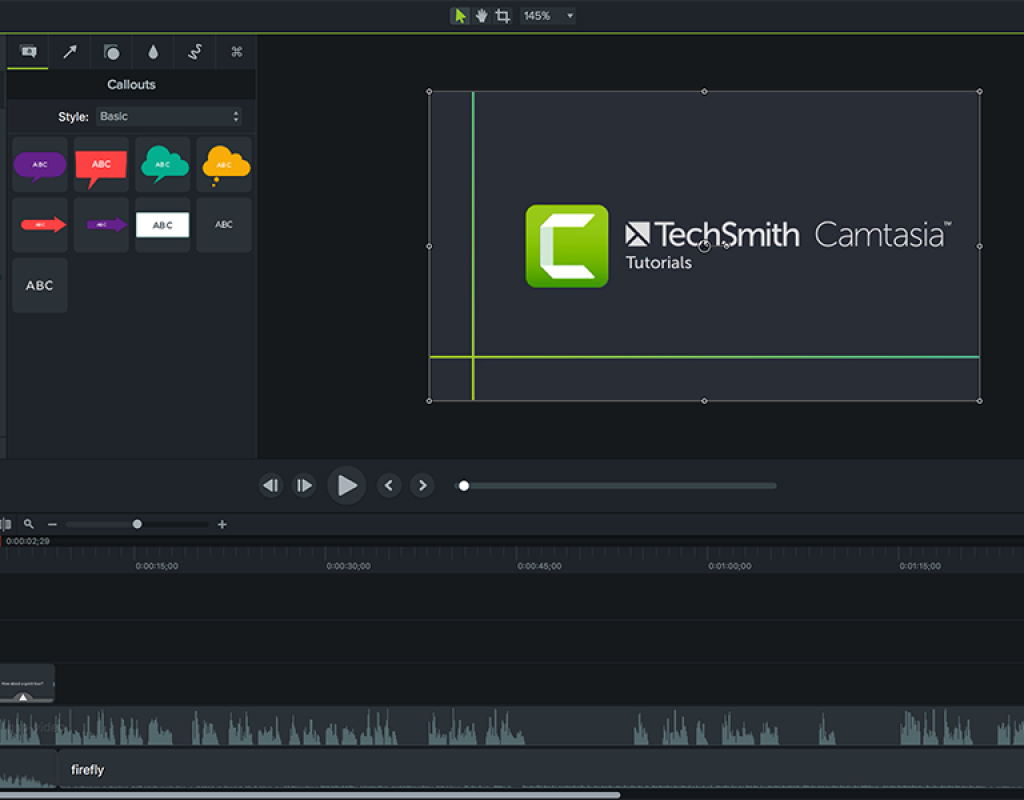
Camtasia is a screen recording and video editing software. It lets users capture their screen with ease. The software includes simple editing tools to cut, add effects, and insert audio. Camtasia is ideal for tutorials, presentations, and training videos. Its interface is clean, helping beginners create polished videos quickly.
Snagit
Snagit focuses on screen capture and image editing. Users can take screenshots or record short videos. It offers tools to annotate, highlight, and add text to images. Snagit is great for making how-to guides and visual instructions. It saves time by simplifying the capture and editing process.
Screencast
Screencast is a cloud-based platform for hosting and sharing videos. It supports video uploads directly from Camtasia or Snagit. The platform allows viewers to comment and interact with videos. Screencast simplifies collaboration and feedback on visual content. It works well for teams needing to share updates or training materials.
Video Review
Video Review is a tool for collecting feedback on videos. It allows multiple reviewers to leave comments and suggestions. This feature speeds up the editing and approval process. Video Review integrates smoothly with Camtasia. It helps teams work together to improve video quality efficiently.
Credit: www.provideocoalition.com
Recording Features
Collaboration and sharing are vital for any video project. TechSmith offers tools that simplify working together. These features help teams give input and share ideas without hassle.
Video Review Platform
TechSmith’s Video Review platform lets users upload videos for easy access. Team members watch and review videos in one place. It keeps feedback organized and visible to everyone. This reduces email chains and confusion.
Sharing Options
Sharing videos is simple with TechSmith. Users can share links via email or messaging apps. Privacy settings control who can view the content. This ensures only the right people see the videos. It works well for both small groups and larger teams.
Feedback And Comments
Viewers can leave comments directly on the video timeline. This helps pinpoint exact moments needing change. Comments are clear and easy to follow. Team members can reply and discuss points right there. It speeds up the review process and keeps all feedback in one place.
Editing Tools
TechSmith offers a range of pricing plans designed to fit different needs and budgets. Whether you are an individual user or part of a business team, there is a plan that suits your requirements. Understanding the pricing and plans helps you choose the best option for your use.
Subscription Options
TechSmith provides monthly and annual subscription plans. Monthly plans offer flexibility with no long-term commitment. Annual plans come with a discount, saving you money over time. Some products have a one-time purchase option as well. Choose based on how often you will use the software.
Free Trial Availability
TechSmith offers a free trial for most of its products. This allows you to test the software before buying. The trial period usually lasts 15 to 30 days. You get access to all features during this time. Use the free trial to see if TechSmith meets your needs.
Value For Money
TechSmith’s pricing is competitive for the features offered. The software includes powerful tools for video editing and screen recording. It saves time with easy-to-use features and clear outputs. Many users find it worth the cost for its reliability and support. The different plans ensure you pay only for what you need.

Credit: capstone.cse.msu.edu
Conclusion
TechSmith offers easy-to-use tools for screen recording and video editing. Its features suit beginners and experienced users alike. The software runs smoothly and helps create clear, professional content. Users can share videos quickly, making teamwork simpler. Overall, TechSmith provides solid value without overwhelming complexity.
It remains a reliable choice for many creative projects. Try it to see if it fits your needs. Simple, effective, and user-friendly—TechSmith stands out in its category.