Otter.Ai Review: Ultimate Guide to Smart Transcription Tools

If you’ve ever struggled to keep up with meeting notes or wished for a smarter way to capture every important detail, Otter.ai might be exactly what you need. Imagine having a tool that listens in real time, transcribes conversations accurately, and even highlights key points automatically.
Sounds like a game changer, right? But does Otter. ai live up to the hype? In this review, you’ll get the full picture—what works well, what falls short, and whether it fits your unique needs. Stick around, because by the end, you’ll know if Otter.
ai can truly simplify your meetings and boost your productivity.
Credit: votars.ai
What Otter.ai Offers
Otter.ai offers a range of tools designed to make audio and video content easier to understand and manage. It helps users save time by converting spoken words into text automatically. The platform suits professionals, students, and teams who need quick, accurate notes from meetings or lectures.
Its features go beyond simple transcription. Otter.ai integrates smart technology to enhance productivity and collaboration. Users gain access to live transcriptions, language support, and helpful meeting tools all in one place.
Real-time Transcriptions
Otter.ai transcribes speech as it happens. This feature allows users to read the text during meetings or events. It supports instant note-taking without the need to rewind or pause. The live transcription helps people follow discussions more easily. It also highlights key points and speakers automatically.
Supported Languages
Otter.ai primarily supports English transcription. It is expanding its language options to include other languages soon. The focus remains on clear and accurate English transcriptions for now. This makes it useful for international teams that use English as their common language. Users can expect improvements in language coverage over time.
Meeting Assistant Features
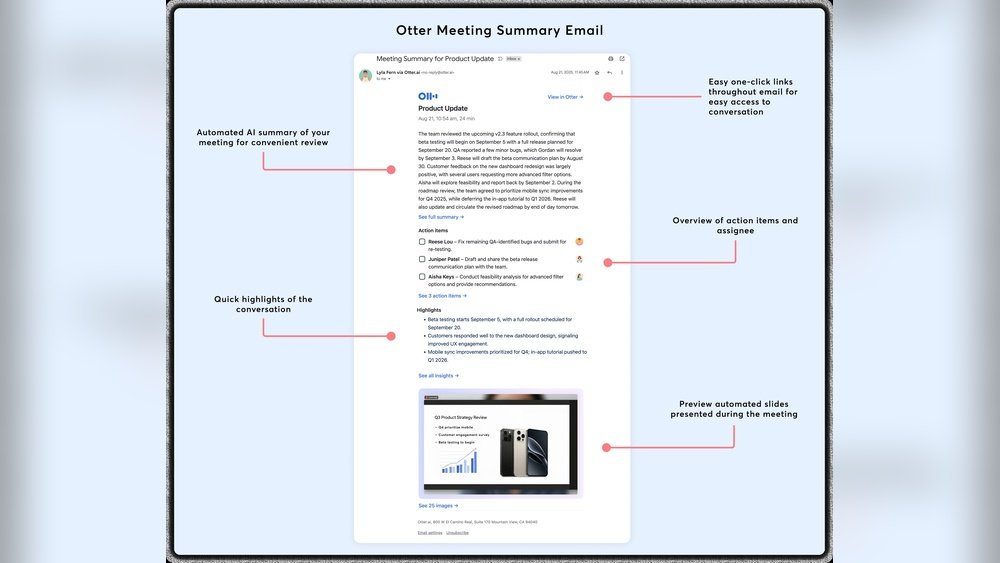
Otter.ai acts as a digital meeting assistant by joining calls on platforms like Zoom and Google Meet. It records audio and turns conversations into searchable notes. The assistant can summarize discussions and highlight action items. Users can tag speakers and add images or comments to the transcript. These tools help teams stay organized and refer back to important details quickly.

Credit: itechgemini.com
Key Features
Otter.ai offers several powerful features designed to enhance meeting productivity and note-taking. These features help users capture conversations clearly and find information quickly. The tool is suitable for students, professionals, and anyone needing accurate transcription and organization.
Speaker Identification
Otter.ai can distinguish different speakers in a conversation. This feature labels each speaker’s voice automatically. It makes transcripts easier to follow. You can see who said what without confusion. This is helpful in meetings or interviews with multiple participants.
Searchable Transcripts
Every word in the transcript is searchable in Otter.ai. You can find specific information instantly by typing keywords. This saves time compared to listening to the entire recording. The search works across all saved transcripts. It helps keep your notes organized and accessible.
Ai Chat Functionality
Otter.ai includes an AI chat feature to interact with your transcripts. You can ask questions about the meeting content. The AI provides quick answers based on the transcript. This tool helps clarify details without reviewing the whole text. It supports better understanding and faster decision-making.
Automated Summaries And Action Items
Otter.ai generates summaries automatically after meetings end. These summaries highlight key points and decisions. The tool also creates action items from the discussion. This feature helps teams stay on track with tasks. It reduces the need for manual note-taking and follow-up.
Integration Options
Otter.ai offers several integration options to fit different meeting platforms and productivity tools. These connections help users capture conversations without extra effort. The tool works smoothly with popular video call apps and productivity software. This section covers its main integration options to support your workflow.
Zoom And Google Meet Compatibility
Otter.ai connects directly with Zoom and Google Meet. It joins meetings as a participant to record and transcribe in real time. This saves you from taking notes manually. The transcripts appear instantly and can be shared after the call. These integrations require simple setup steps inside Otter.ai and the meeting platform.
Microsoft Teams Integration
Microsoft Teams users can add Otter.ai to capture meeting notes automatically. The integration allows live transcription and easy access to meeting summaries. Otter.ai syncs with Teams calendars to join scheduled calls. This feature helps keep track of discussions and decisions without distractions.
Productivity Tool Connections
Otter.ai connects with several productivity tools for better organization. It supports exporting transcripts to apps like Evernote and Dropbox. Users can also link Otter.ai with calendar apps to manage meetings efficiently. These options help streamline work by keeping all notes and recordings in one place.
Pricing Plans
Otter.ai offers flexible pricing plans designed for different user needs. These plans range from a free tier to premium subscriptions. Each plan includes various features and usage limits. Understanding these options helps users pick the best fit. Here is a detailed look at Otter.ai’s pricing structure.
Free Tier Overview
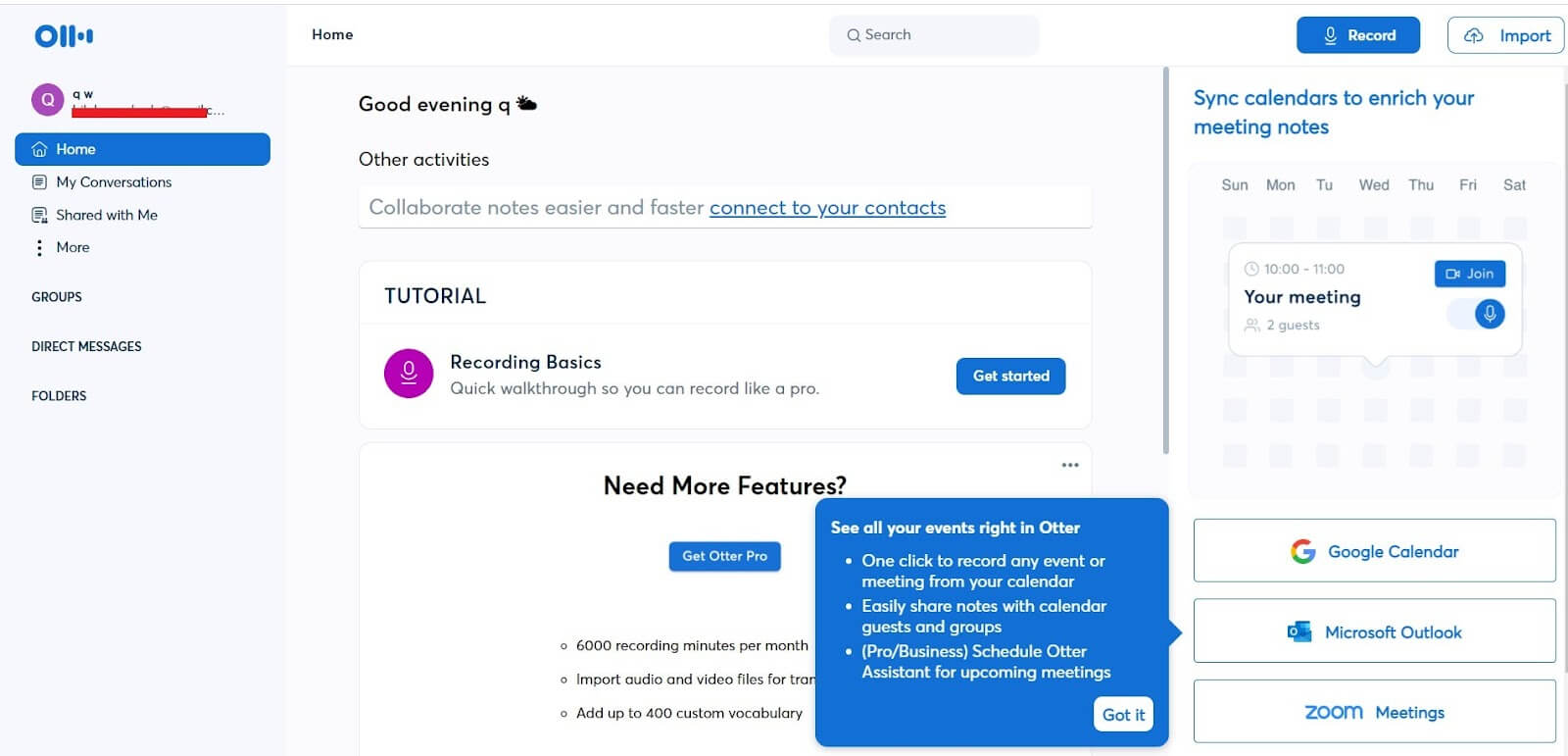
The free tier provides basic access to Otter.ai’s transcription services. Users get 600 minutes of transcription per month. It supports real-time transcription and basic export options. This tier suits individuals with light transcription needs. It allows testing the core features before upgrading.
Premium Subscription Benefits
The premium plan increases transcription limits to 6,000 minutes monthly. It offers advanced import and export formats. Users can also customize vocabulary and access better collaboration tools. Premium subscribers receive priority customer support. This plan suits professionals needing more transcription volume and features.
Choosing The Right Plan
Consider your transcription frequency and feature needs before choosing. The free tier works well for occasional users. Premium is ideal for regular users and teams. Evaluate your budget and required features carefully. Otter.ai’s flexible plans aim to cover various user demands efficiently.
Privacy And Security
Privacy and security are important when using Otter.ai for transcription. Users share sensitive information during meetings. Protecting this data is critical. Otter.ai has policies and features aimed at keeping user data safe. Understanding how Otter handles data and what security measures it uses helps users make informed decisions.
Data Handling Practices
Otter.ai collects audio and transcript data to provide its services. The company stores this information on secure servers. Data may be used to improve transcription accuracy. Otter.ai claims it does not sell user data to third parties. Users can delete transcripts from their accounts anytime. The service encrypts data during transmission to prevent interception.
User Consent Concerns
Some users worry about consent before recording. Otter.ai requires permission to join meetings and record audio. However, not all participants may be aware of recordings. This raises privacy concerns in group calls. Users should notify others before using Otter.ai in meetings. Transparency helps avoid legal and ethical issues regarding consent.
Security Features
Otter.ai uses encryption to protect data at rest and in transit. The platform supports secure login options, including two-factor authentication. Regular security audits help identify and fix vulnerabilities. Otter.ai’s cloud infrastructure complies with industry standards for data protection. These features work together to reduce risks of unauthorized access.

Credit: www.elegantthemes.com
Performance Insights
Performance is a key factor when choosing transcription software like Otter.ai. It affects how well the tool captures speech and delivers useful results. This section breaks down Otter.ai’s strengths and challenges in real-world use.
Understanding these insights helps users set the right expectations and use Otter.ai effectively.
Accuracy In Noisy Environments
Otter.ai performs well in quiet settings, capturing speech clearly. Background noise can lower accuracy. The software often misses words or mishears phrases amid chatter or music. It handles common accents and speech patterns fairly well. Speakers talking over one another cause confusion. Overall, Otter.ai is reliable but works best in controlled environments.
Import Limits
Users face limits on the length and number of audio files they can import. The free plan restricts monthly transcription minutes. This can disrupt long meeting workflows. Paid plans increase limits but still cap uploads. Large files may need splitting before import. These limits affect heavy users or those with extended recordings. Planning ahead helps avoid interruptions.
User Experience With Ai Bot
The AI bot adds convenience by summarizing notes and highlighting key points. It responds quickly to commands. Some users find the interface intuitive and easy to navigate. The bot improves over time with more interactions. Occasional errors in understanding commands occur, requiring manual correction. Overall, the AI bot enhances productivity but needs user oversight.
Comparisons With Other Tools
Otter.ai stands out as a transcription and meeting assistant tool. Many users want to know how it compares to other popular AI tools. This section explores how Otter.ai matches up against ChatGPT and other alternatives like Fireflies and Fathom. Each tool offers unique features, strengths, and weaknesses. Understanding these differences helps users pick the best tool for their needs.
Otter.ai Vs Chatgpt
Otter.ai focuses on live transcription and meeting notes. It records conversations and creates searchable transcripts. ChatGPT excels at generating text based on prompts. It can answer questions, write content, and simulate conversations. Otter.ai is easier for team collaboration during meetings. ChatGPT requires some learning to use its full potential.
Otter.ai supports mostly English but is adding more languages. ChatGPT supports many languages and adapts to different topics. Pricing models differ: Otter.ai offers free and premium plans. ChatGPT has subscription plans with free access for basic use. Users needing real-time transcripts prefer Otter.ai. Those wanting versatile text generation lean toward ChatGPT.
Alternatives Like Fireflies And Fathom
Fireflies.ai offers similar transcription and meeting summary features. It integrates with many video platforms and provides AI-powered notes. Fathom.ai is designed for Zoom calls, focusing on important highlights. Both tools compete with Otter.ai in accuracy and ease of use.
Fireflies provides more integrations with CRMs and project management tools. Fathom aims to reduce meeting overload by capturing key moments. Otter.ai is strong in transcript search and team collaboration features. Users may choose based on platform compatibility and specific needs.
User Feedback
User feedback offers valuable insight into Otter.ai’s real-world performance. It shows what users like and dislike. It also reveals how different teams use the tool. Understanding these views helps potential users decide if Otter.ai suits their needs.
Positive Reviews
Many users praise Otter.ai for its accurate real-time transcription. It captures spoken words quickly and clearly. The searchable transcripts help users find key moments in meetings. People also like the easy sharing and collaboration features. The AI-generated summaries save time and improve productivity. Users find the interface simple and user-friendly. Integration with Zoom and Microsoft Teams is a big plus. Overall, many feel Otter.ai makes meeting notes effortless.
Common Criticisms
Some users report accuracy issues in noisy environments. Background sounds often confuse the transcription. Import limits frustrate those with many audio files. The free plan’s restrictions feel tight to frequent users. Others mention occasional syncing delays during live meetings. Privacy concerns arise due to data handling practices. A few users find the editing tools basic. These points suggest room for improvement in Otter.ai’s service.
Use Cases For Different Teams
Sales teams use Otter.ai to record client calls and track details. Marketing groups rely on transcripts to create content from meetings. HR departments use it during interviews for accurate notes. Product teams document brainstorming sessions to capture ideas. Educators use it to transcribe lectures for student review. Remote teams appreciate the collaboration and note sharing features. Otter.ai adapts well across industries and roles, helping many work smarter.
Conclusion
Otter. ai offers a useful tool for capturing meeting notes clearly. It works well with popular platforms like Zoom and Google Meet. The real-time transcription helps users follow conversations easily. Some users find background noise affects accuracy. Import limits may feel restrictive for heavy users.
Overall, Otter. ai suits those needing quick, searchable transcripts. It simplifies keeping track of important discussions. Try it to see if it fits your workflow.