Skywork Ai Review: Unveiling Powerful Productivity Boosts

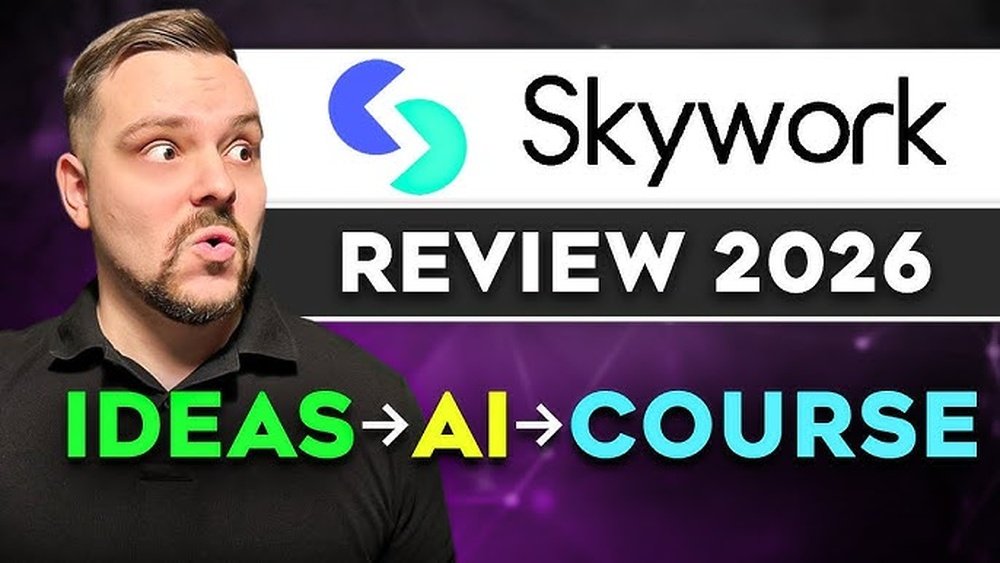
If you’re juggling multiple apps just to turn your ideas into polished content, Skywork AI might be the solution you’ve been searching for. Imagine starting with a single prompt and instantly getting documents, slide decks, websites, and even podcasts—all from one platform.
Sounds like a game-changer, right? But does Skywork AI live up to the hype? In this review, you’ll discover how it handles research, design, and formatting in a unified workspace, where it shines, and where it might slow you down.
Keep reading to find out if Skywork AI can truly streamline your workflow and boost your productivity.

Credit: www.youtube.com
Skywork Ai Features
Skywork AI offers a variety of features designed to boost your productivity. The platform integrates multiple tools in one place. This lets you create and manage content easily. Skywork AI supports different content types and workflows. It suits users who handle complex projects across formats. Explore some key features that stand out.
Multimodal Workspace
Skywork AI provides a single workspace for many content types. You can work on documents, slides, websites, and sheets in one place. This reduces the need to switch between apps. It keeps your project organized and accessible. Collaboration becomes easier with all tools connected.
Cross-format Content Creation
Create content that fits different formats without starting over. Skywork AI turns one research packet into multiple outputs. It can generate slide decks from reports or build a website from notes. This saves time and effort on repetitive tasks. The tool adapts your work for various audiences and platforms.
Ai Model Flexibility
Skywork AI lets you choose from top AI models like GPT, Claude, and Gemini. Each model suits different tasks such as reasoning or coding. You can also set the system to auto-route tasks to the best model. This improves the quality of results for your specific needs. Flexibility in AI choice helps handle diverse projects better.
Research And Citation Tools
Skywork AI scans hundreds of web pages to gather information quickly. It creates detailed reports with verified citations. This feature supports deep research and fact-checking. It ensures your content is accurate and trustworthy. Easy access to sources saves time and boosts confidence in your work.

Credit: www.eesel.ai
How Skywork Ai Works
Skywork AI simplifies content creation by turning ideas into many formats. It uses a single prompt to produce documents, slides, websites, and more. This saves time and keeps all work connected in one platform.
The system combines research, design, and formatting automatically. Users can focus on ideas while Skywork AI handles the details. Its smart workflow supports different types of content easily.
Single Prompt To Multiple Formats
Skywork AI starts with one prompt or research packet. It then creates various outputs like reports, slide decks, and podcasts from that input. This avoids repeating the same work for each format.
The AI structures content clearly and adds citations for accuracy. It helps users get polished results quickly without switching tools. One idea turns into many useful formats fast.
Workflow Integration
Skywork AI links all tasks in one workspace. Users can move smoothly between documents, slides, and websites. This keeps the work organized and easy to manage.
The platform supports teamwork by sharing projects within the system. It reduces the need for multiple apps and file transfers. Everything stays connected and up to date.
Task Automation
Skywork AI automates repetitive and complex tasks. It scans hundreds of web pages to gather research and create reports. Formatting and design are handled without manual effort.
Users save time and avoid errors through automation. The AI chooses the best model for each task, improving quality. This makes content creation faster and simpler.
Benefits Of Skywork Ai
Skywork AI offers several benefits that enhance productivity and organization. It brings all project elements together in one place. This approach simplifies managing tasks and content creation. Users can focus more on their work instead of switching between multiple tools.
Unified Workspace For Projects
Skywork AI combines documents, slides, sheets, and websites in one platform. This unified workspace reduces the need to jump between apps. Teams can collaborate easily with all materials accessible in one spot. It keeps projects organized and streamlines communication.
High-quality Output
The platform generates polished content quickly and efficiently. It uses AI to structure and format materials professionally. Outputs include reports, presentations, and podcasts with clear citations. This ensures reliable, well-crafted results every time.
Time-saving Automation
Skywork AI automates repetitive tasks to save valuable time. It transforms a single prompt into multiple content formats automatically. This reduces manual work and speeds up project completion. Users can focus on creativity and strategy instead.
Limitations To Consider
Skywork AI offers many useful features, but some limits affect its use. These limits can impact your experience and how you manage projects.
Understanding these restrictions helps set clear expectations. It also guides how you plan and use the platform effectively.
Credit And Token Usage
Skywork AI works with a credit system. Each task uses a certain number of credits or tokens.
Complex or large projects can quickly use many credits. This means costs may rise faster than expected.
Users must monitor credit balance closely. Running out of credits stops all AI functions until more are purchased.
Interface Performance
The interface can slow down with heavy workloads. Large documents or multiple tasks may cause delays.
Some users report lag when switching between features. This affects smooth workflow and task completion speed.
Performance depends on internet speed and device power. Lower specs might worsen the experience.
Error Handling Challenges
Skywork AI may produce errors or incomplete outputs. These can occur with complex prompts or unusual formats.
The platform lacks clear guidance on fixing some errors. Users might need trial and error to resolve issues.
Support response times vary. Quick help is not always guaranteed for urgent problems.
Pricing And Plans
Understanding Skywork AI’s pricing and plans is crucial for users aiming to optimize their workflow. The platform offers several options tailored to different needs and budgets. Each plan includes specific features that help users manage projects efficiently without overspending. Here, we break down the available tiers, cost efficiency, and team collaboration options.
Available Tiers
Skywork AI provides multiple subscription tiers. The basic tier suits individual users with essential features. Mid-level plans add more storage and advanced tools for growing teams. The top-tier plan unlocks full access to all features and priority support. Users can choose monthly or annual billing based on preference.
Cost Efficiency
Skywork AI balances price with functionality. Lower tiers offer solid value for solo users or small projects. Higher tiers provide more AI credits and faster processing for heavy workloads. Annual plans offer discounts that reduce the monthly cost. This structure helps users avoid paying for unused features.
Team Collaboration Options
Team plans include collaboration tools for seamless project sharing. Members can co-edit documents, slides, and sheets in real time. Access controls let team leaders manage permissions easily. Integrations with communication apps keep everyone updated. These features improve productivity and reduce email clutter.

Credit: undetectable.ai
Comparisons With Alternatives
Skywork AI offers a unique set of features for productivity and content creation. Comparing it with other tools helps highlight its strengths and areas for improvement. Below, we examine how Skywork AI stacks up against popular alternatives. This comparison covers Manus, Genspark, and other AI productivity tools.
Manus
Manus focuses mainly on document drafting and content generation. It uses AI to create written content quickly. Unlike Skywork AI, Manus does not support multi-format outputs like slides or podcasts. Manus is simpler and may suit users with basic writing needs. Skywork AI provides a broader range of content types in one platform. Manus lacks the deep research and citation features Skywork AI offers. Manus is more limited in handling complex workflows.
Genspark
Genspark excels in AI-driven brainstorming and idea generation. It offers creative prompts and suggestions for various content types. Skywork AI goes beyond brainstorming by enabling full project creation across formats. Genspark focuses on creativity and initial drafts. Skywork AI supports detailed research and final content formatting. Genspark may lack integration with external AI models like Claude or Gemini. Skywork AI offers more flexibility in model selection and task routing.
Other Ai Productivity Tools
Many AI tools target specific tasks like writing or design. Some focus on speed, while others prioritize accuracy or creativity. Skywork AI combines multiple features in one workspace. It reduces the need to switch between apps. Some tools offer cheaper pricing but limited capabilities. Skywork AI’s credit system may require careful management for heavy users. Its research-backed content creation stands out among general AI tools. This makes it suitable for users needing verified and multi-format outputs.
User Experiences
User experiences with Skywork AI reveal how real users interact with the platform daily. Their feedback provides insight into strengths and weaknesses. This section explores what customers say, the common praise they offer, and the issues they report.
Customer Reviews
Many users appreciate Skywork AI for its all-in-one approach. They mention how it simplifies content creation by combining documents, slides, and audio in one place. Several users highlight the time saved by avoiding switching between tools. Some praise the ability to generate structured reports with accurate citations. Others like the flexibility of choosing different AI models for their tasks. However, some reviews point out that high usage can quickly consume credits, limiting long-term use. Overall, customer reviews show a mix of satisfaction and areas for improvement.
Common Praise
Users often praise Skywork AI for its ease of use. The platform’s clean interface helps beginners start without a steep learning curve. Many enjoy the automatic conversion of content into multiple formats. This feature helps users create presentations and websites from one research packet. The integrated workspace is seen as efficient and convenient. Users also value the reliable citation feature for research tasks. The flexibility to switch between AI models suits different needs well. These positive points appear repeatedly in user feedback.
Reported Issues
Some users report that Skywork AI can drain credits too fast during heavy tasks. This limits the amount of content they can produce daily. A few mention occasional slow processing times when working on large projects. Some users find the pricing plans expensive for extended use. Others wish for more customization options in the output formats. A minor number experience bugs or glitches that disrupt workflow. These issues highlight areas where Skywork AI could improve its user experience.
Practical Use Cases
Skywork AI offers many practical uses that simplify creative and professional tasks. It combines multiple tools into one platform. Users can create and manage projects without switching apps. This saves time and keeps work organized.
Its versatility fits various needs. From writing to designing and even audio creation, Skywork AI adapts well. Below are some key use cases that show how it helps in real life.
Content Creation
Skywork AI helps produce articles, reports, and blogs quickly. It gathers information, organizes ideas, and writes drafts. The tool also checks facts and adds citations. This makes content reliable and ready to publish fast.
Writers benefit from clear structure and consistent tone. They can focus on creativity while Skywork handles research and formatting. The platform supports multiple languages and styles, fitting different audiences.
Presentation Building
Creating presentations becomes easier with Skywork AI. It turns written content into slide decks automatically. Users get well-designed layouts and visuals without extra design skills.
The tool arranges points logically for smooth storytelling. It offers templates that match various business or educational needs. Exporting slides is simple, allowing quick sharing and editing.
Website And Podcast Production
Skywork AI also builds websites and podcasts from the same content base. Websites get structured pages and clear navigation. This helps visitors find information quickly.
For podcasts, the AI generates scripts and audio tracks. It supports multiple voices and languages. Creators can launch episodes faster and keep content consistent across formats.
Conclusion
Skywork AI offers a handy all-in-one workspace for many tasks. It helps create documents, slides, websites, and more from one prompt. Users save time by working in a single app without switching tools. Some tasks may use credits quickly, so watch your usage.
The tool works well for basic to moderate projects. It suits those who want a simple, connected workflow. Overall, Skywork AI balances ease and functionality for everyday users. Try it if you need a unified platform for content creation.