Otter Ai Review: Ultimate Guide to Accurate Transcriptions

Looking for a tool that can effortlessly capture every word from your meetings, interviews, or lectures? Otter Ai promises to do just that—and more.
But does it really deliver on its hype? In this review, you’ll discover how Otter Ai handles real-time transcription, organizes your notes, and helps you stay on top of your busy schedule. Whether you’re a student, professional, or team leader, understanding what Otter Ai can do for you will save you time and boost your productivity.
Keep reading to find out if Otter Ai is the right fit for your needs—and learn some insider tips to get the most out of it.
Credit: votars.ai
What Otter Ai Offers
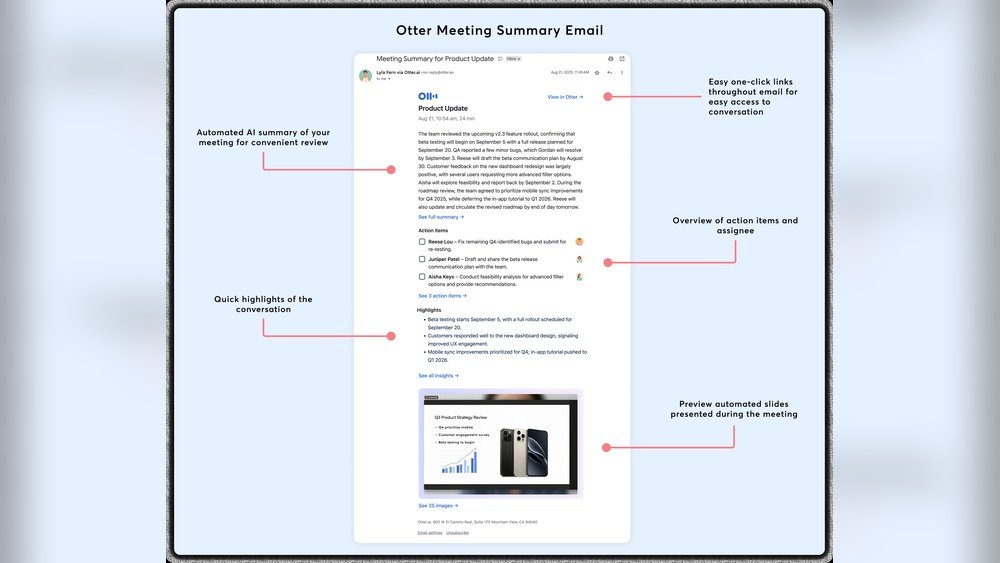
Otter Ai supports smooth collaboration and strong integration with popular tools. It helps teams share notes and keep meetings organized. Integration with other platforms makes Otter Ai a flexible option for diverse workflows. Users gain easy access to transcripts and can work together in real time. Let’s explore how Otter Ai aids teamwork and connects with other productivity apps.
Working With Teams
Otter Ai enables multiple users to edit and comment on transcripts. Team members can highlight key points and add images or tags. Shared folders help keep all meeting notes in one place. Users can assign roles to control who can edit or view content. This setup improves communication and reduces missed information during projects.
Supported Platforms
Otter Ai works on web browsers and mobile apps for iOS and Android. It integrates directly with Zoom, Microsoft Teams, and Google Meet. This allows automatic transcription of live meetings without extra setup. Otter Ai also supports exporting transcripts in various formats like PDF and TXT. Users can access their notes anytime, anywhere, on their preferred device.
Productivity Tool Connections
Otter Ai connects with popular productivity tools like Dropbox and Google Drive. This lets users save and share transcripts easily within their existing cloud storage. Integration with calendar apps helps schedule transcription sessions automatically. Otter Ai also supports Zapier, enabling connections with hundreds of other apps. These links streamline workflows and reduce manual work for busy teams.

Credit: itechgemini.com
Key Features
Privacy and security remain key concerns for users of transcription tools like Otter Ai. Understanding how Otter Ai handles data and addresses user concerns is vital. This section explores Otter Ai’s approach to keeping your information safe and the challenges it has faced.
Data Handling
Otter Ai collects audio recordings and transcripts to improve its services. The company stores data on secure servers with encryption methods. Users can control their data by deleting recordings anytime. Otter Ai limits data sharing with third parties unless required by law. The platform uses data to train its AI models but aims to protect user identities. Regular security updates help prevent unauthorized access. Otter Ai also offers options for enterprise clients to meet stricter compliance needs.
User Concerns And Lawsuits
Some users worry about privacy risks from automatic recording features. Lawsuits have claimed Otter Ai recorded conversations without all participants’ consent. These cases highlight the challenge of balancing convenience with privacy laws. Otter Ai states it follows legal standards and notifies users before recording. The company continues to update policies to enhance transparency. Users should review terms and use settings carefully to protect their privacy. Such concerns have raised awareness about AI tools and data privacy in general.
Collaboration And Integration
Otter Ai performs well as a transcription tool, balancing speed and clarity. It quickly converts speech into text, helping users follow meetings or interviews. Accuracy matters most for transcription, and Otter Ai delivers solid results in clear audio environments. It captures most words correctly, minimizing the need for heavy editing.
Performance varies with sound quality and speaker accents. Otter Ai handles common speech patterns better than unusual ones. It also works best with English, though other languages are slowly improving. The tool adapts to different voices, but some errors may still appear.
Handling Background Noise
Otter Ai reduces background noise to focus on speech. It uses AI to filter out sounds like typing or distant chatter. This helps keep transcripts cleaner and easier to read. However, very loud or overlapping noises can lower accuracy. In noisy places, expect more mistakes or missed words. For best results, use Otter Ai in quiet settings or with a good microphone.
Limitations And Import Caps
Otter Ai has limits on how much audio you can upload or import. Free plans restrict monthly transcription minutes and file size. These caps may affect users with long meetings or many recordings. Paid plans increase these limits but still impose some restrictions. Large files might need splitting before uploading. The tool also struggles with poor audio quality or multiple speakers talking at once. Recognizing these limits helps set realistic expectations for transcription accuracy and performance.

Credit: www.elegantthemes.com
Plans And Pricing
The user experience of Otter Ai plays a key role in its popularity. It offers tools to capture spoken words and turn them into text. This helps users save time and stay organized. Users often mention the smooth design and helpful features that make daily tasks easier.
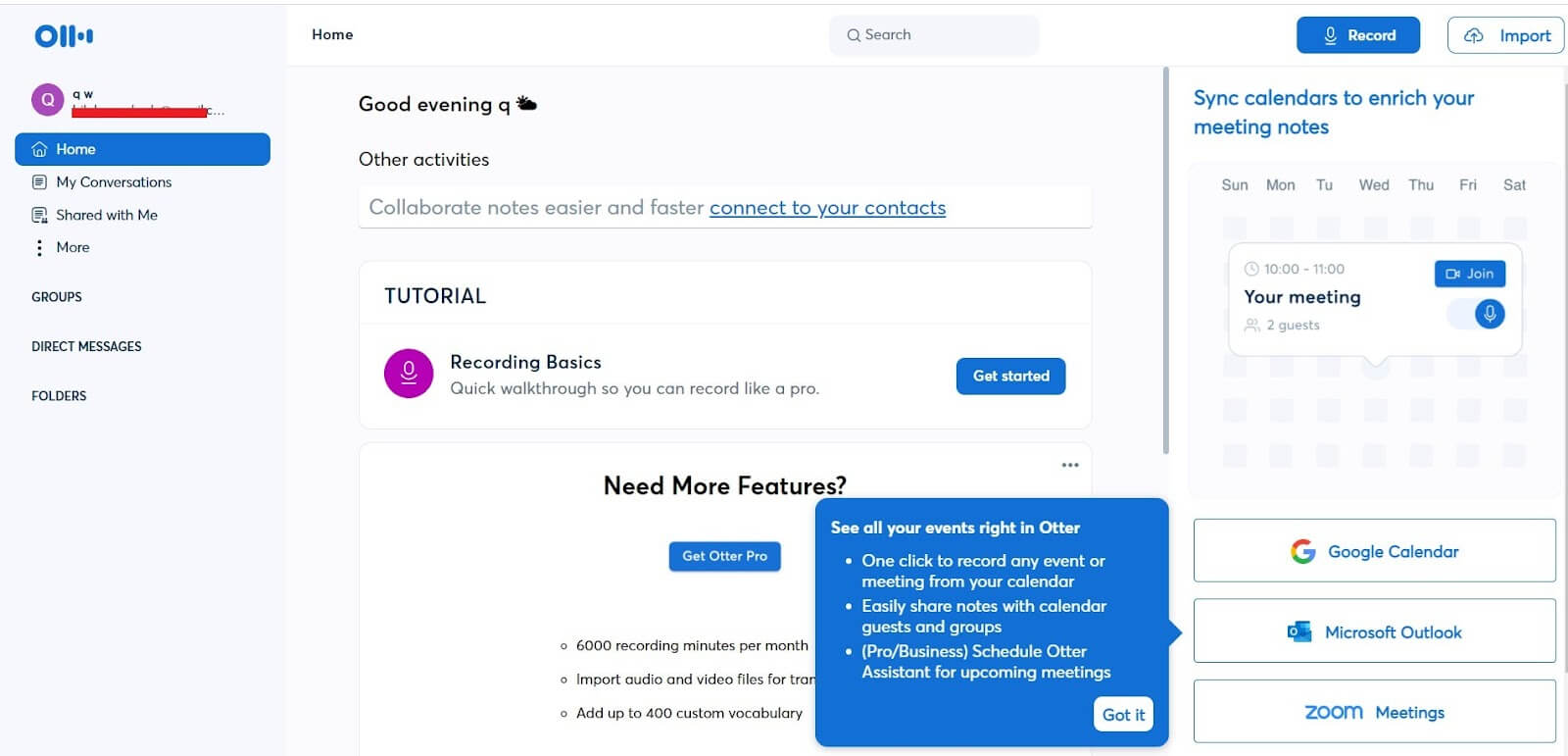
Otter Ai’s interface is clear and straightforward. It avoids complex menus or confusing options. Users can start transcribing with just a few clicks. This simplicity suits both beginners and those who use it often.
Ease Of Use
Otter Ai stands out for its simple setup and quick learning curve. The dashboard is clean, with easy access to recordings and notes. Uploading audio files or starting live transcription happens fast. Users can also highlight and add comments while listening.
The mobile and desktop apps work well together. They sync automatically, so users can switch devices without losing progress. Voice recognition works in real time, with minimal delay. This makes meetings and interviews easier to follow.
Feedback From Long-term Users
People who use Otter Ai for many months report steady satisfaction. They value the accuracy in quiet environments and the ability to search transcripts. Saving and sharing notes with teams improves collaboration.
Some users note occasional errors when background noise is loud. Yet, the overall transcription quality meets their needs. Regular updates from the Otter Ai team keep improving the app’s stability and features.
Long-term users also appreciate the integration with video call platforms. This feature reduces manual work and keeps meeting records organized. The user community shares tips that help new users get started quickly.
Conclusion
Otter AI offers a simple way to capture meeting notes quickly. It works well for real-time transcription and easy searching. Some users find background noise affects accuracy. The tool fits best for those needing clear, organized records. Pricing plans suit different needs and budgets.
Privacy concerns may matter to some users. Overall, Otter AI helps save time and improves meeting productivity. Give it a try to see if it fits your workflow.