Imobie Review: Ultimate Guide to Features and Performance

Are you struggling to recover lost data from your iPhone or Android device? Or maybe you want a reliable tool to manage your mobile files effortlessly?
If so, you’ve probably come across iMobie and wondered if it’s the right choice for you. This iMobie review will give you a clear picture of what to expect—covering its key features, ease of use, pricing, and real user experiences.
By the time you finish reading, you’ll know whether iMobie’s software fits your needs or if you should consider other options. Ready to find out if iMobie can solve your mobile management and data recovery challenges? Let’s dive in.

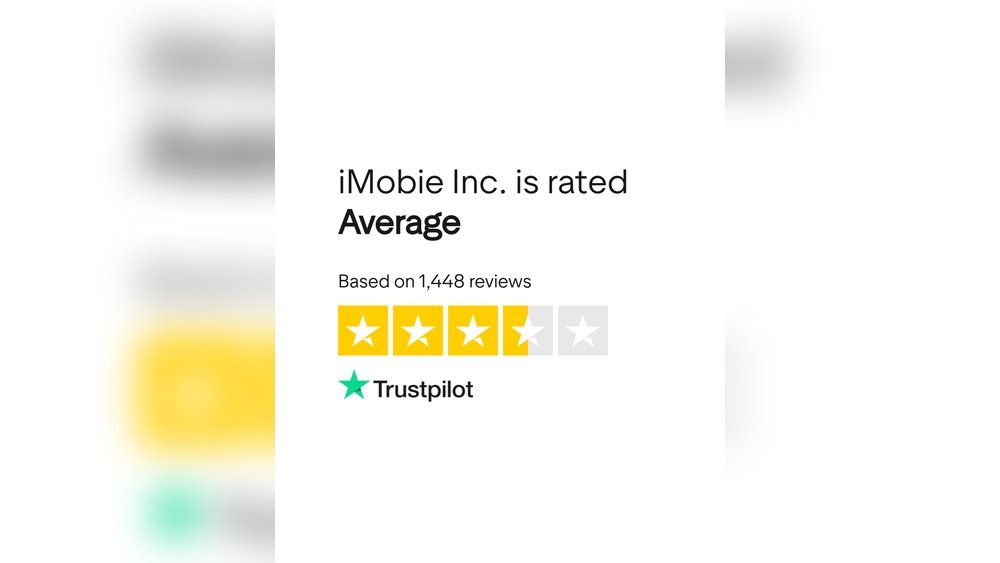
Credit: ca.trustpilot.com
Imobie Product Lineup
Data recovery performance is a key factor in choosing iMobie software. It determines how well lost or deleted files can be restored. iMobie offers tools designed to recover photos, messages, contacts, and more from iOS and Android devices.
The effectiveness varies based on scan methods and backup size. Understanding how these aspects work helps set realistic expectations. Below is a detailed look at iMobie’s data recovery strengths and weaknesses.
Success Rates And Limitations
iMobie shows high success rates for common file types like photos and messages. It recovers data from both device storage and backups. Selective recovery often works faster and more reliably.
Limits exist with heavily corrupted or encrypted files. Some users report failure with rare file formats. Larger data sets may take longer and reduce recovery chances. Trial versions restrict recovery amount, impacting full evaluation.
Selective Vs Deep Scans
Selective scans target specific file categories. They complete quickly and allow users to choose needed items. Deep scans explore entire storage for hidden or deleted files. These take more time but find more data.
Deep scans sometimes cause software to freeze, especially on large backups. Selective scans offer smoother performance but may miss some files. Balancing scan type depends on urgency and data importance.
Handling Large Backups
Large backups slow the recovery process significantly. iMobie can handle big files but may crash under heavy load. Users should ensure enough computer memory and close other apps.
Breaking backups into smaller parts can improve stability. Patience is needed as scanning large backups takes time. Saving recovered files frequently helps avoid data loss during crashes.
Credit: todaytesting.com

Credit: www.coolmuster.com
Conclusion
IMobie offers useful tools for managing and recovering mobile data. Many users find their software easy to navigate and effective. Some face limits with trial versions or occasional crashes. Pricing may feel high for some, but the features can justify the cost.
Choosing the right iMobie tool depends on your specific needs. Testing the trial first can help you decide. Overall, iMobie stands as a solid option for device management and data recovery.