Flowith Review: Uncover the Ultimate Workflow Solution

Are you looking for an AI tool that can truly change the way you work and create? Flowith promises just that—a powerful, intuitive AI workspace designed to help you think, plan, and execute your ideas more effectively.
But does it live up to the hype? In this Flowith review, you’ll discover how this AI agent handles complex tasks, boosts your creativity, and streamlines your workflow. Whether you’re a content creator, marketer, or entrepreneur, understanding Flowith’s features could be the game-changer you’ve been searching for.
Keep reading to find out if Flowith is the right fit for your needs and how it stacks up against other AI tools out there.
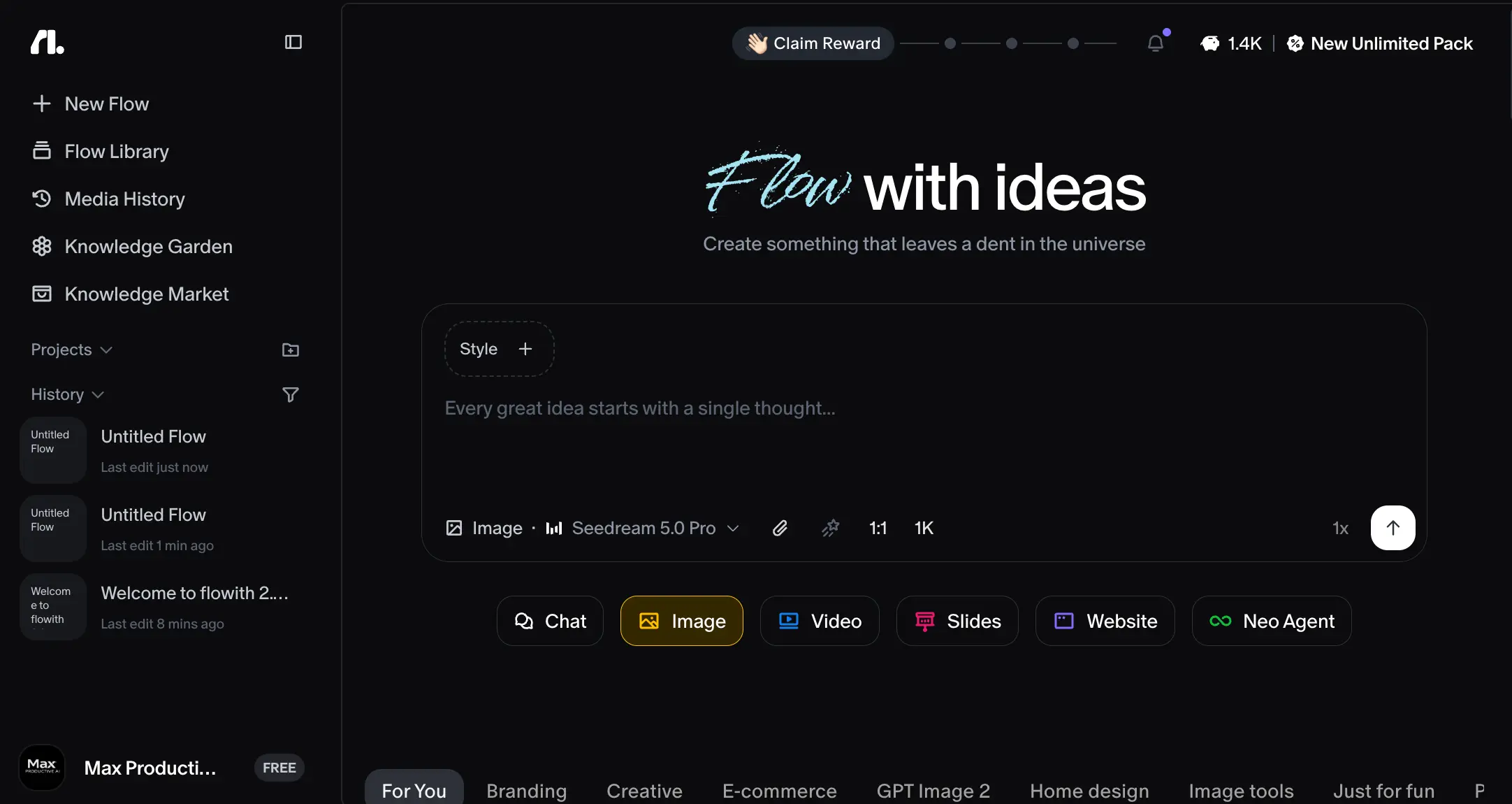
Credit: max-productive.ai
Flowith Features
Flowith offers a variety of features designed to help users complete tasks efficiently. These features focus on automation, creativity, and knowledge management. Each function supports different needs, making Flowith a versatile tool.
Ai Agent Capabilities
Flowith’s AI agent can understand and respond to user commands. It processes natural language requests quickly. The agent helps with writing, researching, and organizing tasks. It learns from interactions to improve over time. This makes daily work simpler and faster.
Online Search And Image Generation
The platform includes built-in online search to find information instantly. Users do not need to switch apps or browsers. Flowith also generates images based on text prompts. This feature helps create visuals for projects without extra tools. It saves time and enhances creativity.
Knowledge Garden
Knowledge Garden is a unique space to store and manage information. Users can collect ideas, notes, and research in one place. It acts like a personal digital library. This helps keep knowledge organized and easy to access. The feature supports better learning and project planning.
Agent Mode For Complex Tasks
Agent Mode allows Flowith to handle multi-step tasks automatically. Users can assign detailed projects and let the AI manage them. It breaks down complex work into smaller actions. This mode reduces effort and increases productivity. Users can focus on results rather than process.

Credit: www.eesel.ai
User Experience
Flowith offers several pricing plans to suit different user needs. Each plan provides unique features and limits. Choose the one that fits your budget and requirements best. The plans range from free to premium options. Here is a clear breakdown of each plan.
Starter Plan
The Starter Plan is free to use. It is ideal for beginners or casual users. You get basic features with limited access. This plan helps you test Flowith without any cost. It includes essential tools for simple tasks. Perfect for small projects or personal use.
Pro Plan
The Pro Plan costs $19.90 per month. It adds more features and higher limits. This plan suits freelancers and small businesses. You get faster processing and priority support. It includes additional tools for better productivity. A good choice for regular users.
Ultimate Plan
The Ultimate Plan is priced at $49.90 monthly. It offers advanced features and extended limits. This plan targets growing teams and professionals. You benefit from premium support and extra integrations. It helps manage more complex and larger projects. Ideal for users needing more power and flexibility.
Infinite Plan
The Infinite Plan costs $499.90 per month. It is designed for enterprises and heavy users. You get unlimited access to all features. It includes dedicated support and custom solutions. This plan suits large teams and businesses. Best for those requiring extensive resources and top performance.
Pricing Plans
Flowith offers a range of benefits that help users work smarter and faster. It supports creativity, research, and planning through easy-to-use tools. These features make complex tasks simpler and more manageable.
Enhanced Creativity
Flowith helps users generate new ideas quickly. It provides tools to create images and content effortlessly. This support encourages users to explore different creative directions. The platform reduces time spent on routine tasks. Users can focus more on original thinking and design.
Improved Research Capabilities
Flowith makes finding information fast and simple. It integrates online search directly into the workflow. This allows users to gather data without switching apps. The system organizes information clearly for easy review. It helps users make better decisions based on facts.
Efficient Strategy Planning
Flowith supports building clear and effective plans. It offers templates and tools to outline strategies step-by-step. Users can track progress and adjust plans quickly. The platform helps break down large projects into small tasks. This leads to better focus and faster results.
Security Measures
Flowith’s performance stands out when measured against its competitors. It offers unique features that impact user experience and task completion. This section breaks down how Flowith scores in key performance areas.
Understanding its strengths helps users decide if it fits their needs better than other tools.
Agent Capability Tests
Flowith’s AI agents handle complex tasks with ease. They can perform multiple steps without errors. Tests show these agents complete tasks faster than many rivals. Their ability to adapt to different queries is impressive. This flexibility gives Flowith an edge in real-world applications.
User Feedback
Users often praise Flowith for its simple interface and reliable output. Many find it easier to use than other AI platforms. The feedback highlights quick learning curves and helpful support. Some users note it handles creative tasks better than some competitors. Overall, user reviews lean positive, showing satisfaction with its performance.
Speed And Accuracy
Flowith delivers results quickly without sacrificing quality. Tests show it matches or exceeds the speed of similar tools. Its accuracy in generating relevant responses is consistent. This balance helps users complete tasks efficiently. The tool’s speed and precision make it a strong choice in a crowded market.

Credit: www.fahimai.com
Conclusion
Flowith offers a unique way to organize and create ideas. It helps users think clearly and work smarter. The tool supports many tasks like research, marketing, and content creation. Its simple design makes complex projects easier to handle. Users can save time and stay focused with Flowith.
This AI assistant adapts well to different needs. For anyone wanting a fresh approach to productivity, Flowith is worth trying. It brings creativity and order together in one place.