Best Vocal Tuning Software for Beginners: Top Easy-to-Use Picks

Struggling to hit the right notes in your recordings? You’re not alone, and the good news is that perfect pitch isn’t out of reach.
With the right vocal tuning software, you can polish your vocals and sound like a pro—even if you’re just starting out. But with so many options out there, how do you choose the best one for your needs? You’ll discover the easiest and most effective vocal tuning tools designed specifically for beginners.
Whether you want quick fixes or more control over your sound, we’ll guide you to the software that makes your voice shine. Keep reading, and get ready to transform your recordings today!
Top Vocal Tuning Software Picks
Choosing the right vocal tuning software makes a big difference for beginners. The best tools offer simple controls and clear results. This helps new users fix pitch problems without frustration.
Here are top vocal tuning software picks. Each one suits different needs and skill levels. These options provide a good start for anyone learning vocal tuning.
Auto-tune
Auto-Tune is the most famous vocal tuning software. It has easy-to-use automatic pitch correction. Beginners can quickly fix off-key notes. It also offers real-time tuning for live performances. Auto-Tune works well with many digital audio workstations.
Melodyne
Melodyne gives detailed control over pitch and timing. It lets users edit individual notes in a vocal track. The software has a clear interface for beginners. Melodyne is great for learning how pitch correction works. It also handles polyphonic audio like chords.
Waves Tune
Waves Tune offers precise pitch correction with simple controls. It shows a visual pitch graph to guide users. Beginners can easily adjust notes and create natural sounding vocals. This software works fast and fits many music styles. Waves Tune is budget-friendly for starters.
Izotope Nectar
iZotope Nectar combines vocal tuning with effects and mixing tools. It has a smooth pitch correction module for beginners. Users get presets designed for different vocal styles. Nectar also helps improve vocal clarity and presence. This all-in-one tool saves time in the studio.
Antares Auto-tune Artist
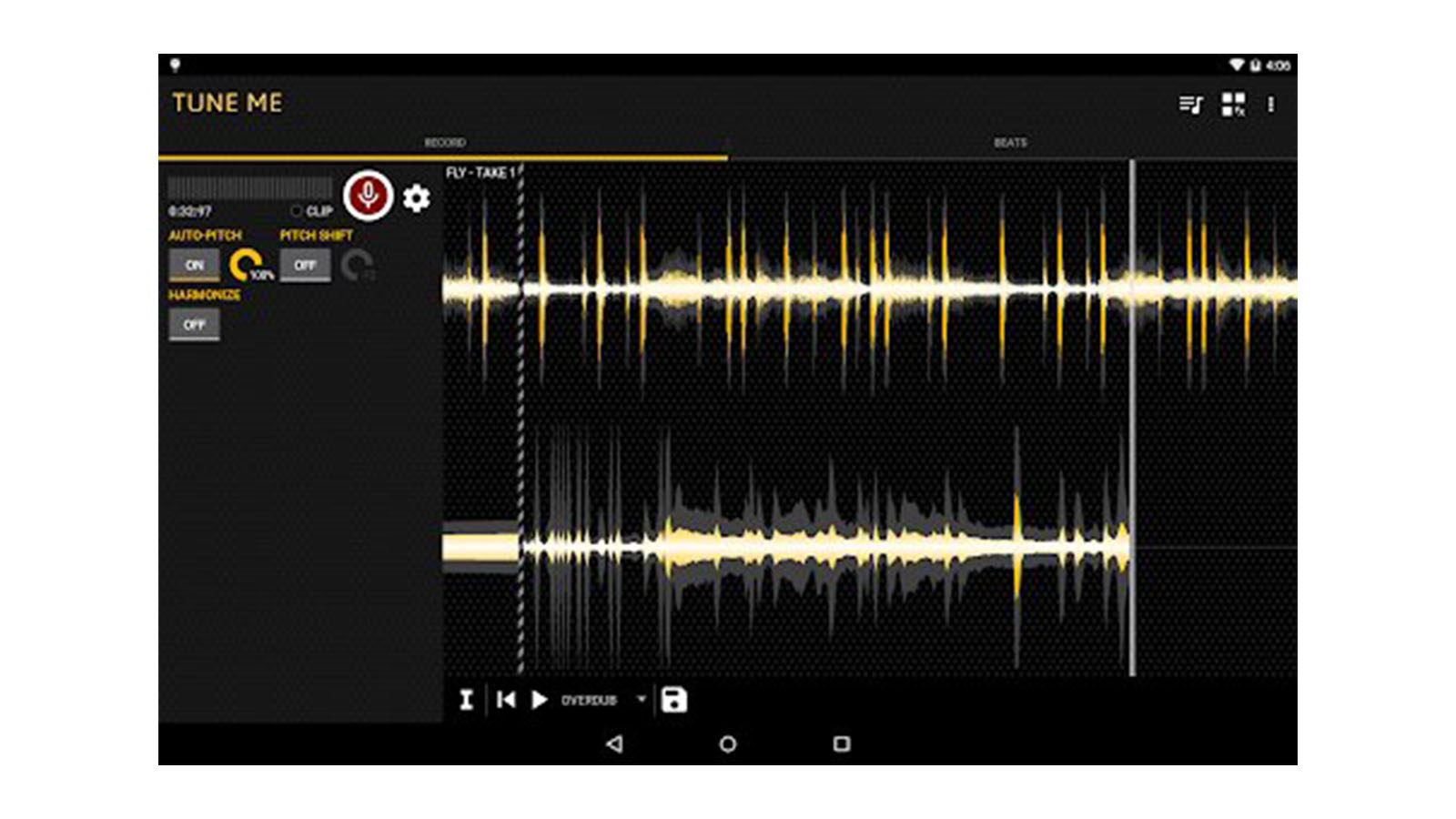
Antares Auto-Tune Artist is a streamlined version of Auto-Tune. It focuses on easy real-time pitch correction. Beginners find its simple layout helpful for quick results. The software adapts to a singer’s natural voice. It is popular for recording and live vocal tuning.
Credit: www.musicradar.com
Features For Beginners
Choosing the best vocal tuning software for beginners means focusing on features that simplify the learning process. Beginners need tools that help them improve vocals without causing confusion. The right features allow users to correct pitch and enhance their sound easily.
Software designed for beginners often includes helpful options that guide users step-by-step. This support reduces frustration and encourages creativity. Here are some key features that make vocal tuning software beginner-friendly.
User Interface Simplicity
A simple user interface helps beginners find tools quickly. Clear icons and straightforward menus reduce the learning curve. Basic controls like sliders and buttons make adjusting pitch easy. A clean layout prevents users from feeling overwhelmed.
Preset Options
Preset options provide ready-made settings for common vocal styles. Beginners can select a preset and start tuning immediately. These presets save time and show how different effects sound. They help users learn by example and build confidence.
Real-time Pitch Correction
Real-time pitch correction lets users hear changes instantly. This feature helps singers stay on key during recording. Beginners get immediate feedback, improving their timing and pitch accuracy. It also makes the tuning process faster and more fun.
Editing Flexibility
Editing flexibility allows beginners to make detailed adjustments as they grow. Users can start with automatic tuning and later explore manual editing. This feature supports different skill levels and creative control. It helps users fine-tune vocals without starting over.
Pricing And Subscription Models
Choosing the right vocal tuning software depends a lot on its price and subscription plan. Beginners need options that fit their budget without sacrificing useful features. Understanding the different payment models helps make a smart choice. Some software requires just one payment, while others use monthly fees. Free or trial versions also give a chance to test before buying.
One-time Purchase
One-time purchase software lets you pay once and own it forever. This model is simple and clear. No surprise fees later. It suits beginners who want to avoid ongoing costs. Many popular vocal tuning tools offer this option. The price can range from low to mid-level. Some include free updates for a limited time after purchase.
Monthly Subscriptions
Monthly subscriptions charge a small fee every month. This plan often includes regular updates and new features. It fits beginners who want the latest tools without large upfront costs. Some services bundle multiple plugins, giving more value. Keep in mind, the total cost grows over time. Cancel anytime if you no longer need the software.
Free And Trial Versions
Many vocal tuning programs offer free or trial versions. They let beginners try the software before buying. Free versions may have limited features or add watermarks. Trial versions usually work fully for a short time. These options help users learn the software and decide if it fits their needs. Always check what limitations apply during the trial.
Compatibility And System Requirements
Choosing the right vocal tuning software for beginners depends on its compatibility with your computer and music setup. Understanding system requirements helps ensure smooth operation. It avoids crashes or slow performance during editing. This section covers supported operating systems, DAW integration, and hardware needs.
Supported Operating Systems
Most vocal tuning software works on Windows and macOS. Some may also support Linux but less commonly. Check the exact version needed, like Windows 10 or macOS Catalina. Older or very new OS versions might cause issues. Choose software that matches your current system for best results.
Daw Integration
Digital Audio Workstations (DAWs) host vocal tuning plugins. Popular DAWs include Ableton Live, FL Studio, Logic Pro, and Pro Tools. Ensure the software supports your DAW’s plugin format like VST, AU, or AAX. This ensures the plugin runs correctly inside your DAW without extra setup.
Cpu And Ram Needs
Vocal tuning software can use much processing power during real-time tuning. Beginners should pick software with low CPU and RAM demands. Minimum 4GB RAM and a dual-core processor can run most basic software. Higher specs improve speed and handle larger projects easily. Check each software’s recommended hardware before buying.
Live Performance Vs Studio Use
Choosing the right vocal tuning software depends on the intended use. Live performances and studio sessions have different needs. Software that works well in the studio might not suit live shows. Beginners should understand these differences to pick the best tool.
Latency Considerations
Latency means delay between singing and hearing the tuned voice. Low latency is crucial for live shows. Singers need to hear their voice instantly. Studio tuning can tolerate higher latency since editing happens after recording. Beginners performing live should choose software with minimal delay.
Real-time Processing
Live performances require real-time processing to adjust pitch instantly. Software must process vocals quickly without losing quality. Some tools offer real-time pitch correction specifically for stage use. Studio software focuses more on detailed editing than speed. Beginners using tuning live should prioritize real-time capabilities.
Batch Editing Features
Batch editing helps fix many vocal takes at once. This feature is useful in studio work. It allows users to polish recorded tracks efficiently. Live performance software usually lacks batch editing. Beginners working in studios benefit from software with strong batch tools. This speeds up the production process and improves results.
Common Vocal Tuning Techniques
Vocal tuning software helps beginners improve their singing recordings. These tools fix pitch problems and make vocals sound better. Common techniques in vocal tuning include automatic correction and manual editing. Each method has a specific use and effect on the vocal track.
Understanding these techniques helps beginners choose the right software and use it effectively. Below are key vocal tuning techniques to know.
Automatic Correction
Automatic correction quickly fixes pitch errors in vocal tracks. The software scans the recording and adjusts notes to the nearest correct pitch. This method is fast and easy, ideal for beginners. It works well for small pitch issues and keeps the natural feel of the voice.
Manual Note Editing
Manual note editing lets users adjust each note precisely. You can move notes up or down to correct pitch exactly where needed. This technique is useful for detailed tuning and fixing tricky parts. It requires more time but offers greater control over the final sound.
Formant Adjustment
Formant adjustment changes the vocal tone without affecting pitch. It shifts the character of the voice to sound deeper or brighter. This technique keeps the natural vocal quality while tuning. Beginners use it to avoid the “chipmunk” effect from pitch changes.
Harmony Creation
Harmony creation adds extra vocal layers in tune with the main melody. Software generates harmonies automatically or allows manual harmony design. This technique enriches the vocal track and makes songs sound fuller. It is great for beginners wanting to add depth to their recordings.
Tips For Getting Natural Sounding Results
Getting natural sounding results with vocal tuning software can be tricky for beginners. The key is to keep the singer’s unique voice intact. Avoid making the vocals sound too robotic or artificial. Simple adjustments and careful listening help maintain a natural feel. Use the following tips to enhance your tuning skills and produce smooth, realistic vocals.
Avoiding Over-tuning
Over-tuning makes vocals sound mechanical and unnatural. Do not correct every small pitch flaw. Focus only on noticeable pitch issues. Leave slight imperfections that add character to the voice. Use gentle settings and listen carefully after each change. Stop tuning once the pitch feels stable and pleasant.
Subtle Pitch Correction
Subtle correction smooths out off-key notes without erasing emotion. Choose a mild correction strength or speed. Avoid harsh or fast pitch shifts that stand out. Fine-tune notes manually if your software allows. This way, the voice keeps its natural flow and expression.
Using Vibrato Preservation
Vibrato adds warmth and life to vocals. Many tuning tools offer vibrato preservation options. Enable these to keep natural pitch variations intact. Preserving vibrato prevents the voice from sounding flat and robotic. Adjust settings to balance correction with vibrato retention.
Balancing Effects
Combine vocal tuning with other effects carefully. Reverb, delay, and compression can enhance vocals. Avoid heavy effects that mask tuning flaws or change the voice too much. Keep effects natural and light. This balance helps vocals sound polished yet real.
Free And Budget-friendly Alternatives
Finding vocal tuning software that fits a tight budget is possible. Many great tools offer essential features without high costs. Beginners can explore options that come free or at low prices. These tools help improve vocals smoothly and clearly.
Some options come built into popular digital audio workstations (DAWs). Others are open-source plugins created by communities. Affordable paid software also delivers solid results for new users.
Built-in Daw Tools
Many DAWs include basic vocal tuning tools for free. Programs like GarageBand and Cakewalk have simple pitch correction features. These tools allow easy tuning without extra cost. They often come with visual guides to adjust notes precisely. Beginners can learn to use vocal tuning right inside their DAW.
Open-source Plugins
Open-source plugins offer free vocal tuning options. Tools like GSnap or MAutoPitch give users control over pitch and timing. These plugins work with most DAWs and require no payment. They provide enough features for simple vocal correction. Open-source projects also get regular updates from developers.
Affordable Paid Options
Low-cost paid software often includes more features than free tools. Programs like Waves Tune Elements or Antares Auto-Tune Access start at budget-friendly prices. These products offer smoother pitch correction and better sound quality. Paid options usually come with easy interfaces for beginners. Users can upgrade later as skills improve.
Common Challenges For Beginners
Starting with vocal tuning software can feel tricky. Many beginners face common hurdles that slow progress and cause frustration. Understanding these challenges helps you avoid mistakes and improve faster.
Vocal tuning is not just about fixing notes. It involves listening carefully, using software skillfully, and picking tools wisely. Beginners often struggle in these areas but can learn with practice.
Detecting Pitch Issues
Spotting pitch problems is the first challenge. Your ears must catch small errors in singing. This skill needs time and focused listening. Software can help, but it cannot replace your judgment.
Beginners often miss subtle off-pitch notes or over-correct small flaws. Training your ear is key to good tuning results.
Avoiding Artifacts
Artifacts are unwanted sounds created during pitch correction. They make the voice sound unnatural or robotic. Many beginners fix pitch but end up with strange noises.
Learning how much correction to apply is important. Using gentle settings and previewing changes prevents artifacts. Patience helps keep vocals clear and smooth.
Understanding Workflow
Workflow means the steps you follow to tune vocals. Beginners may feel lost or overwhelmed by software options. Knowing when to use auto mode or manual editing improves efficiency.
Organize your work by checking recordings first, then correcting notes carefully. Practice simple workflows to build confidence and speed.
Choosing The Right Tool
Not all vocal tuning software fits beginners. Some programs have complex features that confuse new users. Others offer simple interfaces with basic functions.
Select software that matches your skill level and goals. Free trials and reviews help find a good fit. The right tool makes learning easier and faster.

Credit: www.musicradar.com

Credit: www.musicradar.com
Conclusion
Choosing the right vocal tuning software can boost your singing confidence. Start with simple tools that fit your needs and budget. Practice often to learn how each feature works. Remember, clear and natural sound matters most in music. Explore different options to find your perfect match.
Enjoy the journey of improving your vocal recordings step by step. Keep your goals clear and your process fun. This way, your voice will shine in every track you create.