Best Tools for Freelancers to Save Time And Money: Ultimate Guide

Are you tired of juggling endless tasks that steal your time and drain your wallet? As a freelancer, every minute and every dollar count.
What if you could streamline your work, boost your productivity, and keep more of your hard-earned money? The right tools can make all the difference. You’ll discover the best tools designed specifically to help freelancers like you save time and money—so you can focus on what matters most: growing your business and enjoying your freedom.
Keep reading to find out how these smart solutions can transform your freelance journey.
Time Tracking Tools
Time tracking tools help freelancers manage hours and increase productivity. Tracking time accurately ensures fair billing and prevents lost income. These tools also show where time drains occur, helping improve work habits.
Many time tracking apps offer features for easy use and detailed reports. Choosing the right tool depends on your workflow and project needs. Below are some popular options that balance simplicity and powerful functions.
Clockify Features
Clockify offers simple time tracking with a clean interface. It supports unlimited projects and clients for free. You can start and stop timers or enter time manually. Clockify also creates detailed reports to analyze your work.
This tool integrates with popular project management apps. It helps freelancers keep all tasks and hours organized in one place. Clockify also tracks billable and non-billable hours to improve invoicing accuracy.
Rescuetime Benefits
RescueTime runs in the background and tracks computer activity automatically. It shows how much time you spend on websites and apps. The tool highlights distractions and productive periods to improve focus.
With weekly reports, RescueTime helps identify time wasters. It allows setting goals to reduce unproductive time. Freelancers get insights to better manage work and breaks.
Harvest For Teams
Harvest suits freelancers working with teams or multiple clients. It tracks time and expenses in one app. Harvest generates invoices based on tracked hours quickly.
The tool offers project budget tracking to avoid overspending. It also integrates with many business apps for smooth workflows. Teams can share reports and stay on the same page easily.
Timely Automation
Timely uses AI to automate time tracking without manual input. It records every app and website used during the day. This helps freelancers get a complete view of work activities.
The tool organizes time entries into projects automatically. Timely offers calendar integration and detailed time reports. It saves freelancers hours on tracking and billing tasks.
Invoicing And Payment Apps
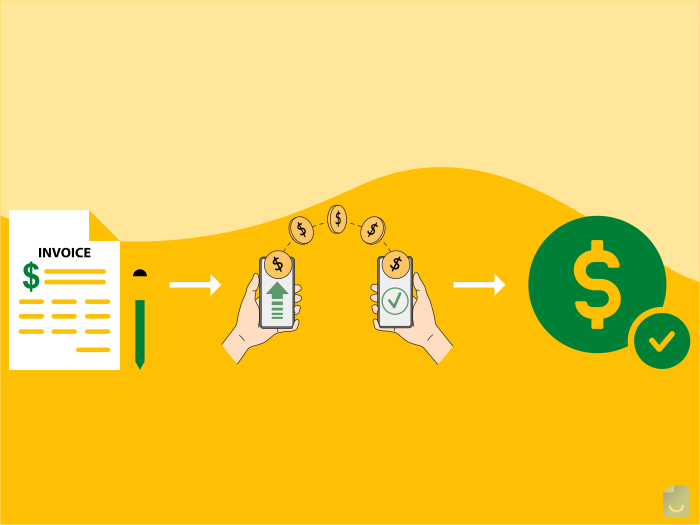
Invoicing and payment apps help freelancers manage their money easily. These tools save time by automating tasks. They reduce errors and speed up getting paid. Using the right app keeps cash flow steady and clients happy. Many apps offer features like custom invoices, payment tracking, and reminders. Choosing the best app depends on your business needs and budget.
Invoice Maker Options
Invoice maker apps create professional invoices quickly. They let you add your logo and payment terms. Some popular options include Wave, Zoho Invoice, and Invoice Ninja. These apps offer free and paid plans. They help track invoice status and send reminders to clients. Using invoice makers reduces paperwork and keeps records organized.
Payment Gateways
Payment gateways process online payments securely. They support credit cards, bank transfers, and digital wallets. Common gateways are PayPal, Stripe, and Square. These services charge small fees per transaction. They offer fast payment deposits and fraud protection. Integrating gateways with your invoicing app simplifies collecting payments.
Automated Billing
Automated billing saves time by charging clients on a schedule. It works well for subscription or retainer projects. Tools like FreshBooks and QuickBooks offer automated billing. They send invoices and process payments without manual input. This reduces late payments and keeps income predictable. Automation frees up time to focus on work, not billing.
Project Management Software
Project management software helps freelancers organize their work efficiently. These tools save time and reduce stress by keeping tasks clear and deadlines visible. Freelancers can manage multiple projects without losing track.
Using project management software also improves communication and teamwork. It makes sharing updates and files easy. Many tools offer mobile apps to stay connected on the go.
Task Organization
Task organization is key for freelancers handling many jobs. Project management software lets you create, assign, and prioritize tasks quickly. You can set due dates and reminders to avoid missing deadlines. Visual boards and lists help track progress at a glance.
Collaboration Features
Collaboration features make teamwork smooth and clear. Freelancers can chat, comment, and share files within the app. This cuts down on long email threads. Real-time updates keep everyone on the same page, reducing confusion and errors.
Integration With Other Tools
Integration with other tools boosts productivity by connecting your apps. Project management software often links with calendars, email, and file storage services. This saves time switching between platforms. Some tools also sync with time tracking and invoicing apps, helping manage your business better.
Credit: invoicemaker.com
Expense Tracking And Budgeting
Managing money well is key for every freelancer. Tracking expenses and planning budgets helps avoid overspending. It also keeps cash flow steady. Freelancers can save both time and money by using the right tools. Smart budgeting and expense tracking prevent surprises. This section covers budget creation tips, the best apps to monitor spending, and simple saving strategies.
Budget Creation Tips
Start with clear income goals each month. List fixed costs like rent and utilities first. Then add variable costs such as supplies or travel. Always set aside money for taxes. Include a buffer for unexpected expenses. Review your budget weekly to stay on track. Adjust amounts as needed to avoid overspending. Keep your budget simple and realistic for easy use.
Expense Monitoring Apps
Use apps to record expenses quickly and accurately. Look for apps that sync with your bank accounts. This saves time and reduces errors. Popular choices include Mint, Expensify, and YNAB. These apps categorize spending and generate reports. Choose an app with reminders for bill payments. Mobile access lets you track expenses on the go. Regular use of these tools helps spot waste and save money.
Saving Strategies
Set a saving goal for each month, no matter how small. Automate transfers to a separate savings account. Cut unnecessary subscriptions and services regularly. Buy supplies in bulk to reduce costs. Use discounts and coupons when possible. Track progress to stay motivated. Saving little by little builds a strong financial base. These habits keep freelancers prepared for slow periods or emergencies.
Communication Tools
Effective communication saves freelancers both time and money. Choosing the right tools helps maintain clear and fast interactions. These tools cover client chats, team projects, and online meetings. Each type supports different communication needs. Using them well reduces misunderstandings and speeds up work.
Client Interaction
Clear contact with clients is key for freelancers. Tools like email platforms and messaging apps keep conversations organized. They store client details and project notes in one place. Fast replies improve client trust and satisfaction. Simple tools like Gmail or Slack fit many budgets. Staying professional and responsive leads to repeat business.
Team Collaboration
Many freelancers work with others on projects. Collaboration tools allow easy file sharing and task tracking. These apps help keep everyone updated on progress. Platforms like Trello and Asana are popular choices. They prevent confusion and duplicated work. Keeping communication open boosts team efficiency and deadlines.
Video Conferencing
Online meetings save travel time and costs for freelancers. Video calls provide personal contact and clear discussions. Tools such as Zoom and Google Meet offer reliable connections. Screen sharing features improve presentations and feedback. Regular video check-ins keep projects on track. They make remote work feel more connected.
Credit: invoicemaker.com
Marketing And Proposal Tools
Marketing and proposal tools help freelancers reach clients and win projects fast. These tools save time by simplifying tasks. They also reduce costs by cutting out extra services. Smart use of these tools improves your chances to get hired. You can manage your marketing and proposals all in one place.
Creating Effective Proposals
Good proposals show your skills clearly. Tools like Proposify and Bonsai offer templates that make proposals look professional. They let you customize text and add your branding easily. You can track when clients open your proposals. This helps you follow up at the right time. These tools save hours writing and formatting. They also help avoid mistakes.
Social Media Management
Social media is key to attracting clients. Tools such as Buffer and Hootsuite let you schedule posts in advance. You can manage multiple accounts from one dashboard. These platforms provide analytics to see what works best. This way, you spend less time posting and more time working. They also help keep your presence steady and professional.
Portfolio Building
A strong portfolio shows your best work to clients. Platforms like Behance and Carbonmade offer easy portfolio creation. You can upload images, videos, and descriptions quickly. These sites are designed to attract potential clients. You can update your portfolio anytime without tech skills. A clear portfolio builds trust and helps win jobs.
Automation And Productivity Boosters
Automation and productivity boosters help freelancers manage tasks faster and with less effort. These tools reduce manual work, freeing up time for important projects. They also cut down costs by improving efficiency and reducing errors. Using the right tools can make daily work smoother and more organized.
Workflow Automation
Workflow automation tools connect different apps and services. They perform repetitive tasks automatically, such as moving files or sending reminders. This saves freelancers from switching between apps constantly. Examples include Zapier and Integromat, which link your favorite tools. Automation helps avoid missed deadlines and keeps projects on track.
Email Management
Email management tools sort and organize your inbox efficiently. They filter spam, prioritize important messages, and schedule emails. Tools like Spark and Mailbird allow quick responses and reduce clutter. Managing emails quickly means more focus on creative and billable work. Clean inboxes also lower stress and improve communication.
Time-saving Shortcuts
Time-saving shortcuts speed up routine tasks with simple commands or templates. Text expanders like PhraseExpress save time typing common phrases. Keyboard shortcuts reduce mouse clicks and improve navigation speed. Using these small tricks daily adds up to hours saved each week. They help freelancers work smarter, not harder, every day.

Credit: invoicemaker.com
Conclusion
Choosing the right tools helps freelancers work smarter, not harder. These tools simplify tasks and reduce costs. Using them saves hours and protects your budget. Start small and add tools as your needs grow. Stay consistent with your tools to see real benefits.
Save time, manage projects, and track money easily. Every freelancer can find tools that fit their style. Keep improving your workflow with the right software. Success comes from smart choices and steady effort.