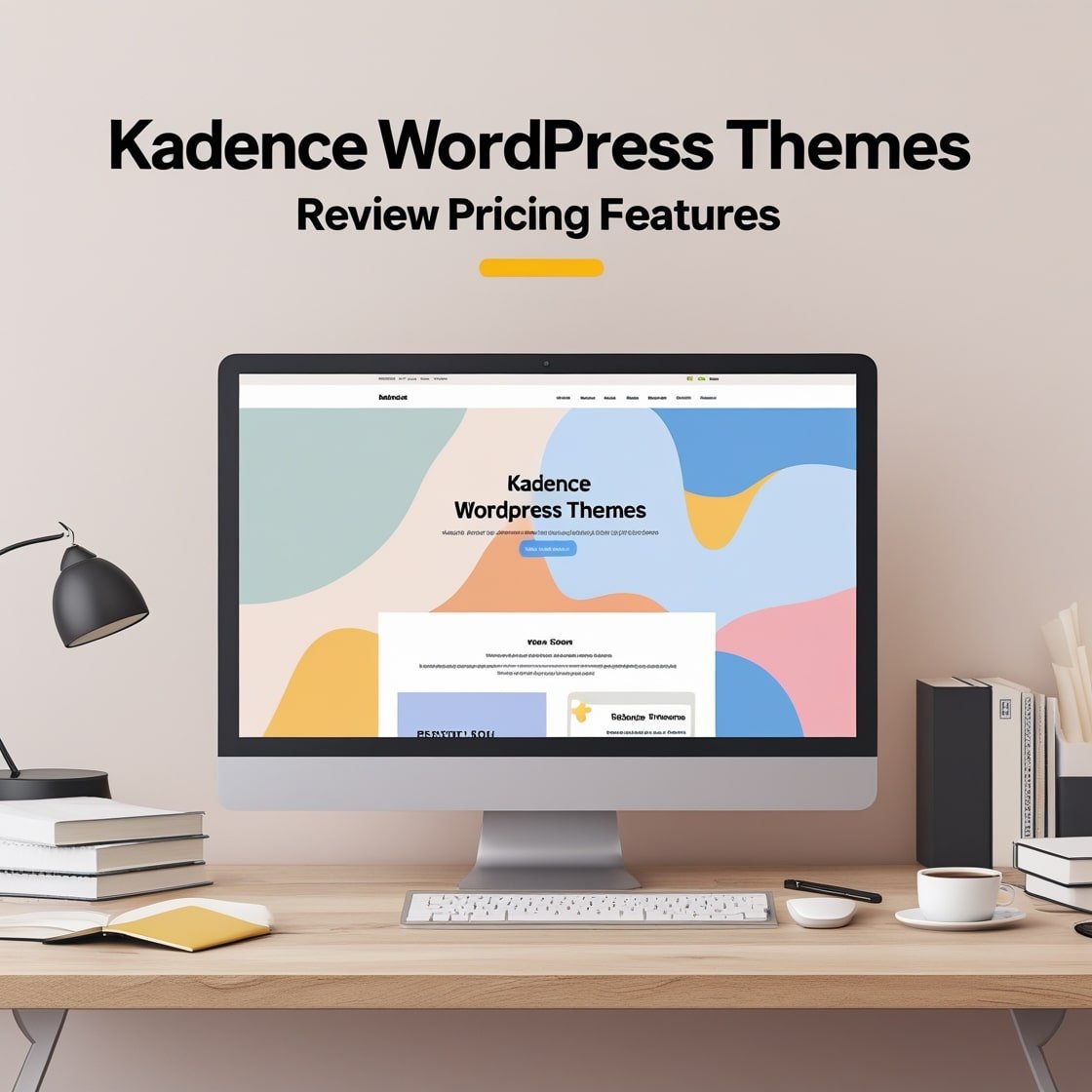
Kadence WordPress Themes: Review, Pricing, Features

Kadence has become one of the most recommended WordPress themes in the developer community, and the reasons are specific and measurable. It loads faster than Elementor-dependent themes, outputs cleaner HTML than Divi, and ships a free version that outperforms what many premium themes charge for. This review covers what Kadence actually does well, where it falls short, how its pricing compares to direct competitors like Astra and GeneratePress, and which business types will get the most from it.
What Is Kadence and How Does Its Architecture Work?
Kadence is a WordPress theme built on a lightweight, block-compatible framework. Unlike themes that depend on external page builders for layout control, Kadence is engineered around WordPress’s native Gutenberg block editor and its own complementary block library, Kadence Blocks. This architecture means you do not need Elementor, Divi, or Visual Composer to build functional, good-looking pages. The entire design system lives inside WordPress without adding third-party JavaScript or CSS overhead.
The Kadence ecosystem consists of four connected products. The core theme handles global design settings, header and footer architecture, typography, color palettes, and layout structure. Kadence Blocks adds 20 custom Gutenberg blocks covering advanced layouts, row sections, icon lists, carousels, and accordion components. Kadence Blocks Pro extends that library with premium blocks and advanced controls. Kadence Shop Kit handles WooCommerce-specific optimizations for product pages, cart flows, and checkout design. Understanding this product structure helps you determine exactly which components your project requires before evaluating pricing.
For businesses building their first WordPress website or rebuilding an existing one, our complete guide to the best WordPress themes and plugins for business websites gives you the full evaluation framework for comparing Kadence against themes in other categories.
Kadence Performance: Core Web Vitals and PageSpeed Results
Performance is the primary argument for choosing Kadence over alternatives, and the numbers support it. A default Kadence installation on quality managed hosting consistently produces PageSpeed Insights scores above 90 on both mobile and desktop before any additional optimization is applied.
The reasons for this are architectural. Kadence generates under 30KB of CSS on a typical page. Its JavaScript footprint is minimal compared to page-builder-dependent themes. The theme loads only the stylesheets required by blocks present on each specific page rather than a global stylesheet covering all possible configurations. This per-page optimization produces faster Largest Contentful Paint (LCP) and lower Cumulative Layout Shift (CLS) scores, which are two of Google’s three Core Web Vitals ranking signals.
In practice, a Kadence-built business website on a managed WordPress host like Kinsta or WP Engine with basic image optimization applied will load in under 1.5 seconds on desktop and under 2.5 seconds on mobile without advanced caching configuration. These numbers improve further with a CDN like Cloudflare, object caching, and the optimizations covered in our website speed optimization guide.
The performance comparison with Elementor-based themes is significant. A comparable page built with the same content in Elementor typically loads 0.8 to 1.5 seconds slower due to Elementor’s CSS and JavaScript payload. Over a full website, this difference compounds into meaningful ranking and conversion implications.
Kadence Free vs Kadence Pro: What Each Version Actually Includes
Kadence Theme (Free)
The free version of Kadence available on WordPress.org is substantially more capable than most free WordPress themes. It includes the full global design system with a 16-color global palette, global typography controls for heading and body text, a header and footer builder with drag-and-drop column layouts, above-header and below-header configuration, responsive display controls for every header element, and full Customizer integration.
The free theme also includes a WooCommerce template, breadcrumb controls, sidebar layout options per content type, post layout customization, and complete mobile responsive controls. For small business websites, professional portfolios, and content blogs, the free version handles nearly every design requirement.
Kadence Theme Pro ($79 per year for 1 site / $129 per year for unlimited sites)
Kadence Pro extends the theme with features that matter primarily for advanced design requirements and agency workflows. The additions include an enhanced header builder with mega menu support, sticky header options, transparent header capability, scroll-triggered header behavior, a conditional header system for showing different headers on different pages, advanced footer builder widgets, a Hooked elements system for injecting custom content anywhere in the page structure without code, white-label settings for client delivery, and access to Kadence’s premium starter template library through Kadence Cloud.
Kadence Blocks (Free)
Kadence Blocks is a separate plugin that adds 20 Gutenberg blocks to the WordPress block editor. The free version includes the row section block (which functions as the primary layout tool), the advanced heading block, the icon block, the icon list block, the advanced button block, the info box block, the accordion block, the tab block, the testimonials block, the countdown block, the progress bar block, and several others. For most business websites, the free Kadence Blocks library covers full-page design without requiring the Pro upgrade.
Kadence Blocks Pro ($79 per year for 1 site / $129 per year for unlimited sites)
Kadence Blocks Pro adds a content toggle block, an advanced gallery block, a posts block with advanced filtering, a countdown block with action triggers, a form block with conditional logic and multi-step forms, a modal popup block, a video popup block, and the Kadence Dynamic Content system for pulling data from custom fields into block designs. For marketing-focused sites with complex lead capture or content personalization needs, these additions are functional rather than decorative upgrades.
Kadence Full Bundle ($199 per year / Lifetime pricing available)
The full bundle combines the Kadence Theme Pro, Kadence Blocks Pro, Kadence Shop Kit, and Kadence Conversions (popup and notification bar builder). For ecommerce sites that use WooCommerce or for agencies building multiple client sites, the bundle pricing produces better value than purchasing components separately. The lifetime license option provides all future product updates without ongoing annual renewal, which represents strong long-term value for agencies.
Kadence Starter Templates and Kadence Cloud
One of Kadence’s most practical advantages for business website development is its starter template system. Kadence Cloud provides access to a library of full-site templates, page templates, and individual section designs. Templates cover business, ecommerce, portfolio, medical, education, restaurant, and nonprofit categories.
Importing a starter template creates a complete website structure in minutes: all pages created, global design settings applied, typography configured, and content placeholders in place. The remaining work is replacing placeholder content with actual business information. For businesses launching quickly or agencies delivering client sites efficiently, this workflow produces professional results significantly faster than building from scratch.
The free Kadence theme includes access to a curated set of starter templates. Kadence Pro unlocks the complete premium template library and the ability to save and reuse custom sections across projects through Kadence Cloud. This cloud library function becomes particularly valuable for agencies maintaining consistent design systems across multiple client installations.
Kadence WooCommerce Performance: Shop Kit and Ecommerce Optimization
For ecommerce businesses, Kadence’s WooCommerce capabilities extend beyond the base theme’s product page templates. Kadence Shop Kit (included in the full bundle or available separately) provides product gallery optimization with zoom and lightbox functionality, product page layout builders, sticky add-to-cart bars, trust badge displays, checkout page customization, off-canvas cart designs, and product quick view overlays.
The performance impact of Kadence’s WooCommerce implementation is measurable. Its shop page templates load faster than most WooCommerce-specific themes because the base theme carries less overhead. Combined with a lightweight checkout process and minimal JavaScript dependencies, Kadence-based stores produce lower cart abandonment rates than stores built on bloated WooCommerce themes.
For businesses evaluating which WooCommerce theme setup produces the best conversion rates, WooCommerce theme comparison with Kadence, alongside Astra, Flatsome, and Storefront with specific data points on product page conversion benchmarks.
Kadence vs Astra vs GeneratePress: Direct Comparison
Kadence, Astra, and GeneratePress occupy the same market position: lightweight, block-compatible WordPress themes with free versions that exceed the quality of most premium alternatives. Each has strengths in different areas.
Kadence vs Astra
Astra has a larger installed base (over 1.8 million active installations vs Kadence’s 800,000 plus) and a more established agency ecosystem. Its Starter Templates library is larger. Kadence’s free theme is more feature-complete out of the box than Astra’s free version, particularly for header and footer design. Kadence Blocks provides a more integrated block library than Astra’s equivalent, and Kadence’s global color palette system is more intuitive for maintaining design consistency. For new projects, Kadence’s free version delivers more usable design capability without upgrading.
Kadence vs GeneratePress
GeneratePress is the lightest of the three themes, with an even smaller CSS and JavaScript footprint. It prioritizes performance above design flexibility and is the preferred choice among developers who write custom CSS rather than using visual controls. Kadence is easier to use for non-developers because its visual customization tools are more comprehensive. For business owners managing their own sites, Kadence’s design system removes more friction. For developers building custom themes on a performance framework, GeneratePress has a technical edge.
The right choice depends on who manages the site after launch. Developer-managed sites may prefer GeneratePress’s minimalism. Business-owner-managed sites benefit from Kadence’s fuller visual control system.
Design Capabilities: Global Palette, Typography, and Header Builder
Kadence’s design system is organized around two global controls: the color palette and the typography system. The global color palette stores 16 colors that cascade throughout every theme element automatically. Changing a palette color updates every heading, button, border, and background that references it across the entire site simultaneously. This makes brand color updates a single-step process rather than a site-wide manual exercise.
The global typography system controls font pairings for headings (H1 through H6), body text, and buttons through a single interface. Kadence supports Google Fonts, Adobe Fonts, and self-hosted custom fonts. Font size, line height, letter spacing, and font weight are configurable for each text role at desktop, tablet, and mobile breakpoints independently.
The header builder is Kadence’s most praised feature in developer communities. It operates on a row-based grid where you drag elements (logo, navigation menus, search bar, buttons, HTML, widget areas, account icons, and cart icons) into positions across up to three header rows plus an above-header row and a mobile header configuration. This system produces headers that would require custom PHP in most other themes without any code involvement.
For businesses that want to evaluate Kadence through the lens of how it fits into a broader how to choose the right WordPress theme, the header builder and global design system are the two features that most directly reduce ongoing maintenance work.
Plugin Compatibility and Integration
Kadence is built to be compatible with the full WordPress plugin ecosystem. Tested integrations include WooCommerce, Yoast SEO, Rank Math, WPForms, Gravity Forms, Contact Form 7, BuddyPress, bbPress, LifterLMS, LearnDash, Easy Digital Downloads, and the major email marketing integration plugins.
The theme does not conflict with security plugins like Wordfence or Sucuri, caching plugins like WP Rocket or LiteSpeed Cache, or CDN integrations through Cloudflare. This clean compatibility record is a product of Kadence’s minimal code footprint: themes with less code produce fewer conflict surfaces.
For businesses using WordPress as a platform for community features or directory listings, the directory plugins for WordPress that integrate cleanly with Kadence include GeoDirectory and Business Directory Plugin, both of which render correctly within Kadence’s layout system without custom CSS adjustments.
Support, Documentation, and Learning Resources
Kadence provides support through a ticket system for Pro and bundle license holders, a community Facebook group with over 40,000 members, a comprehensive documentation site organized by feature, and a YouTube channel with tutorial content covering setup, customization, and specific use cases.
The documentation quality is above average for a WordPress theme. Setup guides cover each feature with screenshots and use-case explanations rather than bare feature lists. The community group is active and responsive, with experienced developers contributing answers within hours of questions being posted.
Free users receive community support through the WordPress.org support forum and the Facebook group. Response times for free users are slower than for paid license holders, but the volume of existing documentation and community answers means most common questions have documented solutions.
Kadence Honest Pros and Cons
What Kadence does well
The free version’s feature set genuinely exceeds what competing themes charge for. The header builder eliminates the need for separate header builder plugins. The global color and typography system makes brand updates efficient. Core Web Vitals performance is consistently strong across hosting environments. The Kadence Blocks library provides professional layout capability without installing a heavy page builder. WooCommerce integration is thorough at both the free and Shop Kit tiers. The starter template library accelerates project launch significantly.
Where Kadence has limitations
The learning curve for users completely new to WordPress is real. Kadence’s design system has more moving parts than simpler themes like Twenty Twenty-Four, and understanding how the header builder, global palette, and block system interact takes time. The Kadence Blocks editor experience, while functional, is less polished than Elementor’s interface for users who prefer visual drag-and-drop over the block editor paradigm. The full feature set requires multiple plugin installations (the theme plus Kadence Blocks plus optionally Kadence Blocks Pro and Shop Kit), which adds complexity to initial setup compared to all-in-one solutions. Documentation for advanced features like the Hooked Elements system and Dynamic Content blocks is thinner than documentation for core theme features.
Who Should Use Kadence and Who Should Not
Kadence is the right choice for small to medium business websites where the site owner or a small team manages content, for ecommerce stores built on WooCommerce that require both design quality and page performance, for agencies building multiple client sites who benefit from the starter template library and white-label options, for bloggers and content creators who want a fast, SEO-capable foundation without paying for a heavy premium theme, and for developers who want a strong design system to build on without fighting against opinionated theme code.
Kadence is not the best choice for projects where pixel-perfect custom design is the primary requirement and the team is comfortable with Webflow’s design system (our WordPress vs Webflow comparison covers this decision in detail), for businesses that need a one-click, zero-configuration website with no learning investment, or for projects that require a theme and page builder in a single installation without managing multiple plugin dependencies.
Security and Maintenance Considerations for Kadence Sites
Kadence releases regular updates for both the theme and its associated plugins. The update frequency is healthy: multiple releases per month during active development cycles, with security patches released promptly when vulnerabilities are identified.
For Kadence sites in production, apply theme and plugin updates within 48 hours of release. Review the changelog for each update before applying it to a production environment, particularly for major version releases that may include database migrations or template changes.
Kadence Pro and bundle license holders receive update notifications through the WordPress dashboard. Free theme users receive automatic update availability notifications through the standard WordPress update system.
Final Verdict: Is Kadence Worth It?
Kadence earns its position as one of the top three WordPress themes for business websites through consistent performance, a genuinely useful free tier, and a product ecosystem that scales cleanly from simple sites to complex ecommerce operations.
For businesses starting with the free version, Kadence delivers professional design capability without any financial commitment. For businesses that need advanced header design, premium templates, or WooCommerce optimization, the Pro and bundle pricing is reasonable relative to the functionality delivered.
The businesses that get the most from Kadence are those willing to invest a few hours learning its design system upfront. That investment pays back immediately in reduced development time, faster page performance, and a lower ongoing maintenance burden compared to Elementor or Divi-based alternatives.
For businesses currently evaluating which WordPress plugins to pair with their Kadence theme, prioritize a caching plugin for performance, a security plugin for protection, and Rank Math or Yoast SEO for search optimization. These three additions cover the core functional gaps that the Kadence theme intentionally leaves to dedicated specialist plugins.