Joyoshare Review: Ultimate Guide to Powerful Video Editing Tools

Looking for a powerful yet easy-to-use tool to handle your video and audio editing needs? You’ve probably heard about Joyoshare and wondered if it’s the right fit for you.
Whether you want to convert files, cut clips without losing quality, or unlock media effortlessly, Joyoshare promises to deliver—all without the hassle of complicated software. But does it really live up to the hype? In this Joyoshare review, you’ll discover what makes this multimedia toolbox stand out, how it can simplify your editing tasks, and whether it’s worth your time and money.
Keep reading to find out everything you need before making your choice.
Key Features
Joyoshare offers a range of powerful tools for video and audio editing. Its features suit both beginners and experienced users. This section highlights the key features that make Joyoshare stand out.
Video Conversion Capabilities
Joyoshare supports many video formats. It converts files quickly without losing quality. Users can change video formats for different devices. The software keeps the original video resolution intact. Batch conversion saves time by processing multiple files at once.
Video Cutting And Trimming Tools
Joyoshare allows precise video cutting and trimming. It helps remove unwanted parts smoothly. Users can split videos into smaller clips easily. The tool maintains the original video quality during editing. It is ideal for creating highlights or short clips.
Audio Support And Editing
The software supports various audio formats for import and export. Users can edit audio tracks within videos. Features include cutting, trimming, and volume adjustment. It also allows audio extraction from video files. Editing audio is simple and fast with Joyoshare.
Dvd Tools And Management
Joyoshare provides DVD ripping and burning options. Users can convert DVD content to popular video formats. The software also helps manage DVD files efficiently. It supports backup of DVDs without quality loss. DVD menus and chapters remain intact during conversion.
Screen Recording Functionality
Joyoshare includes a screen recorder for capturing video and audio. It records full screen or custom areas. Users can capture system sound and microphone input simultaneously. The tool is useful for tutorials, gameplay, and presentations. Recorded files save in multiple formats for easy sharing.
Supported Platforms
Joyoshare offers broad support for multiple operating systems. This flexibility makes it accessible to many users. The software runs smoothly on both Windows and Mac OS platforms. Each platform enjoys tailored features that enhance the user experience. Understanding the supported platforms helps users choose the best fit for their needs.
Windows Compatibility
Joyoshare works well with Windows versions from Windows 7 to Windows 11. It supports both 32-bit and 64-bit systems, allowing wide usability. The software runs without lag and supports common Windows media formats. Users can easily convert, cut, and edit videos on their Windows PC. It integrates well with Windows features for smooth performance.
Mac Os Integration
Joyoshare fully supports Mac OS, including the latest versions like macOS Monterey and Ventura. It adapts to Mac’s interface and system resources efficiently. The software supports key Mac formats and codecs for seamless editing. Users get fast processing speeds and stable performance on Mac devices. This integration allows easy access to video and audio editing tools.
System Requirements
Joyoshare requires at least 1GHz processor speed and 512MB of RAM. It needs 200MB of free disk space for installation. For Windows, it supports Windows 7 or higher versions. For Mac, it requires OS X 10.8 or later. A stable internet connection is recommended for software updates and activation.
User Experience
The user experience defines how easy and pleasant it is to use Joyoshare software. It matters a lot for beginners and professionals alike. Joyoshare focuses on making multimedia tasks simple and fast. The design and function work together to create a smooth workflow. Below, we explore key aspects of the user experience.
Interface Design
Joyoshare offers a clean and clear interface. Buttons and menus are well organized. Icons are easy to understand. The color scheme is soft on the eyes. This design reduces confusion and speeds up tasks. Users can quickly find tools without searching too long. The layout supports both small and large screens well.
Performance And Speed
Joyoshare runs smoothly on most computers. It processes video and audio files fast. There are no long waits or freezes. Batch processing works without slowing down the system. The software uses system resources efficiently. This means it does not slow down other programs. Users can trust it for quick results every time.
Ease Of Use
Joyoshare is easy for new users to learn. Clear instructions guide users through each step. The software does not require technical skills. Simple drag-and-drop features save time. Editing and converting files is straightforward. The controls are intuitive and responsive. Anyone can complete tasks quickly and without frustration.
Credit: www.aiseesoft.com
Pricing And Plans
Understanding the pricing and plans of Joyoshare software helps in making an informed choice. The tool offers different options to suit various needs. Each plan aims to provide flexibility and value for users.
Subscription Options
Joyoshare provides several subscription plans. Users can choose monthly, yearly, or lifetime licenses. The monthly plan suits short-term projects. The yearly plan offers a discount compared to monthly payments. The lifetime plan is a one-time payment for permanent access. This option is ideal for frequent users.
Free Trial Availability
Joyoshare offers a free trial version. This lets users test features before buying. The trial has some limitations, such as watermarks or restricted functions. It is a good way to explore the software risk-free. Users can decide if the tool fits their needs.
Value For Money
Joyoshare’s pricing is competitive compared to similar tools. It combines multiple functions into one package. This reduces the need for extra software. The plans cover updates and customer support. Overall, the software delivers good value for its cost.
Customer Feedback
Customer feedback reveals real user experiences with Joyoshare. Reviews show what users like and dislike. Feedback helps others decide if the software suits their needs.
Many users share their thoughts on Joyoshare’s features, performance, and support quality. This section highlights key points from customer reviews.
Positive Reviews
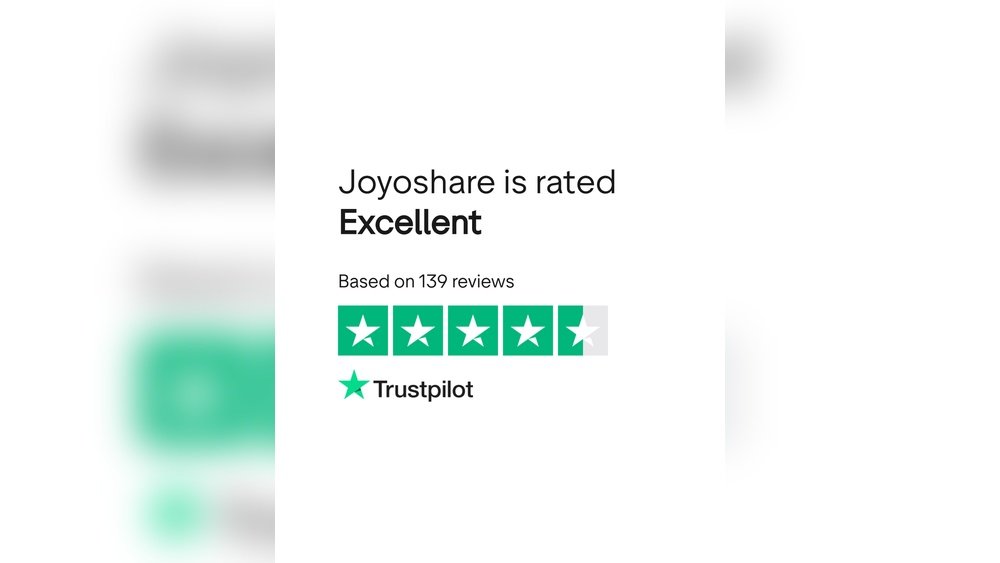
Many users praise Joyoshare for its simple interface and easy operation. The software supports a wide range of video and audio formats. Users find the conversion speed fast and output quality high. Several reviews mention the helpful editing tools and smooth DVD ripping functions. People appreciate that the program works well on both Windows and Mac. Overall, positive feedback focuses on user-friendly design and reliable results.
Common Complaints
Some users report occasional crashes during large file conversions. A few mention limited features in the trial version. Others wish for more advanced editing options. Some customers experience slower processing times with very large videos. A small number find the interface slightly outdated. These complaints highlight areas where Joyoshare could improve user experience.
Customer Support Quality
Customer support receives mixed reviews from users. Many say the support team responds quickly and solves issues effectively. Some users find the communication clear and polite. A few customers report delays in reply during busy periods. Several appreciate the detailed guides and FAQs available online. Overall, support quality is seen as helpful but with room for faster response times.

Credit: www.ryadel.com
Alternatives To Joyoshare
Choosing the right video editing and conversion tool depends on your specific needs. Joyoshare offers many features, but other options may better suit your budget or preferences. Exploring alternatives helps you find the best fit for your projects.
Top Competitors
Several software products compete with Joyoshare in video editing and conversion. Wondershare Filmora is popular for its user-friendly interface. Movavi Video Converter offers fast processing and supports many formats. HandBrake is a free, open-source option ideal for basic conversions. Each competitor has unique strengths worth considering.
Feature Comparisons
Joyoshare supports a wide range of formats and offers easy editing tools. Filmora adds advanced effects and transitions for creative projects. Movavi focuses on quick conversion with simple editing features. HandBrake provides powerful compression but lacks editing tools. Knowing these differences helps choose software matching your needs.
Pricing Differences
Joyoshare charges a one-time fee for full access, which is affordable for many users. Filmora uses a subscription model with monthly or yearly plans. Movavi offers both subscription and lifetime license options. HandBrake is completely free, making it a budget-friendly choice. Pricing should align with how often you edit videos.
Use Cases
Joyoshare offers versatile features that suit various needs. Its tools help users handle different video and audio tasks easily. Here are some common use cases where Joyoshare shines the most.
Professional Video Editing
Joyoshare supports multiple video formats for smooth editing. It lets professionals trim, merge, and enhance videos quickly. The software maintains high quality during processing. It also provides tools for adding subtitles and effects. Editors can export projects in popular formats for easy sharing.
Personal Multimedia Projects
Joyoshare is ideal for home videos and personal clips. Users can cut unwanted parts and join favorite scenes. It helps create slideshows with music and transitions. The interface is simple, making editing fun and easy. Families can save memories in a neat and clear format.
Educational Applications
Teachers and students use Joyoshare to prepare video lessons. It helps create tutorials with clear visuals and sound. The tool can convert videos for different devices. Educators can add captions to improve understanding. This makes learning materials more accessible and engaging.
Credit: www.anymp4.com
Tips And Tricks
Using Joyoshare effectively can save time and improve your video projects. These tips and tricks help you get the best results. Simple steps can boost video quality and streamline your editing process. Troubleshooting common issues quickly keeps your work smooth.
Optimizing Video Quality
Choose the right output format for your video. Joyoshare supports many formats like MP4, MOV, and AVI. Select a format that keeps high quality but reduces file size. Adjust resolution settings carefully to match your needs. Higher resolution means better quality but larger files. Use the preset profiles for popular devices to ensure compatibility. Check bitrate settings; higher bitrates improve video clarity. Avoid unnecessary conversions to prevent quality loss.
Efficient Editing Workflows
Plan your edits before starting to save time. Use Joyoshare’s trim and cut features to remove unwanted parts quickly. Apply effects and filters only after trimming your clip. Save your project regularly to avoid losing changes. Use batch processing to convert or edit multiple files at once. Utilize keyboard shortcuts for faster navigation and commands. Preview your edits before exporting to catch mistakes early.
Troubleshooting Common Issues
If Joyoshare crashes or freezes, restart your computer and reopen the app. Check for software updates to fix bugs and improve performance. Ensure your system meets Joyoshare’s minimum requirements. If videos don’t play correctly, try converting them to a different format. Clear cache or temporary files if the program runs slowly. Contact Joyoshare support with detailed problem descriptions for help. Backup your files before making major changes to avoid data loss.
Conclusion
Joyoshare offers a simple and effective way to handle video and audio files. It supports many formats and runs smoothly on Windows and Mac. The tools are easy to use, even for beginners. You can cut, convert, and edit without losing quality.
The software does not slow down your computer or add watermarks. Overall, Joyoshare provides reliable multimedia solutions that meet everyday needs. It’s worth trying if you want straightforward video editing and conversion.