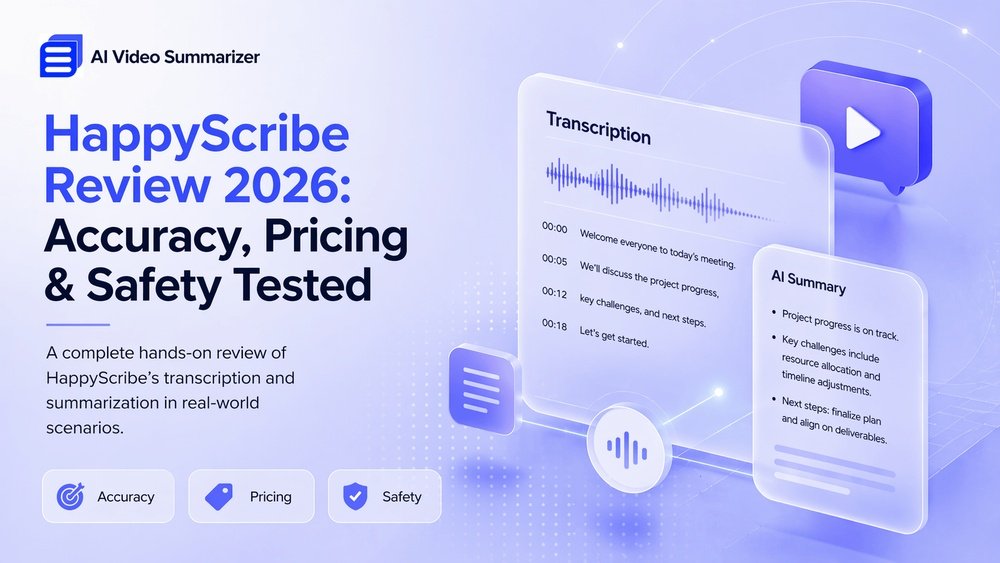
Happyscribe Review: Ultimate Guide to Accurate Transcriptions

Are you looking for a transcription and subtitling tool that can save you time and effort? HappyScribe promises to turn your audio or video files into text quickly and easily.
But does it deliver on that promise? In this HappyScribe review, you’ll get an honest look at its strengths and weaknesses—so you can decide if it’s the right fit for your needs. Whether you’re a content creator, student, or professional, understanding how well HappyScribe handles accuracy, pricing, and special features will help you avoid surprises.
Keep reading to find out if this tool can truly boost your productivity or if there are better options out there for your projects.

Credit: www.happyscribe.com
Happyscribe Features
HappyScribe offers a variety of features that make transcription and subtitling easier. Its tools cater to different needs, from quick automatic transcriptions to precise human-reviewed texts. The platform also supports multiple languages and formats, serving a wide range of users.
Each feature is designed to save time and improve workflow. Whether you are working on videos, interviews, or meetings, HappyScribe has options to help you get the job done efficiently.
Automatic Transcription
HappyScribe uses AI technology to create transcripts quickly. It converts audio and video files into text with good accuracy. The process is fast, often taking just minutes. Users can edit the text directly in the editor. This feature suits those needing immediate transcriptions.
Human Transcription Services
For better accuracy, HappyScribe offers human transcription. Skilled transcribers check and correct the text. This service is ideal for complex or sensitive content. It ensures higher precision than automatic methods. The turnaround time is longer but worth it for quality.
Subtitle Workflow
HappyScribe includes a subtitle editor with waveform syncing. Users can match subtitles exactly to audio or video. The editor supports .srt and .vtt file exports. This helps with YouTube videos or web content. The workflow is smooth and user-friendly.
Live Ai Meeting Assistant
This feature records and transcribes meetings in real time. It captures spoken words and creates notes automatically. The tool highlights key points and action items. It works well for remote teams and online conferences. Users save time on manual note-taking.
Supported Languages And Formats
HappyScribe supports over 120 languages and dialects. It handles various audio and video file types. Common formats include MP3, MP4, WAV, and MOV. This wide support suits global users and diverse projects. The platform adapts to many transcription needs.
Accuracy And Performance
Accuracy and performance are key factors for any transcription tool. HappyScribe aims to deliver clear and reliable transcriptions. Its performance varies with audio quality and complexity. Below, we explore how HappyScribe handles different audio scenarios and the speed of its service.
Handling Clear Audio
HappyScribe performs well with clear, high-quality audio files. It captures words accurately and maintains the context of the conversation. The tool easily distinguishes between different speakers in crisp recordings. This results in transcripts that require minimal editing. Users can expect fast and precise output for interviews, podcasts, and presentations with good sound quality.
Challenges With Noisy Environments
Background noise affects transcription quality significantly. HappyScribe struggles to separate speech from loud or constant noise. This leads to errors and missed words. The accuracy drops when multiple sounds overlap or when audio is muffled. Users should avoid noisy recordings or consider manual corrections after transcription. Noise reduction before uploading can help improve results.
Dealing With Overlapping Speakers
HappyScribe can identify multiple speakers but has limits with overlapping speech. When people talk simultaneously, the transcript may confuse who said what. It sometimes merges voices or misses parts of the conversation. Clear speaker turns produce better transcripts. For meetings or group discussions, it is best to use recordings where speakers talk one at a time.
Speed And Turnaround Time
HappyScribe offers quick transcription turnaround, especially with its AI engine. Short files process within minutes. Longer files take more time but remain faster than manual transcription. Users can choose between automatic and human-made transcriptions. Automatic results come faster but may need corrections. Human transcription takes longer but improves accuracy for complex audio.
Pricing And Plans
Understanding Happyscribe’s pricing and plans helps you choose the right option for your needs. The service offers flexible payment structures. They cater to casual users and professionals alike. This section breaks down the subscription tiers, per-minute costs, and value compared to competitors.
Subscription Tiers
Happyscribe offers two main subscription tiers. The Basic plan allows limited transcription minutes per month. The Premium plan provides a higher monthly limit with extra features. Both plans include access to automatic and human-made transcription services. You can also pay as you go without a subscription. This suits users with irregular transcription needs.
Per-minute Costs
Automatic transcription costs about $0.20 per minute. Human-made transcription is pricier, around $1.70 per minute. Prices vary slightly depending on language and audio quality. Bulk orders may get discounts. Pay-as-you-go users pay per minute without monthly fees. This model works well for occasional users.
Cost Comparison With Competitors
Happyscribe’s automatic transcription is competitively priced. Some competitors charge slightly less for basic services. However, Happyscribe’s human transcription rates are mid-range. Other platforms may offer cheaper human transcription but with longer turnaround times. Happyscribe balances cost and speed effectively. It offers good value for both options.
Value For Heavy Users
Heavy users benefit from subscription plans with monthly limits. These plans reduce per-minute costs compared to pay-as-you-go. Businesses or content creators with large volumes save money here. The platform also supports team collaboration. This enhances productivity for frequent users. Still, costs can add up if human transcription is heavily used.

Credit: whatisai.co.uk
User Experience
User experience defines how easily and effectively users interact with HappyScribe. It shapes satisfaction and productivity during transcription tasks. This section explores key aspects that impact daily use and efficiency.
Ease Of Use
HappyScribe welcomes users with a simple setup process. Uploading audio or video files takes just a few clicks. The platform quickly transcribes content without complex steps. Beginners can start without prior training. Instructions are clear and concise. The tool keeps distractions to a minimum. Users focus on their content, not the software. The overall workflow feels natural and straightforward.
Interface And Editing Tools
The interface is clean and modern. Text appears alongside audio waveforms for easy reference. Editing happens inline, saving time and effort. Users can click any word to fix mistakes instantly. The editor highlights speaker changes and timestamps automatically. Formatting options are basic but sufficient for most needs. The design supports quick navigation and smooth scrolling. It avoids clutter, helping users stay organized.
File Upload And Export Options
Uploading supports many common formats like MP3, MP4, WAV, and more. Files upload fast with stable internet connections. Users can upload multiple files in one session. Export options include text, subtitles, and transcripts. Formats such as TXT, SRT, and VTT cover different use cases. Exported files integrate easily with video platforms and editors. Batch export saves time for large projects. Overall, file management feels flexible and reliable.
Customer Support
Customer support responds promptly through email and chat. The help center offers guides and answers to frequent questions. Support staff communicate clearly and politely. Users report positive experiences resolving issues. The team updates the platform regularly based on feedback. Troubleshooting steps are easy to follow. Support availability covers multiple time zones, aiding global users. This service adds confidence when facing challenges.
Pros And Cons
Evaluating the pros and cons of HappyScribe helps users decide if it suits their transcription needs. The platform offers several advantages that make transcription and subtitle creation easier. Yet, some drawbacks could affect your experience depending on your audio quality and budget. This section breaks down key benefits and limitations clearly.
Key Advantages
- Easy subtitle workflow with sync editor for audio and video.
- Supports exporting files in popular formats like .srt and .vtt.
- Offers both AI-generated and human transcription options.
- Human transcription improves accuracy on complex or sensitive files.
- User-friendly interface suitable for beginners and professionals.
- Speeds up transcription with automated speech recognition technology.
Notable Limitations
- Accuracy drops with poor audio or overlapping speakers.
- Background noise and fast speech reduce transcription quality.
- Pricing can become high for heavy users or long projects.
- Monthly limits on lower pricing plans restrict usage.
- Live meeting transcription feature is less developed than file-based.
- May require manual corrections for best results in complex files.
Use Cases
HappyScribe offers versatile transcription and subtitling services suitable for many needs. Its accuracy and ease of use make it popular across different fields. The following use cases highlight how HappyScribe can support various professionals and tasks.
Content Creators And Podcasters
Content creators use HappyScribe to transcribe videos and podcasts quickly. It helps convert spoken content into text for blogs, captions, or scripts. Podcasters benefit from easy episode transcription, improving accessibility and SEO. Transcripts also assist in editing and creating show notes. The tool supports multiple formats, making content repurposing simple.
Business Meetings And Lectures
HappyScribe captures meeting discussions and academic lectures with clarity. Transcripts allow participants to review key points and action items later. Students use it to transcribe lectures for better study material. Businesses save time by avoiding manual note-taking during calls. The platform’s timestamp feature helps locate specific segments quickly.
Side Hustle Opportunities
Many find transcription work on HappyScribe a flexible side income. It suits people with good listening and typing skills. Tasks range from transcribing interviews to creating subtitles for videos. Payment varies by project length and complexity. This side hustle can fit around other commitments and improve language skills over time.
Language And Format Needs
HappyScribe supports multiple languages, meeting global demands. Users can choose from over 60 languages and dialects. It offers different subtitle formats like SRT and VTT, compatible with many platforms. The tool also allows users to edit transcripts for accuracy. This flexibility helps meet specific project requirements easily.
Alternatives To Happyscribe
Exploring alternatives to HappyScribe helps find the best transcription tool for your needs. Different platforms offer unique features, pricing, and user experiences. Comparing options can save time and money. It also ensures the tool fits your workflow perfectly.
Top Competitors
Several transcription services compete with HappyScribe. Rev is popular for its high accuracy and human transcription option. Otter.ai offers real-time transcription with collaboration features. Temi provides affordable automated transcripts with quick turnaround. Sonix is known for multi-language support and advanced editing. These platforms vary in focus and user interface.
Feature Comparisons
HappyScribe stands out with its subtitle syncing and dual transcription modes. Rev excels in human transcription quality but lacks subtitle tools. Otter.ai includes live transcription and team collaboration. Temi prioritizes speed with automated transcripts but has fewer editing options. Sonix offers multi-language support and smart text editing features. Feature sets differ based on user needs.
Pricing Differences
HappyScribe charges per minute with separate rates for AI and human transcripts. Rev’s pricing is higher due to manual transcription services. Otter.ai has a free tier with limited minutes and monthly plans for more use. Temi offers flat per-minute rates, usually cheaper than human services. Sonix uses subscription plans plus usage fees. Pricing depends on transcription type and volume.
Best Fit Recommendations
Choose HappyScribe if you want subtitle tools and flexible transcription modes. Opt for Rev when accuracy and human transcription matter most. Pick Otter.ai for live transcription and team collaboration. Use Temi for fast, budget-friendly automated transcripts. Select Sonix for multilingual projects with advanced editing. Match tools to your specific transcription needs for best results.

Credit: mymeet.ai
Conclusion
HappyScribe offers useful tools for transcription and subtitles. It works best with clear audio and simple files. The choice between AI and human transcription helps meet different needs. Pricing may grow for heavy users, so watch your budget. The live meeting assistant still needs improvement.
Overall, HappyScribe suits those wanting easy transcription without too many extra features. Consider your specific needs before deciding. This review helps you weigh the pros and cons clearly.