Best WordPress Themes and Plugins for Business Websites

Every business website built on WordPress succeeds or fails based on two decisions: the theme that shapes its design and the plugins that power its functionality. Get both right, and you have a website that loads fast, converts visitors, and scales with your business. Get it wrong and you are constantly fighting your own platform.
This guide covers the best WordPress themes and plugins for every business type, from professional service firms to online marketplaces. Whether you are launching your first business website or rebuilding an existing one, this resource provides the exact tools and guidance to deliver results.
Why WordPress Remains the Best CMS for Business Websites
WordPress powers over 43% of all websites on the internet. That dominance exists because no other content management system offers the same combination of flexibility, developer ecosystem, and business-ready functionality at its price point.
Business owners choose WordPress for three concrete reasons. First, the theme and plugin ecosystem means you can build almost any type of business website without writing custom code. Second, WordPress SEO capabilities through tools like Yoast SEO or Rank Math give businesses full control over on-page optimization. Third, WooCommerce transforms any WordPress installation into a fully functional e-commerce store.
Before committing to WordPress, it helps to read a thorough WordPress vs Webflow comparison for business websites to understand where each platform performs best. Webflow wins on design precision; WordPress wins on extensibility and cost of ownership for content-heavy business sites.
How to Choose the Right WordPress Theme for Your Business
The biggest mistake business owners make is choosing a theme based on visual appeal alone. A theme that looks beautiful on a demo site may perform poorly in practice if it carries excessive code bloat, lacks mobile responsiveness, or conflicts with essential plugins.
Our complete guide to choosing the right WordPress theme for your business covers every evaluation criterion in detail. The short version: prioritize themes that are built on a lightweight framework, score above 90 on Core Web Vitals, receive regular updates, and carry positive developer support reputations.
The key factors to evaluate before purchasing any WordPress theme:
Page speed baseline. Install the theme on a staging site and run it through Google PageSpeed Insights before adding a single plugin. A theme that scores below 70 on mobile out of the box will require significant optimization work later.
Block editor compatibility. WordPress’s Gutenberg block editor is now the default content experience. Themes built for the classic editor create friction and limit your content design options. Prioritize themes that are fully block-editor compatible or that come with a native block pattern library.
Update frequency. A theme that has not received an update in over 12 months is a security and compatibility risk. Check the theme’s changelog before buying.
Demo content quality. Premium themes come with demo content that shows you exactly what the theme can produce. Import the demo on your staging environment and evaluate whether it matches your actual business requirements, not just how it looks in a screenshot.
Support documentation. Business websites cannot afford extended downtime waiting for support responses. Themes backed by active forums, video tutorials, and responsive support teams are worth paying more for.
Best WordPress Themes by Business Type
Not all WordPress themes serve all business categories equally well. A theme built for photographers will handicap a law firm. A directory theme will overwhelm a restaurant. The sections below match the right theme architecture to each major business category.
Real Estate Business Websites
Real estate websites carry specific requirements that generic business themes cannot meet. Property listing functionality, map integrations, mortgage calculators, and agent profile pages require a theme built specifically for the real estate vertical.
Our in-depth review of the best real estate WordPress themes covers the top options with side-by-side feature comparisons. The leading choices in this category share three traits: native integration with real estate listing plugins like WP All Import or IMPress Listings, responsive property grid layouts that adapt cleanly to mobile screens, and IDX feed compatibility for agents who need live MLS data.
Key entities relevant to real estate WordPress themes include property search widgets, neighborhood landing pages, agent directory modules, and virtual tour embedding. Your theme needs to accommodate all of these natively or through compatible plugin integrations.
Law Firm and Legal Service Websites
Law firm websites operate under stricter trust requirements than most business categories. Potential clients arrive with high anxiety and low technical patience. The website must communicate credibility within the first three seconds of loading.
The best lawyer WordPress themes share a consistent design language: restrained color palettes, serif or professional sans-serif typography, prominent attorney profile sections, and clear practice area page templates. Attorney headshots, bar association credentials, and case result displays are standard content blocks that your theme should support cleanly.
Schema markup for legal entities is a critical technical requirement for law firm SEO. Themes that output clean, minimal HTML make schema implementation significantly easier. Avoid themes that inject decorative CSS classes into heading tags, as this creates conflicts with structured data.
Job Board and Recruitment Platforms
Job board websites have become profitable niche businesses. Employers pay to post positions, job seekers browse for free, and the platform earns from every transaction. WordPress supports this model well through dedicated job board themes paired with WP Job Manager or similar plugins.
The best job board themes for WordPress enable company listing pages, application tracking, employer dashboards, and resume uploads without requiring custom development. The Workscout theme stands out as the category leader for its native WP Job Manager integration and its recruiter-friendly dashboard design.
Read the full Workscout theme review for a detailed breakdown of its features, performance metrics, and pricing structure. It covers both the free and premium versions and explains which business size each suits best.
Portfolio and Creative Agency Websites
Freelancers, design agencies, photographers, and creative studios need portfolio themes that display visual work without design interference. The theme itself should disappear into the background and let the work speak.
Our review of the best portfolio WordPress themes identifies themes with masonry grid layouts, full-screen project galleries, client testimonial sections, and case study templates. For agencies that bill on retainer, a theme with a clear services section and a strong call-to-action hierarchy converts better than a purely visual portfolio layout.
Online Community and Forum Websites
Community websites built on WordPress generate substantial recurring traffic once their member base reaches critical mass. Forums, membership directories, and discussion boards each require different theme architectures.
The best forum WordPress themes work natively with bbPress and BuddyPress to create structured discussion environments. A forum theme needs clean thread typography, an uncluttered sidebar, and mobile-optimized reply interfaces. Members who cannot navigate the forum easily on their phone will not return.
Food, Restaurant, and Recipe Websites
Recipe and food content websites are among the most profitable niches in WordPress because their content naturally attracts high search volume and earns well from display advertising and affiliate programs. The right theme amplifies that earning potential.
Our coverage of the best recipe WordPress themes identifies the top options with built-in recipe card blocks, ingredient scaling functionality, print stylesheets, and Recipe schema markup output. Recipe schema directly improves your chances of earning rich results in Google Search, which drives meaningfully higher click-through rates.
Local Business Directory Websites
Directory websites generate revenue through premium listing fees, sponsored placements, and lead generation. They scale well because the content is largely user-generated. The technical requirements, however, are substantial: search and filter interfaces, location-based browsing, listing claim workflows, and review systems.
The right directory plugins for WordPress paired with a directory-ready theme, can handle all of these requirements without custom development. GeoDirectory and Business Directory Plugin are the dominant players in this space. Both integrate well with themes designed around the directory business model.
Best WordPress Page Builders for Business Websites
Themes define your global design system. Page builders define how you construct individual pages. For business websites that need custom landing pages, sales pages, or campaign-specific layouts, a page builder is not optional.
Brizy Cloud: The Fastest Page Builder for Business Landing Pages
Brizy Cloud stands apart from other page builders because it works as both a WordPress plugin and a standalone cloud platform. For businesses that need high-converting landing pages without managing a full WordPress install, this flexibility is a genuine advantage.
The full Brizy Cloud review covers its template library, form builder, popup builder, and ecommerce landing page capabilities. The key performance insight: Brizy Cloud outputs significantly cleaner HTML than Elementor or Divi, which produces better Core Web Vitals scores on identical hardware.
If you are choosing between Brizy Cloud and a dedicated landing page platform, our comparison of Brizy Cloud vs Unbounce gives you the complete breakdown. Brizy Cloud wins on price-to-feature ratio and WordPress integration depth. Unbounce wins on A/B testing infrastructure and enterprise-level analytics.
Kadence: The Performance-First WordPress Theme and Block System
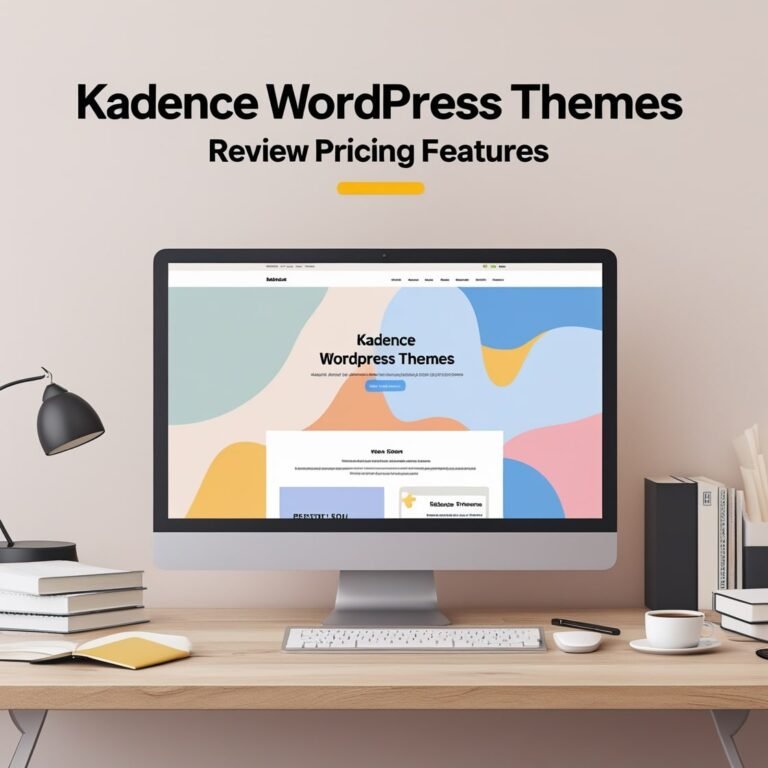
Kadence has established itself as the preferred choice for WordPress developers and advanced business users who prioritize Core Web Vitals performance. Its global design system, starter templates, and block library make it possible to build a professional business website in hours rather than days.
The complete Kadence theme review explains why its architecture produces consistently high PageSpeed scores. Its header and footer builders replace the need for separate plugin installations. Its WooCommerce integration is the best-in-class among free WordPress themes.
Essential WordPress Plugins Every Business Website Needs
Themes handle design. Plugins handle functionality. A well-chosen plugin stack covers six core categories: SEO, performance, security, contact and lead capture, analytics, and backup. Each category below includes the plugins that deliver the highest return for business websites.
SEO Plugins
Rank Math and Yoast SEO are the dominant SEO plugins for WordPress. Rank Math has emerged as the stronger choice for technical SEO users because its free version includes schema markup, Google Search Console integration, and keyword tracking that Yoast reserves for its premium tier.
Performance and Caching Plugins
Website speed is not a vanity metric. Google’s Core Web Vitals algorithm directly connects page load time to search ranking position. A business website that loads in under two seconds on mobile outcompetes a slower competitor even when their content quality is similar.
WP Rocket is the premium caching plugin that consistently produces the best performance results across benchmark tests. W3 Total Cache and LiteSpeed Cache are strong free alternatives. Whichever you choose, combine it with a CDN like Cloudflare and an image optimization plugin like ShortPixel.
Our WordPress speed optimization guide walks through the full technical process, including server-level caching, database optimization, JavaScript deferral, and image compression workflows. Following this guide properly can reduce load times by 40% to 60% on most standard business WordPress installations.
Contact and Lead Capture Plugins
WPForms and Gravity Forms are the leading contact form plugins for business websites. WPForms wins on ease of use; Gravity Forms wins on conditional logic complexity and CRM integrations. Both integrate with major email marketing platforms, which is essential for businesses that nurture leads through automated email sequences.
Backup and Recovery Plugins
UpdraftPlus is the standard for WordPress backup management. Its free version covers scheduled backups to remote storage destinations, including Google Drive, Dropbox, and Amazon S3. For business websites, daily backups stored off-server are a non-negotiable requirement.
Analytics Plugins
MonsterInsights connects Google Analytics 4 to your WordPress dashboard without requiring you to edit theme files. For business websites that track form submissions, button clicks, and ecommerce conversions, its event tracking capabilities surface data that standard GA4 implementation misses.
WordPress Design Inspection and Development Tools
Businesses that work with web designers or maintain their own WordPress sites benefit from tools that bridge the gap between design and code. CSS Peeper is one such tool.
The CSS Peeper review explains how this browser extension lets non-developers inspect and extract CSS properties, color values, fonts, and spacing from any website. For business owners who want to replicate design elements they see on competitors’ or inspiration sites, CSS Peeper removes the need to read raw CSS code.
WordPress for E-commerce Businesses
WooCommerce transforms WordPress into a fully functional e-commerce platform. It supports physical products, digital downloads, subscriptions, and bookings. Its ecosystem of extensions covers every e-commerce use case from international shipping to advanced inventory management.
Choosing the right WooCommerce-compatible theme determines how well your store converts visitors.
WordPress and No-Code Development
Businesses that need mobile applications alongside their WordPress websites now have viable no-code options that do not require hiring mobile developers. These tools connect to your existing WordPress data and content through APIs, making the transition to mobile relatively straightforward.
The key evaluation criteria include WordPress API compatibility, push notification support, and the ability to mirror WooCommerce product catalogs in the mobile interface.
WordPress Security: Protecting Your Business Website
A WordPress business website that is not actively secured is a target. WordPress’s market share makes it the most frequently attacked CMS on the internet. The attacks are automated and indiscriminate. Every unpatched installation is at risk, regardless of site size or industry.
Our WordPress security best practices guide covers the full security stack: two-factor authentication on all administrator accounts, file permission hardening, login attempt limiting, malware scanning through Wordfence or Sucuri, and regular plugin and theme update discipline.
The most critical security practice is one the majority of business website owners skip: removing unused themes and plugins from the WordPress installation entirely. An inactive plugin with a known vulnerability is just as dangerous as an active one because its files remain on the server.
Choosing Between WordPress and Alternative Website Builders
WordPress is the right choice for most business websites. It is not the right choice for every business website. Some businesses need the design precision of Webflow, the simplicity of Squarespace, or the ecommerce depth of Shopify.
The conclusion for most content-driven businesses is that WordPress wins on every dimension except design precision and initial setup speed. For businesses where visual design is the primary differentiator (architecture firms, fashion brands, high-end agencies), Webflow’s design system justifies its steeper learning curve.
WordPress Theme and Plugin Performance: What the Data Shows
Business websites that follow the technical practices outlined in this guide consistently outperform those that treat theme selection and plugin management as secondary concerns. The performance gap shows up in three measurable areas.
Search ranking position improves when Core Web Vitals scores are strong. Google’s algorithm weights Largest Contentful Paint, Cumulative Layout Shift, and Interaction to Next Paint as direct ranking signals. Themes and plugins that produce clean, minimal output give you an advantage in all three metrics.
Conversion rate improves when page load time decreases. Research across e-commerce and lead generation websites consistently shows that each additional second of load time reduces conversion rate by 4% to 7%. A WordPress site optimized to load in 1.5 seconds will convert more visitors than an identical site loading in 3.5 seconds.
Security incident frequency decreases with consistent update discipline. Businesses that update their WordPress core, themes, and plugins within 48 hours of releases being published experience significantly fewer successful attacks than those running outdated installations.
WordPress Theme and Plugin Maintenance: The Ongoing Work
Launching a WordPress business website is a starting point, not a destination. The ongoing maintenance work that keeps it secure, fast, and competitive includes monthly plugin audits to remove unused installations, quarterly theme compatibility reviews after major WordPress core releases, annual design reviews to evaluate whether the visual presentation still matches current brand positioning, and continuous performance monitoring through Google Search Console and PageSpeed Insights.
Businesses that treat their WordPress website as a living system rather than a set-and-forget installation consistently outperform those that neglect maintenance. The compounding effect of small, consistent improvements to load time, security posture, and content quality produces results that irregular large-scale rebuilds cannot match.
Summary: Building a Business WordPress Website That Performs
The decisions that determine whether a WordPress business website succeeds are front-loaded. Choosing the right theme for your business type, selecting a plugin stack that covers core functionality without creating conflicts, optimizing for Core Web Vitals from the start, and implementing security measures before you need them produce websites that grow their traffic and conversion rates over time.
The resources linked throughout this guide give you the detailed implementation guidance for each decision point. Use the theme reviews to evaluate your options with full information. Use the plugin guides to build a stack that serves your business model. Use the technical guides for speed and security to protect and optimize what you build.
WordPress remains the most capable and cost-effective platform for business website development in 2027. The businesses that use it well treat it as a system of connected decisions rather than a collection of independent choices.