“Best Ai Note-Taking Apps for Meetings”: Ultimate Productivity Boosters

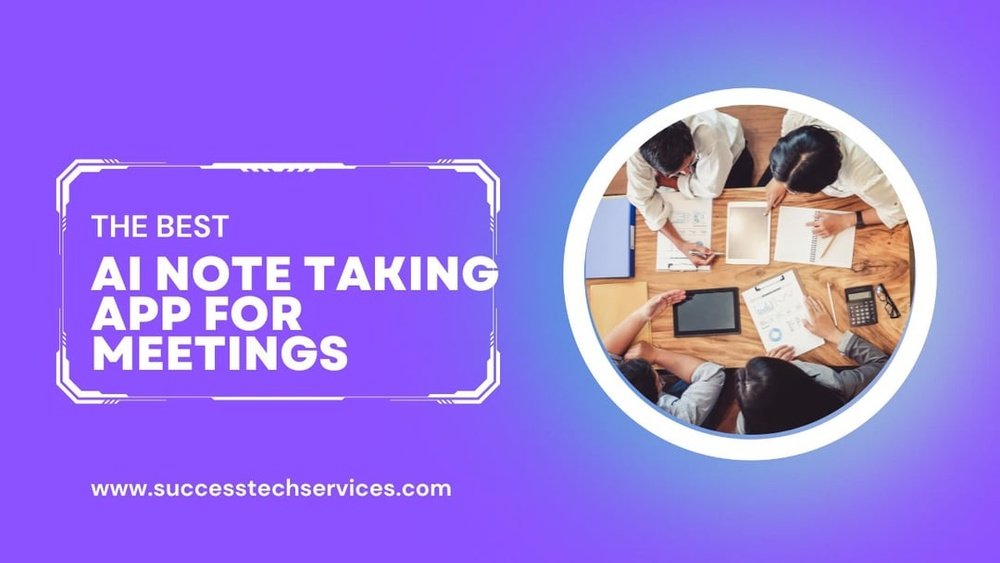
If you’ve ever struggled to keep up with note-taking during meetings, you’re not alone. Trying to focus on the conversation while jotting down key points can be overwhelming—and you risk missing important details.
That’s where AI note-taking apps come in. These smart tools help you capture every word, highlight action items, and even summarize discussions automatically. Imagine walking out of your next meeting with clear, organized notes ready to share, without lifting a finger.
Ready to find the best AI note-taking app that fits your style and boosts your productivity? Keep reading to discover top options that will transform the way you handle meetings forever.

Credit: shift.com
Top Ai Note-taking Apps
AI note-taking apps help capture meeting details quickly and accurately. They reduce manual writing and let you focus on discussions. These tools offer features like live transcription, summaries, and collaboration options. Choosing the right app depends on your needs, such as accuracy, security, or teamwork.
Here are some top AI note-taking apps that work well for meetings. Each offers unique features to improve your meeting productivity.
Granola Features And Benefits
Granola works directly on your desktop without adding a bot to meetings. It integrates with your calendar and records audio locally. The app creates a live notepad during calls. It works for virtual and in-person meetings. Granola offers highly accurate summaries. Its bot-free design keeps meetings natural and distraction-free.
Tl;dv Capabilities
tl;dv joins video calls as a lightweight bot. It records, transcribes, and timestamps meetings on Zoom, Google Meet, and Teams. The app allows easy video recording and note-taking. It supports team collaboration by sharing highlights. Some users may find the bot presence distracting, but it improves meeting documentation.
Fireflies.ai Overview
Fireflies.ai captures and transcribes conversations across many video platforms. It works as an AI meeting assistant in the background. The app records audio and video without needing a bot. It generates searchable transcripts and meeting summaries. Fireflies.ai helps keep track of key points and action items efficiently.
Otter.ai Collaboration Tools
Otter.ai offers live transcription and auto-captures presentation slides. It supports real-time collaboration where teammates highlight and comment on notes. The app integrates with video conferencing apps for seamless use. Otter.ai improves teamwork by making meeting notes interactive and easy to share.
Bluedot.ai Accuracy And Security
Bluedot.ai focuses on precise transcription and data security. It uses advanced AI to deliver accurate meeting notes. The app ensures privacy by protecting your information with strong encryption. Bluedot.ai is ideal for businesses needing reliable and safe note-taking solutions.
Jamie Ai Insights
Jamie AI takes notes, generates summaries, and provides key insights for meetings. It works alongside your existing workflow and knowledge base. Jamie identifies next steps and action items automatically. This app helps teams stay organized and productive after every meeting.
Bot-based Vs Bot-free Solutions
Choosing between bot-based and bot-free AI note-taking apps affects your meeting experience.
Bot-based apps use virtual assistants that join your calls to record and transcribe.
Bot-free apps work silently in the background without joining the video or audio call.
Each type has unique benefits and trade-offs in usability, privacy, and comfort.
How Virtual Bots Work
Virtual bots join your video meetings as participants.
They record audio, transcribe speech, and create notes automatically.
Bots can also highlight key points and track action items live.
They often integrate with platforms like Zoom, Teams, or Google Meet.
Bots provide real-time transcripts that teammates can review instantly.
Advantages Of Bot-free Apps
Bot-free apps run locally on your device or cloud without joining calls.
They capture audio and generate notes without disrupting the meeting.
No virtual participant means no distractions or interruptions during calls.
These apps often have faster setup and fewer permissions to manage.
They can work well for both in-person and virtual meetings.
Privacy And User Comfort
Bot-based apps may raise privacy concerns among meeting participants.
Some users feel uneasy with an AI bot actively listening in calls.
Bot-free apps keep recordings on your device, improving data control.
They reduce worries about who accesses your meeting content.
User comfort increases when apps do not appear as meeting attendees.
Integration And Compatibility
Integration and compatibility are key features in AI note-taking apps for meetings. These features ensure seamless workflow and save time. The best apps work well with your existing tools and devices. They connect with calendars, support popular meeting platforms, and sync across devices.
Calendar Sync And Scheduling
AI note-taking apps that sync with your calendar help you stay organized. They pull meeting details automatically. This reduces manual input and missed notes. Scheduling features allow automatic note creation before meetings start. Your agenda and participants list show up in the app. This makes it easy to prepare and focus during meetings.
Supported Meeting Platforms
Compatibility with popular meeting platforms is essential. Apps should support Zoom, Microsoft Teams, Google Meet, and others. This allows capturing and transcribing conversations without extra steps. Some apps join meetings as bots, while others work in the background. Choose apps that fit your platform and privacy needs. Reliable support means fewer technical issues during meetings.
Cross-device Functionality
Cross-device functionality lets you access notes on any device. Whether you use a phone, tablet, or computer, your notes stay synced. This is helpful for switching between devices before, during, and after meetings. Real-time syncing ensures updates appear instantly. Easy access to notes boosts productivity and team collaboration. Look for apps with apps for multiple operating systems and web access.
Credit: corecruit.com
Transcription And Summary Quality
Transcription and summary quality are crucial for AI note-taking apps used in meetings. Clear, accurate transcriptions ensure you don’t miss important details. Good summaries save time by highlighting key points and action items. The best apps combine these features effectively to improve meeting productivity.
Below, we explore essential aspects of transcription and summary quality in AI note-taking apps.
Accuracy Of Speech-to-text
Accurate speech-to-text transcription is the foundation of any note-taking app. The app must correctly capture words, names, and technical terms. Errors can cause confusion and require extra effort to fix. Leading AI apps use advanced algorithms to reduce mistakes. They handle different accents and speaking speeds well. Clear audio input also improves transcription quality.
Real-time Transcripts
Real-time transcripts display the conversation as it happens. This feature helps participants follow along and stay engaged. It also allows instant review of important points during the meeting. Some apps highlight speakers to track who said what. Real-time transcripts support quick decision-making and better collaboration. They are especially useful for remote teams or large meetings.
Summary Generation Features
Summary generation helps condense long discussions into brief notes. The best apps identify main topics, decisions, and tasks automatically. This saves time spent on manual note review. Summaries often include action items and deadlines. Some apps allow customization of summary length and detail. Clear summaries make sharing meeting outcomes easier and faster.
Action Items And Insights
Language and accessibility are essential for AI note-taking apps. These features help users from diverse backgrounds and abilities. Meetings often include people who speak different languages or need assistive tools. AI apps that support various languages and accessibility options make meetings more inclusive.
Choosing an app that fits your language needs improves understanding. Accessibility features ensure everyone can participate and benefit from meeting notes. This section explores supported languages, key accessibility features, and limits in multilingual settings.
Supported Languages
Top AI note-taking apps support multiple languages. Common languages include English, Spanish, French, and German. Some apps offer over 20 language options. This helps users capture notes in their native tongue.
Language detection often works automatically. Apps transcribe speech into text in real time. Some allow manual language selection for better accuracy. However, support varies by app and language complexity.
Accessibility Features
Accessibility options improve app usability for people with disabilities. Features like text-to-speech help users with visual impairments. Voice commands enable hands-free operation for those with limited mobility.
Screen reader compatibility is common. High-contrast modes assist users with vision difficulties. Keyboard shortcuts speed up navigation without a mouse. Closed captions and transcripts support hearing-impaired participants.
Limitations In Multilingual Settings
Many AI note apps struggle with mixed languages in one meeting. Switching languages mid-sentence can confuse transcription accuracy. Some apps require setting a primary language before starting.
Dialect and accent differences may reduce transcription quality. Background noise also affects recognition, especially with multiple speakers. These limitations mean notes may need manual editing after meetings.
Choosing an app that fits your language and accessibility needs avoids these issues. Testing features before meetings helps ensure smooth note-taking for all attendees.

Credit: www.reddit.com
Use Cases And Best Scenarios
Understanding the pricing and plans of AI note-taking apps helps you choose the best fit for your meetings. These tools offer a mix of free and paid features. Plans vary by subscription type and may include options for individual users or large teams. Knowing these details can save you money and improve your workflow.
Free Vs Paid Features
Most AI note-taking apps provide a free version with basic functions. You can capture notes, transcribe short meetings, and use limited integrations. Paid plans unlock advanced features like longer transcripts, cloud storage, and priority support. Some apps add AI-powered summaries and action item detection only in paid versions. Free options suit casual users, while paid plans benefit professionals needing more power.
Subscription Models
Subscription models usually come as monthly or yearly payments. Monthly plans offer flexibility but cost more over time. Yearly subscriptions give discounts and extra perks. Some apps charge per user, which fits teams but may add up fast. Others have flat fees regardless of team size. Choose a model that matches your meeting frequency and team size to optimize value.
Enterprise Options
Enterprise plans target businesses with many users and complex needs. These plans include custom integrations, dedicated support, and enhanced security. Bulk licensing discounts often apply. Some companies get tailored onboarding and training. These options suit large organizations wanting seamless collaboration and compliance. Enterprise plans usually require direct contact with sales for pricing details.
Language And Accessibility
Maximizing productivity during meetings depends heavily on how you use AI note-taking apps. These tools can do more than just record words. Proper setup and smart use help capture the most important points clearly and quickly. Organizing notes and linking them to your daily tasks also speeds up follow-up work.
Small changes in settings and workflows can save time and reduce errors. Focus on customizing your app and syncing it with other tools. Follow a few simple habits to keep your notes useful and easy to read.
Customizing Note-taking Settings
Adjust your app’s settings to match your meeting style. Set preferences for automatic summaries, keyword highlights, and action items. Choose the right language and transcription speed to improve accuracy. Turn on noise reduction if your meetings have background sounds. Use templates for different meeting types to keep notes consistent and organized.
Integrating With Workflow Tools
Connect your AI note app with calendars, task managers, and communication platforms. Syncing notes with tools like Google Calendar or Microsoft Teams keeps everything in one place. Automate task creation from action items in your notes. Use cloud storage integration to access notes anywhere. This reduces manual work and helps your team stay aligned.
Best Practices For Meeting Notes
Write clear, concise points instead of long paragraphs. Highlight key decisions and next steps. Review and edit notes soon after the meeting to fix errors. Share notes promptly with participants to keep everyone informed. Use tags or categories to find notes quickly later. Make note-taking a habit to improve with every meeting.
Conclusion
Choosing the right AI note-taking app can boost meeting productivity. These tools save time by capturing key points automatically. They help keep teams organized and focused on tasks. Many options work well for both virtual and in-person meetings. Try a few to find the best fit for your workflow.
Using AI apps makes note-taking easier and meetings more efficient. Start improving your meetings today with smart note-taking solutions.